Please check page 10 to page 12.
Please check page 18 to page 24.
Please check page 28 to page 31.
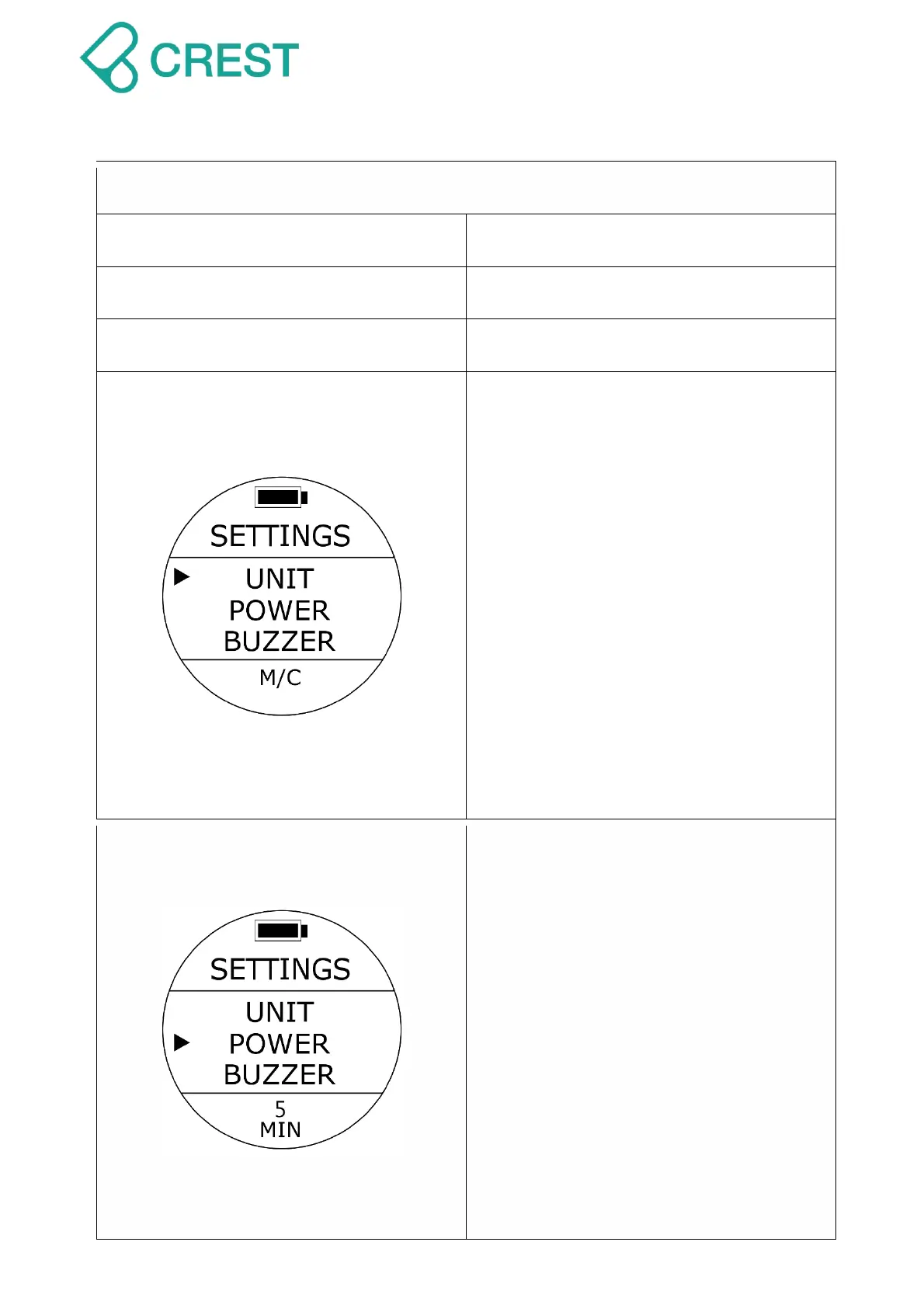
Description: Unit Setting
To Access: From SETTINGS, press the
UP Button / DOWN Button until the cursor
aligns with UNIT. Press MODE Button
once.
One of the UNIT options will be blinking at
the bottom. Press UP Button / DOWN
Button to select other options as needed.
Press MODE Button to accept your
selection.
Options:
M/C:Metric(Meter and Celsius)
Ft/F:Imperial(Feet and Fahrenheit)
Note: Changing this setting will affect
all the related displays. There will be
round up of values within calculations
when switching units.
Description: Auto Power Off Time
Setting
To Access: From SETTINGS, press the
UP Button / DOWN Button until the cursor
aligns with POWER. Press MODE Button
once.
One of the POWER options will be blinking
at the bottom. Press UP Button / DOWN
Button to select other options as needed.
Press MODE Button to accept your
selection.
After the preset time has passed, the
screen will go to Standby Status and is
automatically off. You may wake up dive
computer by twisting it over 45 degrees to
activate the G-Sensor, or press any button.



 To Next Page