Options:
5 mins, 10 mins, 30 mins.
Note: Auto Power Off only applies
during Watch Mode. While dive
computer is performing any underwater
or surface calculations (after a dive) the
screen will remain turned on.
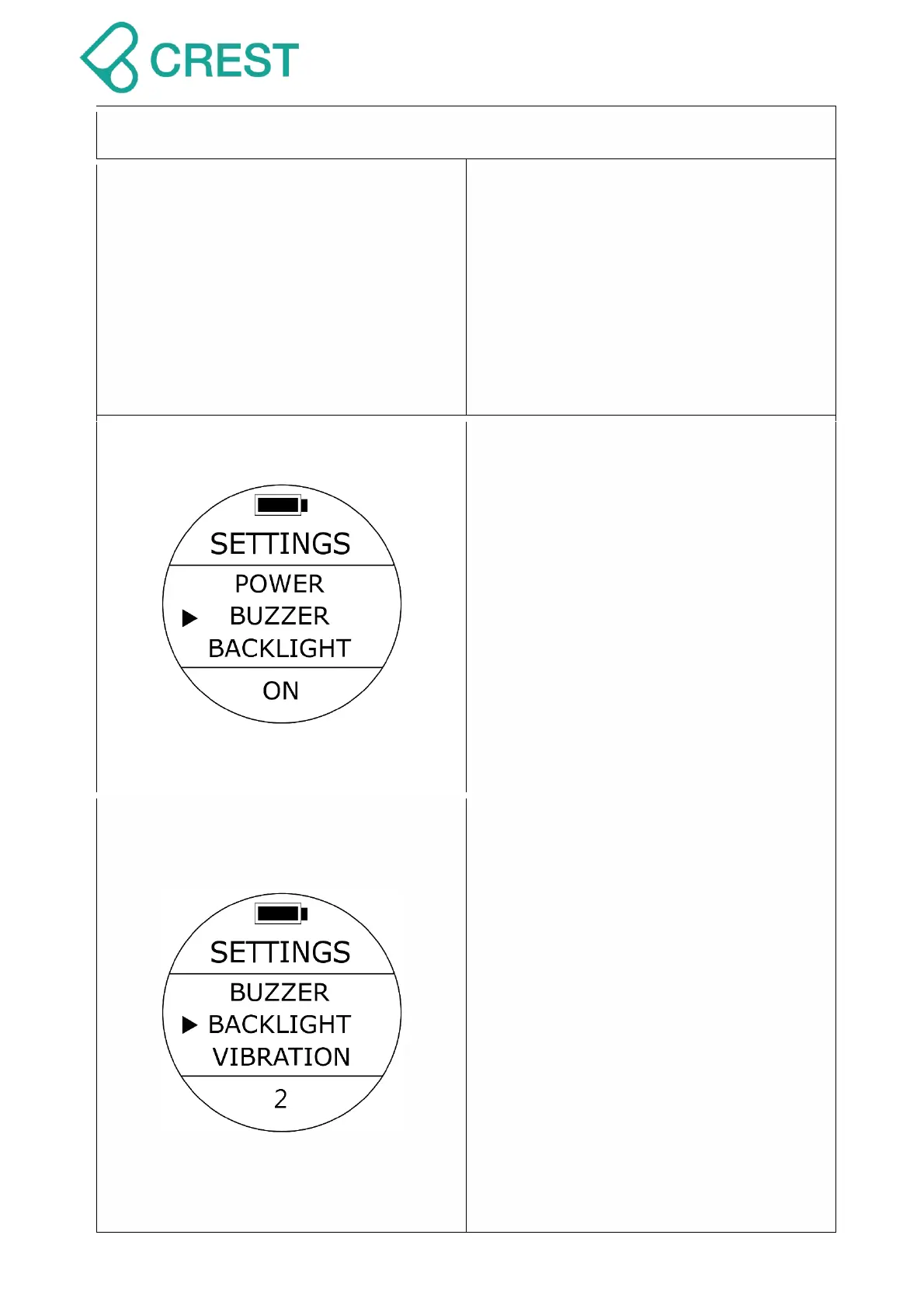
Description: Buzzer (Alarm) Setting
To Access: From SETTINGS, press the
UP Button / DOWN Button until the cursor
aligns with BUZZER. Press MODE Button
once.
One of the BUZZER options will be
blinking at the bottom. Press UP Button /
DOWN Button to select other options as
needed. Press MODE Button to accept
your selection.
Options: ON / OFF
Note: If you turn the BUZZER off, there
won’t be any sounds even if other
presets are turned on.
Description: Back Light Intensity Setting
To Access: From SETTINGS, press the
UP Button / DOWN Button until the cursor
aligns with BACKLIGHT. Press MODE
Button once.
One of the BACKLIGHT options will be
blinking at the bottom. Press UP Button /
DOWN Button to select other options as
needed. Press MODE Button to accept
your selection.
Options: 5 levels of brightness:
1(the darkest), 2, 3, 4, and 5(the
brightest).
Note: Higher brightness numbers will
consume more battery power and will
affect the running time of dive
computer.



 To Next Page