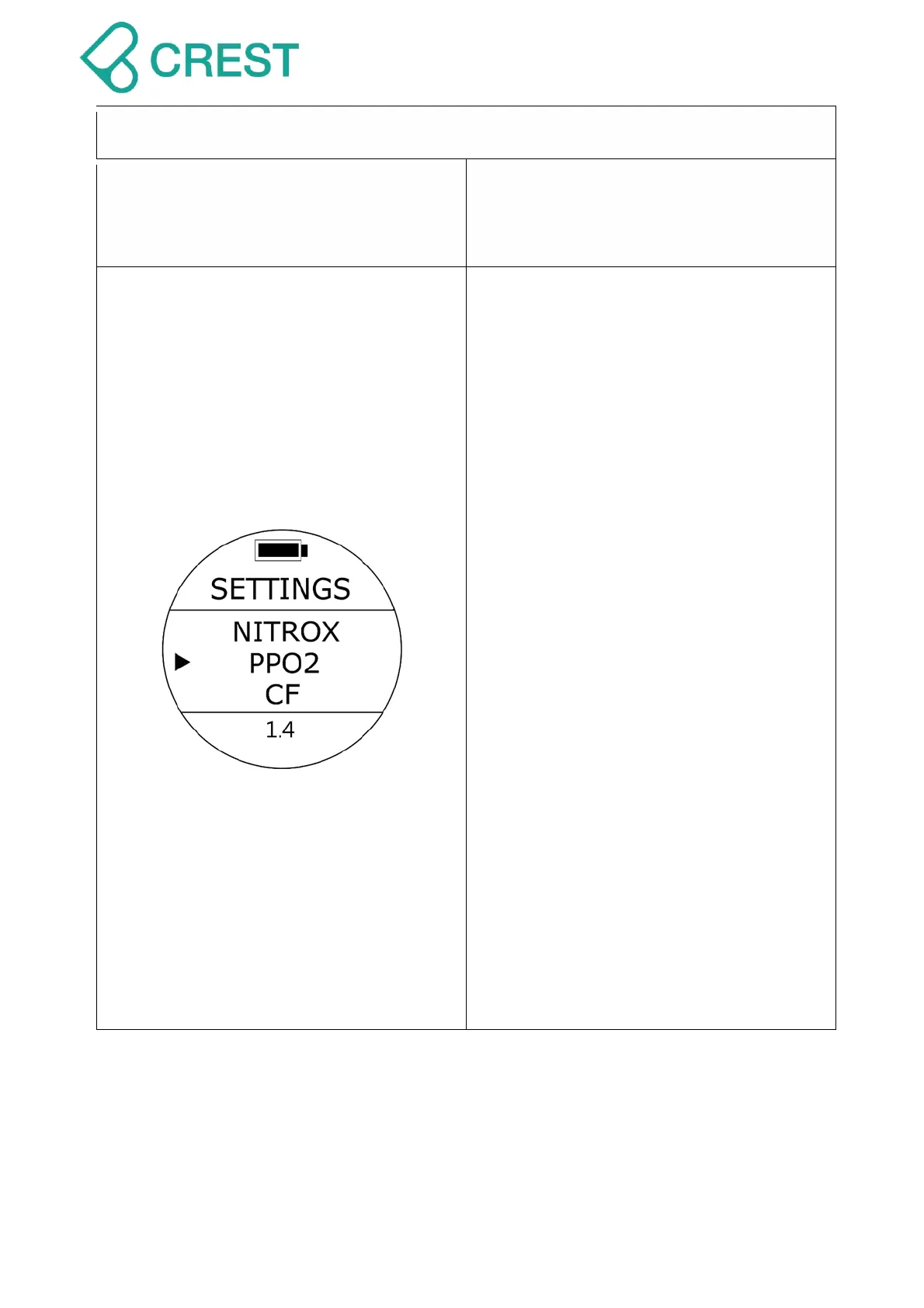
Description: PPO2 Setting
To Access: Under Scuba Preview Mode,
press UP Button Or from SETTINGS,
press UP Button / DOWN Button to locate
the cursor at PPO2 and then press MODE
Button to select.
The PPO2 value at the bottom of the
screen will start blinking. Switch the option
with the UP Button / DOWN Button, once
the desired PPO2 option appears, select it
by pressing MODE button once to accept
the value. Dive computer will recalculate
the MOD and will present the NDL values
corresponding with the EANx and PPO2
values previously set.
You may set the PPO2 range from 1.2 to
1.4. For air diving calculations please
make sure the computer is set at 1.4.
WARNING:
Please make sure you have measured
the EANx gas of the cylinder you are
about to dive with and correctly input
that value in your computer. Before
using NITROX, you MUST have received
proper training and a certification that
qualifies you to use such gas. Diving
with Oxygen enriched mixes carries an
additional layer of risk. PPO2 values
will affect the MOD of your dive. High
PPO2 values in combination with high
EANx concentrations will increase the
risk of oxygen toxicity.



 To Next Page