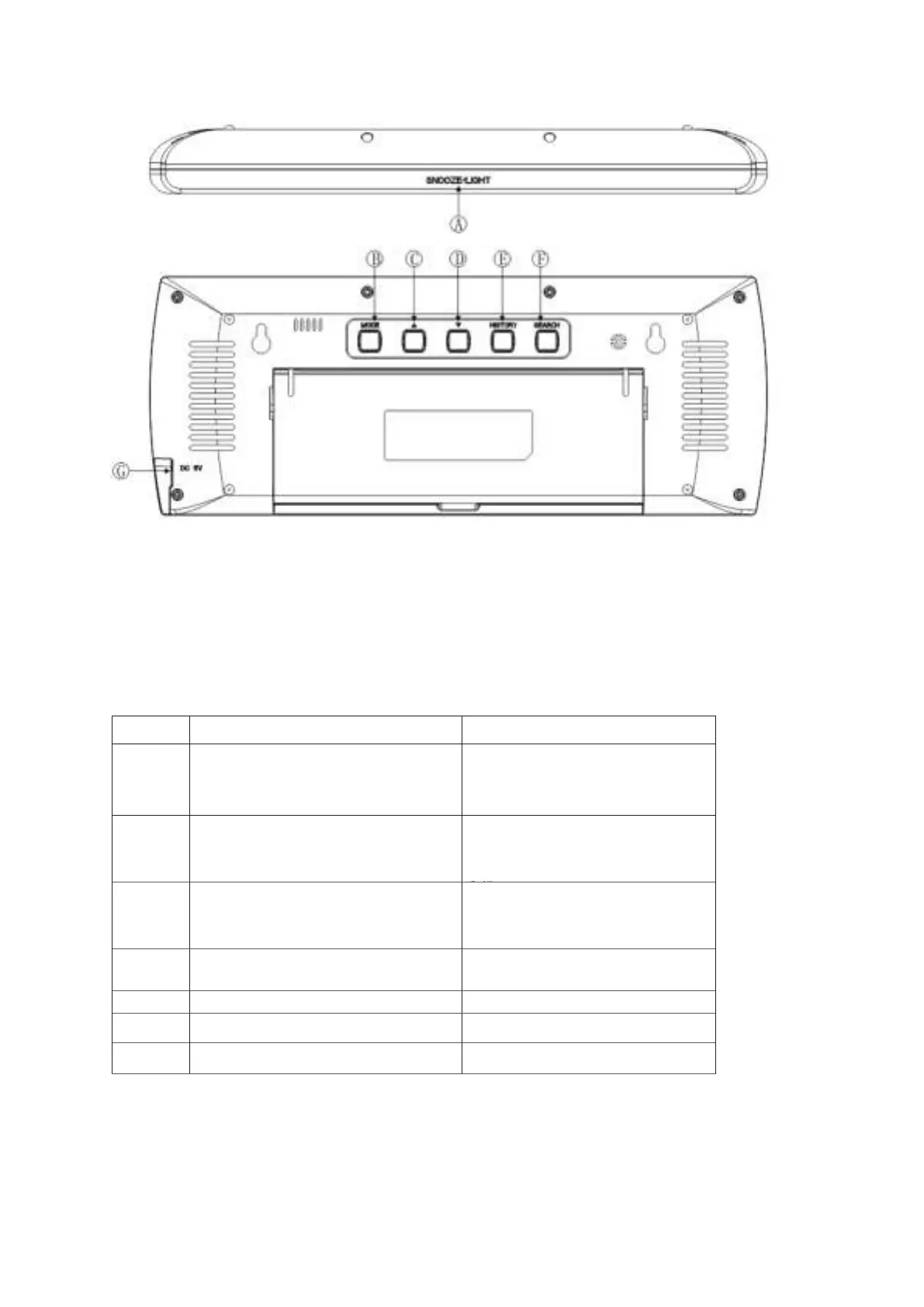
TOP SIDE:
REMARK: The SNOOZE/LIGHT button, it is a touch button, make sure not to touch it when you
do the manual set-up for functions not related to this button.
•
Press and hold
(3
se
c
onds)
1. Activates alarm snooze
2. Display black light (when without
power adaptor plugged in)
Setting the backlight mode A, B or C
Time/Alarm1/Alarm 2 switching
S
etting the time
f
or
m
a
t
,
time zone
shi
f
t
,
hour
s
,
year,
d
a
t
e
,
day
of the
week
language, air pressure unit,
C/F .
Check the MAX/MIN temperature and
humidity data ;
One step forward in
setting
Clear the MAX/MIN temperature
and humidity data
Check the history of air pressure
One step back in setting
View the air pressure history
Air pressure reading adjust
Re- registration the CHANNEL data
Plug in the power adaptor.


 To Next Page