28 • AirMedia Presentation Gateway Deployment Guide – DOC. 7693K
To connect to a device, perform the following procedure.
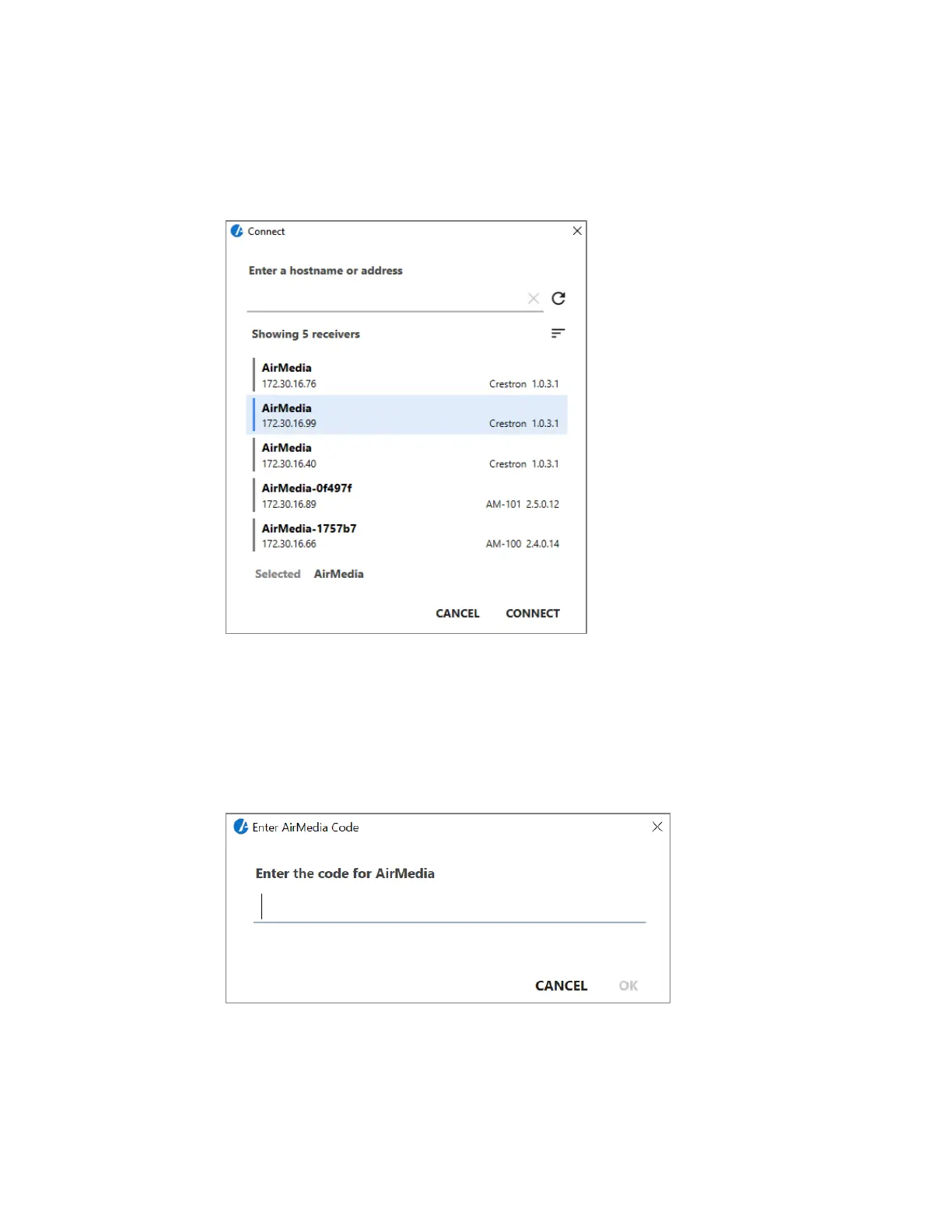
1. Launch AirMedia. The Connect dialog box is displayed.
Connect Dialog Box
2. From the Connect screen, select the desired gateway from the list.
This list can also be populated with a room list file. Refer to “Configure Room
Lists” on page 19.
3. Click Connect. If prompted, enter the login code.
Login Code Screen
If a Crestron Connected display is used, the display turns on automatically during
this process. The presentation session begins immediately following the entry of
the code or, if no code is required, upon entry of the IP address or host name.









 To Next Page