36 • AirMedia Presentation Gateway Deployment Guide – DOC. 7693K
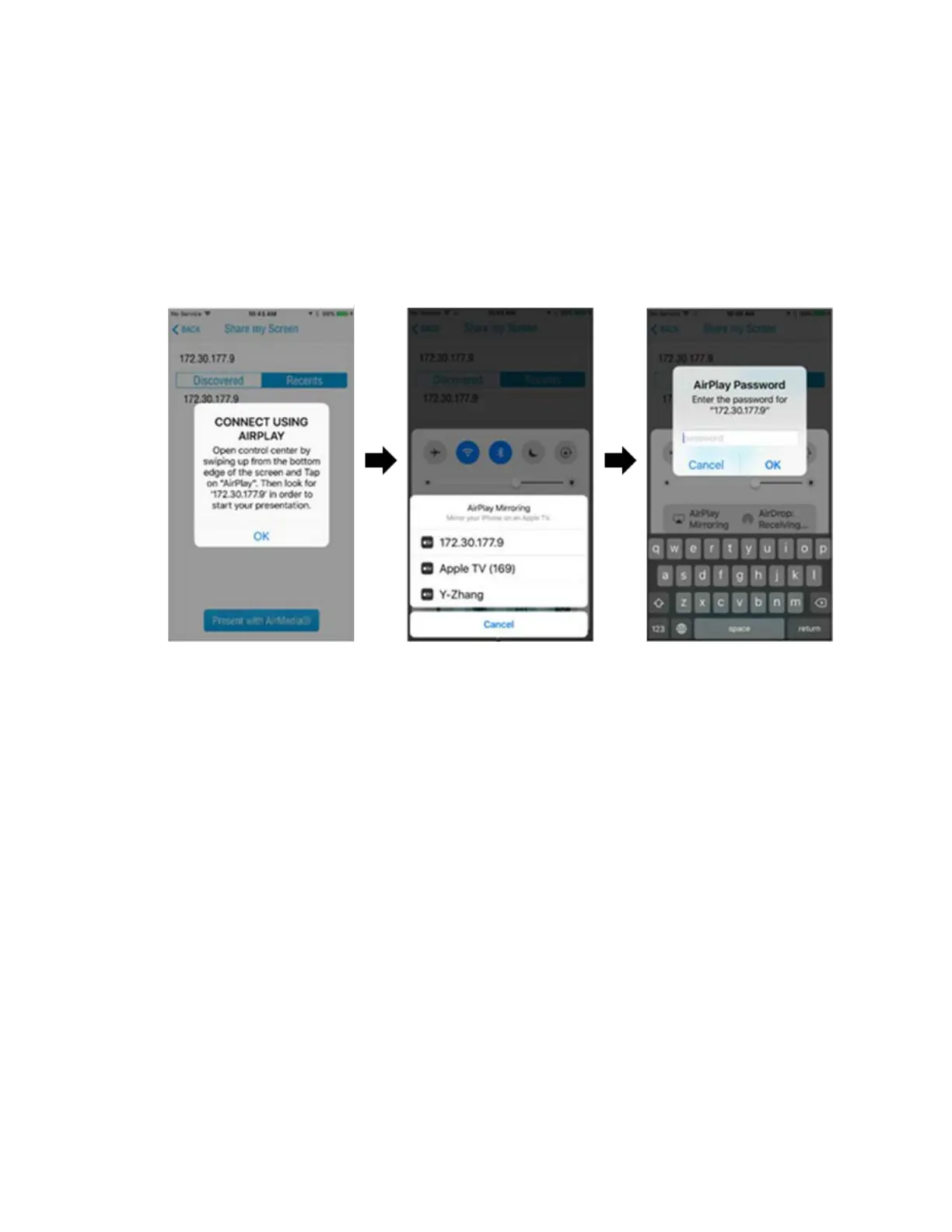
Since the iOS application uses the built-in iOS device mirroring feature, the application
will not connect directly to the AirMedia Presentation Gateway after the “Present with
AirMedia” button is pressed. Instead, the application instructs the user to use the native
device mirroring function in the iOS Control Center, where a list of devices will be
presented. Once a device is selected, a prompt for a password is shown (if the four-digit
code is required by the device). Upon completion of these steps, the iOS device starts
sharing content to the AirMedia device as shown in the following diagrams.
Connect with iOS App






 To Next Page