Crestron CEN-HPRFGW High Powered RF Gateway
2. To determine which is pin 1 on the cable, hold the cable so that the end of the
eight pin modular jack is facing away from you, with the clip down and copper
side up. Pin 1 is on the far left.
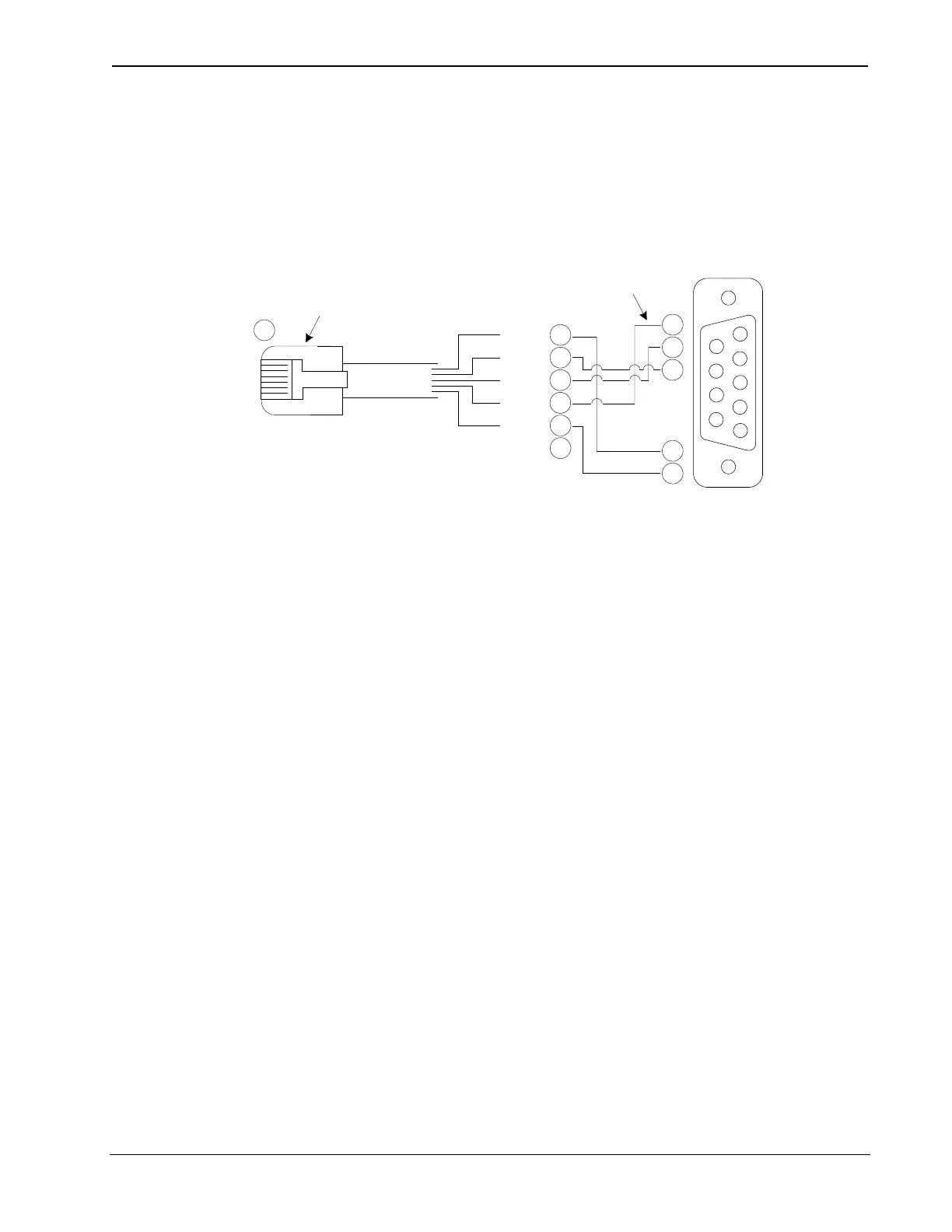
3. In the event that modular cables or an RJ-11 to DB9F adapter is not available, the
following diagram provides information so that the cable can be fabricated on
site. (Alternatively, Crestron cable number STCP-502PC is sold separately.)
1
2
3
4
5
6
7
8
9
1
3
6
5
4
2
2
3
5
7
8
1
CTS
GND
RXD
TXD
RTS
n/c
TO PC
COM PORT
TO RS-232
PORT
Part #
748047-1
Part #
641337
Part #
AWC10152-A
4. The CEN-HPRFGW can be powered via the 12 VDC jack or the NET port. Be
sure to use a Crestron approved power supply as another may cause damage.
5. Only the included power supply should be used.
Operations & Installation Guide – DOC. 6587B High Powered Gateway: CEN-HPRFGW • 9



 To Next Page
 Loading...





