Need help?
Do you have a question about the Crestron DM-TXRX-100-STR and is the answer not in the manual?
The Crestron DM-TXRX-100-STR is a compact, high-definition H.264 streaming transmitter or receiver designed for integration with a DigitalMedia™ system or other applications. This device offers versatile functionality, allowing it to act as either a transmitter or a receiver for streaming H.264 content, making it suitable for various audio/video distribution setups.
The primary function of the DM-TXRX-100-STR is to facilitate the transmission or reception of high-definition H.264 video streams. When configured as a transmitter, it takes an HDMI audio/video source as input and converts it into an H.264 stream for network distribution. Conversely, when configured as a receiver, it decodes an incoming H.264 stream and outputs it via HDMI to a display. This dual-role capability provides flexibility in system design, allowing the same device to be deployed at either the source or destination end of a streaming link.
The device supports integration with a DigitalMedia™ system, which is Crestron's comprehensive solution for distributing high-resolution digital media. This ensures compatibility and seamless operation within existing Crestron environments. Beyond DigitalMedia™, the DM-TXRX-100-STR can also be used in other applications where H.264 streaming is required, offering broad utility.
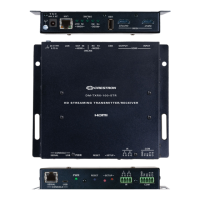
Connectivity options on the DM-TXRX-100-STR are designed for ease of integration. The rear panel includes an HDMI input for connecting an audio/video source (when transmitting) and an HDMI output for connecting to a display (when receiving). A LAN PoE port is provided for network connectivity and can also supply power to the device, simplifying wiring by eliminating the need for a separate power supply if a PoE PSE (Power Sourcing Equipment) switch is available. Additional ports include a SERVICE port for firmware loading, and a 24 VDC 0.75 A input for power when PoE is not used.
The front panel features a SERIAL port for PC connection, a USB port, and IR 1-2 ports for controlling external devices. A COM port is also available for RS-232 device control. These control ports enhance the device's versatility, allowing it to be integrated into larger control systems and interact with other equipment. Indicators such as PWR, RESET, SETUP, MODE (TX/RX), and ONLINE provide visual feedback on the device's status and operational mode.
The DM-TXRX-100-STR is designed for flexible installation, offering multiple mounting options to suit different environments. It can be mounted onto a flat surface, such as a wall or the underside of a table, using four mounting screws (not included). This allows for discreet placement in various settings. Alternatively, the device can be mounted onto a rack rail, utilizing its left or right mounting flange with two mounting screws (not included). This makes it suitable for installation in equipment racks, common in professional audio/video setups.
Connecting the device is straightforward. For power, the DM-TXRX-100-STR can be powered either via its LAN PoE port from an 802.3af PoE power sourcing equipment or by using the included 24 VDC 0.75 A power pack. If PoE is utilized, the separate power pack is not required, which simplifies cable management.
Configuration of the DM-TXRX-100-STR is primarily done through its web interface. To access this interface, users need to connect the device to a network and then navigate to its IP address using a web browser. By default, DHCP is enabled, making initial network setup easier. The device's IP address can be displayed on a connected display by pressing the SETUP button on the front panel, which is a convenient feature for initial setup without requiring a separate network scanner.
Upon accessing the web interface, users will be prompted to log in. The default username and password are both "admin." The web interface provides a comprehensive set of options for configuring the device's streaming parameters, network settings, and control functions. This allows users to tailor the DM-TXRX-100-STR's operation to their specific application requirements.
The device comes with essential accessories to facilitate its use, including a 4-pin connector, a 5-pin connector, and a 24 VDC 0.75 A power pack. These items ensure that users have the necessary components for basic connectivity and power.
Maintaining the DM-TXRX-100-STR involves several aspects, primarily focused on firmware updates and proper network configuration. The device includes a dedicated SERVICE port on the rear panel, specifically for firmware loading. This allows users to update the device's software to incorporate new features, performance enhancements, or bug fixes, ensuring the device remains current and operates optimally.
For network configuration, it is crucial to refer to the "IP Considerations Guidelines for the IT Professional Design Guide" (Doc. 4579) available on the Crestron website. This guide provides detailed information on properly configuring the network to support the DM-TXRX-100-STR, which is essential for reliable streaming performance. Adhering to these guidelines helps prevent network-related issues and ensures stable operation.
The web interface, which is the primary tool for configuration, also serves as a central point for monitoring the device's status and making adjustments. Regular access to the web interface allows administrators to check operational parameters, troubleshoot issues, and ensure the device is functioning as expected.
In case of any issues or for more in-depth information, users can refer to the "DM-TXRX-100-STR Supplemental Guide" (Doc. 7845) and other manuals available on the Crestron website. These resources provide detailed instructions, troubleshooting tips, and advanced configuration options, supporting effective maintenance and problem resolution.
The device's design, with its robust construction and clear indicators, also contributes to ease of maintenance. Visual cues from the front panel LEDs (PWR, ONLINE, TX/RX mode) allow for quick assessment of the device's operational state, aiding in initial diagnostics. The ability to display the IP address on a connected screen simplifies network troubleshooting, especially in environments where network details might not be readily available.
Overall, the DM-TXRX-100-STR is designed to be a reliable and manageable device, with features that support both initial setup and ongoing maintenance, ensuring long-term performance in various streaming applications.
 General
| Category | Extender |
|---|---|
| Model | DM-TXRX-100-STR |
| Manufacturer | Crestron |
| Type | HDMI Extender |
| Transmission Method | HDBaseT |
| Resolution | 4K@60Hz |
| Audio Support | Yes |
| Power over Ethernet | Yes |
| Max Resolution | 4K@60Hz |
| HDCP | 2.2 |
| Maximum Distance | 100 meters |
| Supported Resolutions | Up to 4K |
| Connectors - Input | HDMI, Ethernet |
| Connectors - Output | HDMI |
| Input Ports | 1x HDMI |
| Output Ports | 1x HDMI |
| Power Supply | External Power Adapter |
| Operating Temperature | 0 to 40 °C |
| Humidity | 10% to 90% non-condensing |

 To Next Page