Connect Audio Sources
The HD-XSPA can receive audio from up to 11 sources.
DigitalMedia Input
Audio from a DigitialMedia source is sent to the HD-XSPAover the DM 1
port.
HDMI Inputs
The HD-XSPAbreaks out the audio from HDMIinputs 2-5.
Digital Audio Inputs
The HD-XSPA receives digital S/PDIF audio from inputs 6 through 8.
Input 6 uses a JIS F05 female (TOSLINK) optical fiber connector while
inputs 7 and 8 use a coaxial RCA connector.
Analog Audio Inputs
The HD-XSPA receives unbalanced analog audio through RCA connectors
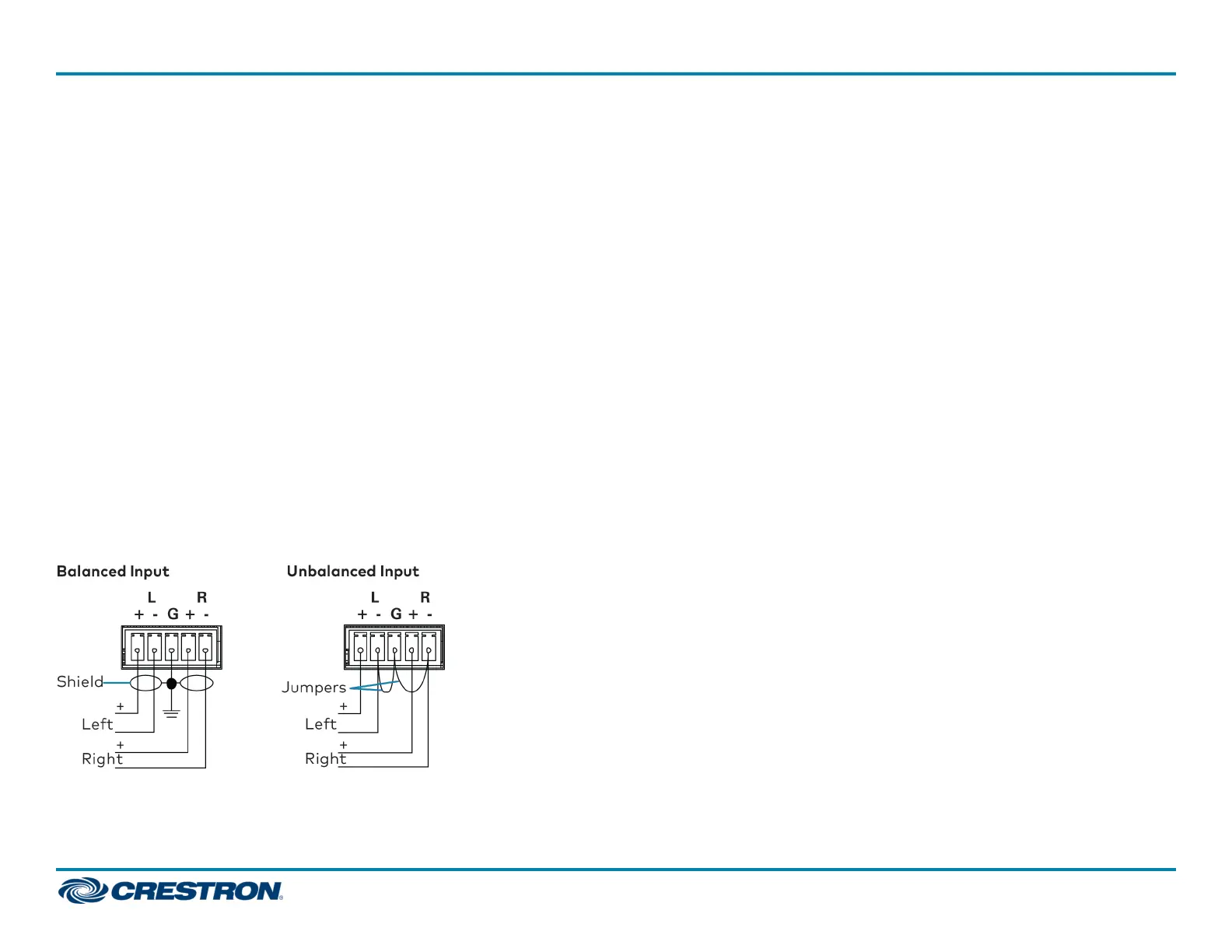
on inputs 9 and 10. The HD-XSPA can also receive balanced or unbalanced
audio through a 5-pin terminal block connector on input 11.
Connect Devices
The HD-XSPA can connect to a Crestron control system over
Ethernet.The HD-XSPA also has several device control ports to allow for
programmable control of local AVcomponents and other room devices.
LANPort
Connect the LAN port to a LAN to communicate with a Crestron control
system over Ethernet.
Device Control Ports
RS-232 (COM), infrared (IR), and low-voltage relay (RELAY) ports provide
for control of the display device and AV sources, and may also be used to
control a motorized screen or lift, window treatments, lighting, and other
equipment in the room. Four sensor inputs (SENS) accommodate power
sensors, motion detectors, and other contact closure devices.
Connect Outputs
The HD-XSPA has output connections for a display and speakers, as well
as preamp outputs for a subwoofer and a stereo or mono downmix of
the selected input signal.
HDMI Output
The HD-XSPA has an HDMIoutput for connection to a display.
Speaker Outputs
The SPEAKER OUTPUTS support a variety of speaker configurations up
to 7.1 surround audio.
5
HD(I)-XSPA
QuickStart
4K Ultra High-Definition 7.1 Surround Sound AV Receiver















 To Next Page