
 Need help?
Do you have a question about the Crestron UCA-SMK-UC2 and is the answer not in the manual?
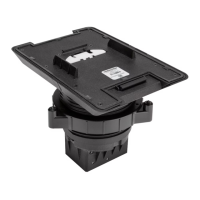
The Crestron UCA-SMK-UC2 and UCA-SMKR-UC2-3 are swivel mount accessories designed to enhance the functionality and aesthetics of Crestron Flex Tabletop Small Room Conference Systems. These accessories facilitate the secure mounting of tabletop conference devices, allowing for flexible positioning and cable management, which are crucial for an organized and efficient meeting space.
The primary function of these swivel mount accessories is to provide a stable and rotatable platform for Crestron Flex tabletop conference devices. Specifically, the UCA-SMK-UC2 is designed for the UC-MM30 series, while the UCA-SMKR-UC2-3 is tailored for the UC-MMX30 series. Both models enable the mounted device to swivel up to 170 degrees, offering optimal viewing angles and accessibility for all participants in a conference room. This rotational capability ensures that the device can be easily oriented towards different areas of the table, accommodating various seating arrangements and presentation needs.
A key differentiator for the UCA-SMKR-UC2-3 model is its integrated cable retractor system. This feature addresses common cable clutter issues by retracting USB-A to Micro USB-B, HDMI, and USB-C cables when not in use. This not only maintains a clean and professional appearance on the tabletop but also protects the cables from damage and wear. The retractable cables support "Bring Your Own Device" (BYOD) connectivity, allowing users to easily connect their personal laptops or other devices to the conference system. Above the table, these cables provide convenient access for BYOD connections. Below the table, the Micro USB-B, HDMI, and USB-C cables connect to the UC-PR, which is included with the UC-MMX30, ensuring seamless integration with the core conference system components.
The design of these accessories also focuses on cable management. Both models allow LAN and USB cables for the tabletop conference device to route through a cable cover, passing beneath the mounting surface. This ensures that all essential cables are hidden from view, contributing to a tidy and professional conference environment. The swivel mount accessory body itself is designed to be discreetly integrated into the table, with only the top portion visible, further enhancing the clean aesthetic.
The installation process for the swivel mount accessories is designed to be straightforward, though it requires some basic tools and adherence to specific instructions to ensure proper and secure mounting. The accessory can be installed on any flat, level surface with a thickness ranging from 1/2 inch (13 mm) minimum to 1-1/4 inches (32 mm) maximum.
To begin the installation, users must first determine the optimal mounting location, considering the proximity of users and the required 170-degree swivel range. For the UCA-SMKR-UC2-3, an additional clearance of 27.42 inches (696 mm) below the table is necessary to accommodate the cable retractor body. A cutout template is provided to guide the creation of a 4-inch hole and a specific notch in the table, which are essential for securing the accessory. The notch on the template and the swivel mount accessory indicates the front orientation, ensuring correct alignment.
Once the hole and notch are prepared, the swivel mount accessory body is inserted into the mounting hole, aligning its notch with the one in the table. A locking ring is then twisted onto the body of the accessory from beneath the table. It is crucial to ensure that the "TOP" surface of the locking ring faces the bottom of the table and that a 1/8 inch (4 mm) gap is maintained between the locking ring and the table's bottom surface. Three set screws on the locking ring are then tightened using the included 3/32 inch Allen wrench to secure the accessory firmly in place.
Connecting and docking the tabletop conference device involves a few steps. Before docking, the USB and LAN cables must be connected to the conference device. These cables are routed along the outside of the swivel mount body through designated pass-through holes in the cable cover. An optional cable clamp can be used to hold these cables securely. Once the cables are connected, the tabletop conference device is positioned above the swivel mount surface and slid onto it, engaging with a latch at the back of the accessory. A gentle press ensures the device is fully engaged.
For the UCA-SMKR-UC2-3, additional BYOD and UC-PR connections are made. The retractable cables from the accessory are connected to BYOD devices above the table and to the UC-PR (included with UC-MMX30) below the table. This setup ensures that all necessary connections are made while maintaining a clean appearance.
To lock the tabletop conference device to the swivel mount accessory, a security screw located near the release button is tightened using the included 3/32 inch Allen wrench. Ten clockwise revolutions are required to fully lock the release button, preventing accidental disengagement. This security feature ensures that the conference device remains securely attached during use.
While the manual does not explicitly detail ongoing maintenance, the design of the swivel mount accessories suggests several implicit maintenance considerations. The robust construction and secure mounting mechanism contribute to the longevity of the device, minimizing the need for frequent adjustments or repairs.
The cable retractor system in the UCA-SMKR-UC2-3 is a significant maintenance-reducing feature. By retracting cables when not in use, it protects them from tangling, kinking, and general wear and tear, which are common causes of cable failure. This helps to extend the lifespan of the cables and reduces the need for replacements. Regular inspection of the retractable cables for any signs of fraying or damage would be a good practice to ensure continued reliable connectivity.
The ability to lock the tabletop conference device to the swivel mount accessory also serves as a maintenance feature by preventing accidental dislodgement or tampering. This secure attachment protects both the conference device and the swivel mount from potential damage due to falls or impacts.
Should the tabletop conference device need to be removed for servicing or replacement, the unlocking process is straightforward. The security screw is loosened with ten counterclockwise revolutions using the Allen wrench, and the release button is pressed to disengage the latch. The device can then be slid off the swivel mount accessory. This ease of removal facilitates maintenance and upgrades without requiring extensive disassembly of the entire setup.
The hidden cable routing beneath the table also contributes to easier maintenance by keeping cables organized and protected from accidental damage or interference. Periodically checking the cable pathways to ensure they remain clear and untangled would help maintain optimal performance.
Overall, the Crestron UCA-SMK-UC2 and UCA-SMKR-UC2-3 swivel mount accessories are designed to provide a durable, flexible, and aesthetically pleasing solution for integrating tabletop conference devices into modern meeting spaces, with features that inherently support ease of use and long-term reliability.
 General
| Model | UCA-SMK-UC2 |
|---|---|
| Category | Racks & Stands |
| Color | Black |
| Material | Metal |
| Compatibility | Crestron Flex UC Video Conference System |

 To Next Page
