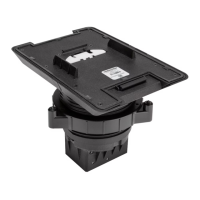
The TSW-770/1070-MSMK-ANG multisurface mount kit provides a
versatile mounting solution for a TSW-770, TSS-770, TSW-1070, or
TSS-1070 touch screen. Using the kit, the touch screen can be mounted
directly to glass, granite, marble, wood paneling, plaster, smooth
masonry, or virtually any other flat surface. The touch screen can also be
mounted into a wall or supported electrical boxes. When installed, the
touch screen is angled upwards at a 20° tilt.
In the Box
1 TSW-770/1070-MSMK-ANG, Multisurface Mount Kit
Additional Items
2 Screw, 6-32 x 3/8in., Phillips (2013475)
4 Screw, 6-32 x 1/2in., Phillips (2007240)
2 Screw, 6-32 x 3/4in., Phillips (2033247)
4 Screw, 6-32 x 1in., Phillips (2007251)
4 Screw, M3 x 25mm, Phillips (2049589)
2 Screw, M3.5 x 25mm, Phillips (2049591)
4 Washer, #6 (2007663)
TSW-770/1070-MSMK-ANG-B-S Only
1 Bracket, Angle MSMK, with Adhesive, Black (4537884)
1 Faceplate, Front, Black (2056894)
1 Faceplate, Rear, Black (2056896)
1 Label, Polycarbonate, Black (4532843)
TSW-770/1070-MSMK-ANG-W-S Only
1 Bracket, Angle MSMK, with Adhesive, White (4537883)
1 Faceplate, Front, White (2056893)
1 Faceplate, Rear, White (2056895)
1 Label, Polycarbonate, White (4532842)
Install the MSMK
The TSW-770/1070-MSMK-ANG can be installed over an electrical box,
into drywall, or onto a flat, smooth surface. Procedures for each
installation are provided in the sections that follow.
Electrical Box Mounting
NOTE: For U.S.-style installations, use a #2 Phillips screwdriver. For
European and U.K.-style installations, use a #1 Phillips screwdriver or
equivalent.
1. Route all necessary cables through the rear of the electrical box.
2. Attach the rear faceplate to the wall:
NOTE:Ensure that the rear faceplate is oriented so that the
"TOP"machined text is facing upward prior to installation. Also
ensure that the faceplate is level after installation.
l
For U.S.-style installations, use the four provided 6-32 x 1in.
screws to install the rear faceplate over a 2-gang, or 3-gang
U.S. electrical box (as shown in the following illustration).
l
For European-style installations, use the four provided
M3x25mm screws to install the rear faceplate over a 2-gang
European electrical box.
1
TSW-770/1070-MSMK-ANG
QuickStart
Multisurface Mount Kit for TSW-770 and TSW-1070 Series, Angled

 Need help?
 General









 To Next Page