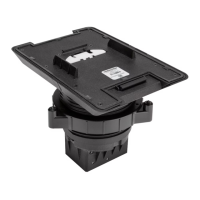
Surface Mounting
Use the following procedures to mount the MSMK onto a flat pane of
glass or a similar smooth surface (such as granite, marble, plaster, or
smooth stone and masonry). The included adhesive pad attaches
permanently to the surface.
The following is required for this installation: a level, masking tape, a
Phillips screwdriver, and isopropyl alcohol (minimum 70%).
CAUTION:Observe the following points to ensure the
MSMKproperly bonds to the mounting surface. Failure to properly
bond the MSMK to the mounting surface could cause the MSMK to
detach after installation.
l
Use isopropyl alcohol (minimum 70%)to clean the mounting
surface. Other surface cleaning products can leave a film that
will prevent the adhesive from properly bonding to the mounting
surface.
l
Use a new, clean nonlinting cloth to apply the isopropyl alcohol.
The cloth should not have been used with any other cleaning
product to ensure that it does not leave a film on the mounting
surface.
l
Allow the isopropyl alcohol to air dry on the mounting surface for
at least one minute before applying adhesive. Do not dry the
surface with a cloth prior to applying adhesive.
l
Do not apply adhesive to the mounting surface in temperatures
below 65°F(19°C).
l
When mounting on glass surface, make sure the glass does not
have any coating or film application.
Attach the Angled Bracket to the Mounting Surface
1. Select a mounting location for the MSMK and determine whether
raceway (not included)will be entering the MSMK from the top,
bottom, left, or right cutout.
2. Use pliers (or a similar tool) to break away the appropriate knockout
on the left, right, or bottom of the angled bracket for running cables
to the touch screen.
3. Clean and dry the mounting surface thoroughly. Refer to the caution
statements at the beginning of the "Surface Mounting" section for
important cleaning and drying notes.
4. Using the level, tape a horizontal reference line on the glass surface
that aligns with the lower edge of the angled bracket. Ensure the
reference line is level before proceeding.
5. Remove the protective backing from the adhesive pad attached to
the angled bracket.
6. Hold the angled bracket at a 45-degree angle to the glass surface,
and then align the lower edge of the bracket with the taped
reference line. Do not allow the adhesive to come in contact with the
glass surface yet.
5
TSW-770/1070-MSMK-ANG
QuickStart
Multisurface Mount Kit for TSW-770 and TSW-1070 Series, Angled



 To Next Page
 Loading...