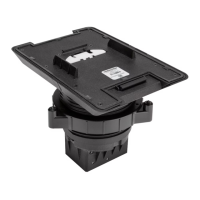
7. Once the angled bracket is level and aligned with the taped reference
line, press the bracket to the mounting surface firmly to ensure
proper adhesion and to eliminate any trapped air bubbles. Press and
hold the outer edges and interior surfaces of the bracket against the
surface for at least 30 seconds to ensure the adhesive bonds to the
surface.
NOTE:All air bubbles must be smoothed out and eliminated to
ensure a complete bond to the surface.
CAUTION: Allow a minimum of 24 hoursfor the adhesive to cure to
the surface before installing the TSW-770/1070 Mounting Bracket.
Failure to properly cure the bracket to the mounting surface could
cause the MSMK to detach after installation.
Attach the TSW-770/1070 Mounting Bracket
1. Remove any existing tape guides and install any raceway (not
included) to conceal cables running to the desired knockout on the
angled bracket.
NOTE:To ensure the raceway fits into the knockout, Crestron
recommends using raceway with the following
dimensions:0.45Hx0.77in. W (11 x 20mm).
2. Attach the TSW-770/1070 mounting bracket (provided with the
touch screen)to the angled bracket using the two provided
6-32x3/8in. screws. Ensure the bracket is level after installation.
NOTE:If installing a TSW-770-LB or TSW-1070-LB light bar as
part of the MSMKinstallation, the light bar must be placed in
between the TSW-770/1070 mounting bracket and the
MSMKangled bracket during this stage of the installation. The
two provided 6-32 x 3/4in. screws must also be used in place of
the 6-32 x 3/8in. screws. For more information on installing the
light bar, refer to the TSW-770-LB and TSW-1070-LB Quick
Start.
6
TSW-770/1070-MSMK-ANG
QuickStart
Multisurface Mount Kit for TSW-770 and TSW-1070 Series, Angled



 To Next Page
 Loading...