12 Cricut DesignStudio™ • www.cricut.com
Y-Axis
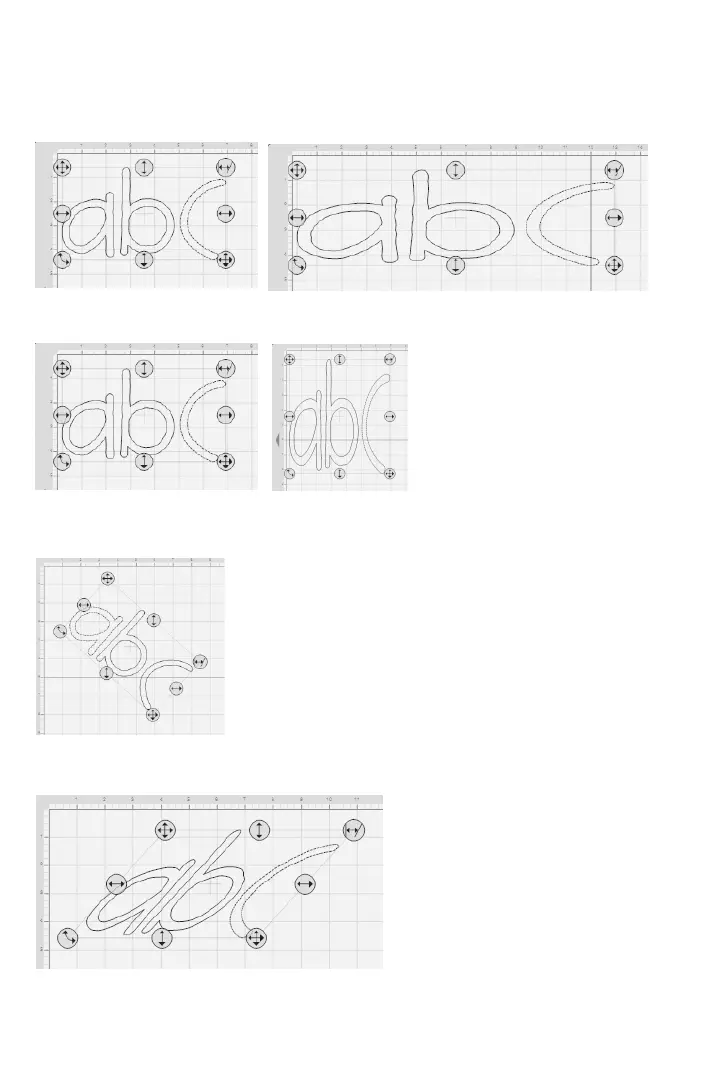
This option determines where an image or selection sits on the vertical Y-axis of the mat, or
how far up or down the image is.
Width
This option alters the width of an image or selection.
Height
This option alters the height of an image or selection.
Rotate
Measured in circular degrees, this option alters the image angle and can be used to
rotate an image or selection to a specic degree.
Slant
This option alters the slant of the image or selection by slanting (skewing) it right or left.












 To Next Page