Cricut DesignStudio™ • www.cricut.com 21
Cut With Cricut
This option is identical to the Cut With Cricut button (see page 15). All the images on the
selected mat page will be sent to the Cricut machine and the cutting process will begin.
Exit
Use Exit to close the Cricut DesignStudio program.
Note: Exiting the program does not save your work. Remember to save before exiting.
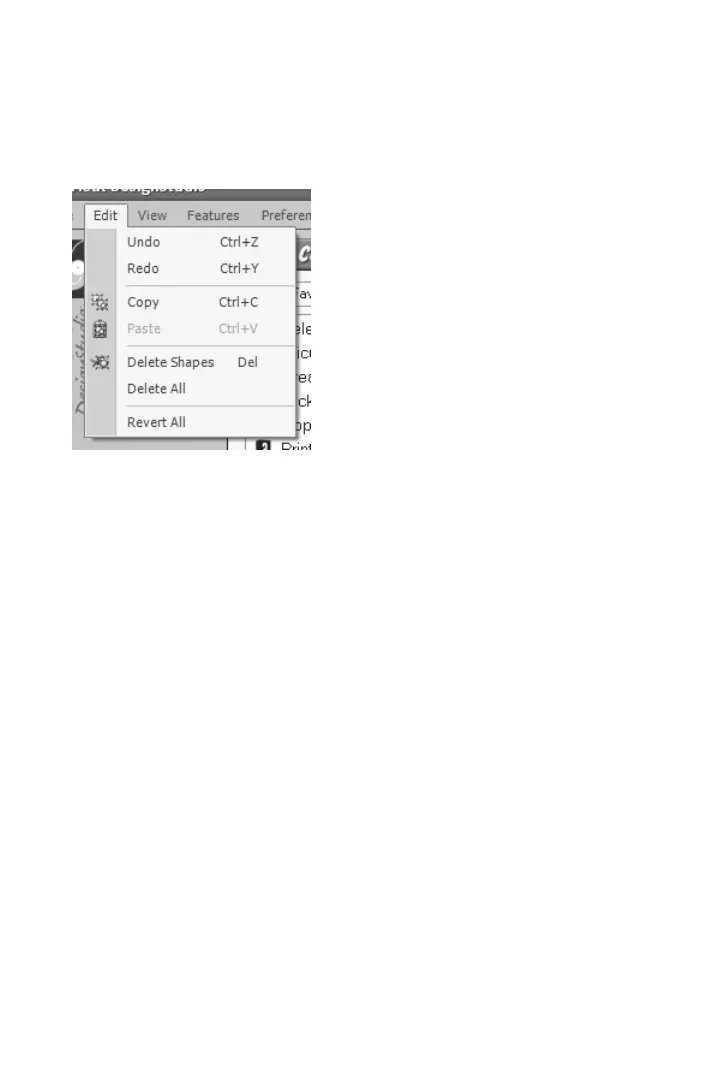
Edit Menu
The Edit menu options are as follows:
Undo
Use Undo to undo the most recent series of actions taken. You can step back up to 20
times. This little saving grace steps you back to the moment before you ruined all your
hard work with that accidental deletion. A good time to use Undo is any time you don’t
like the change you just made. The shortcut key for Undo is Ctrl+Z.
Redo
Use Redo to re-implement the last action that was undone. Basically, it’s an undo for
Undo. The shortcut key for Redo is Ctrl+Y.
Tip: Toggling back and forth between Undo and Redo is a great way to compare the
effects of your changes.
Copy
Use Copy to copy any image selection. This option is identical to the Copy Shapes button (see
page 14). The shortcut key for Copy is Ctrl+C.
Paste
Use Paste to paste in any copied image selection. This option is identical to the Paste
Shapes button (see page 15). The shortcut key for Paste is Ctrl+V.












 To Next Page