6 Cricut DesignStudio™ • www.cricut.com
the Cricut before turning the Cricut machine on. Your computer should automatically
sense and install the drivers required to run the Cricut system once it is turned on the rst
time. This may take a minute or two. You will see Windows popup balloons indicating the
status until complete.
Launching the Cricut DesignStudio
Start the Cricut DesignStudio software by double-clicking the icon that was placed on
your desktop during installation OR via the Start / All Programs / Cricut DesignStudio link.
Software Activation
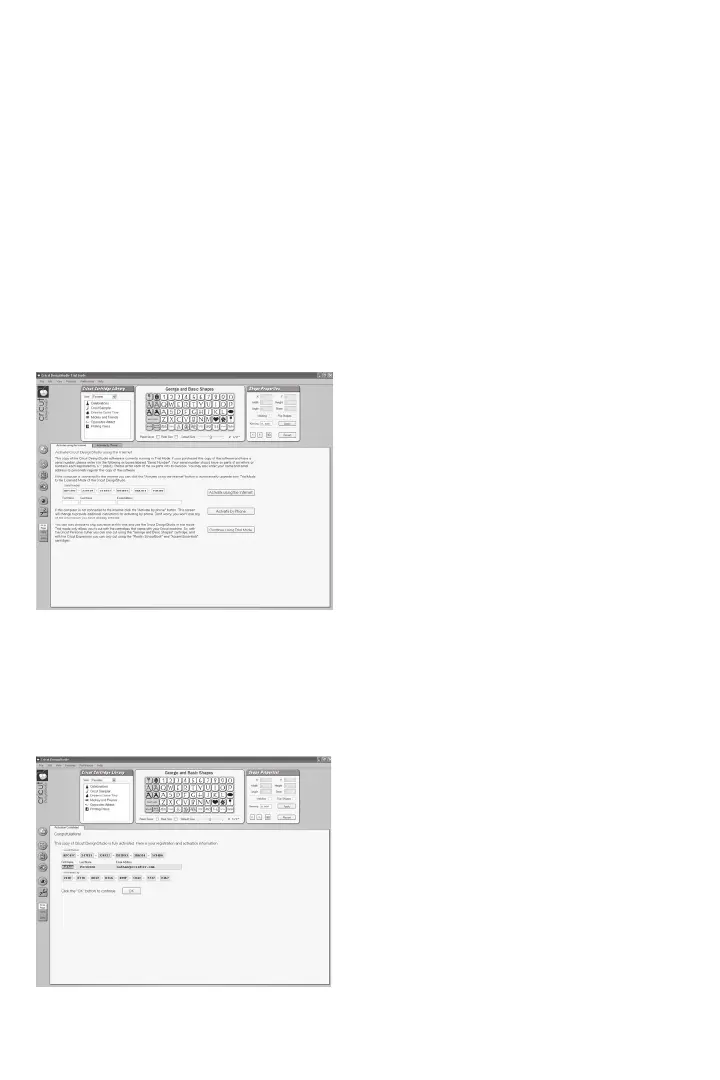
When you launch the Cricut DesignStudio software for the rst time, you will be asked to
authenticate your software product to gain access to the full range of features. Until ac-
tivated the software can only run in a “trial” mode where your cutting options are limited
to the following: While operating on the Cricut V1, you can only cut from the George and
Basic Shapes cartridge. While operating on the Cricut Expression, you can only cut from the
Plantin SchoolBook and Accent Essentials cartridges. Verifying legitimate software owner-
ship helps us protect your investment and promotes a brighter Cricut future for all of us.
The easiest way to activate your software is by choosing the “Activate using the Internet”
option during this stage of the installation process. If you nd yourself without Internet
access at the time of installation, you can also activate your software by phone by click-
ing the tab to the immediate right of the “Activate using the Internet” tab. As the phone
method is a bit more complicated than the online method, please pay close attention
to the instructions provided during the process. You can take comfort in the fact that
software activation only happens once per install.












 To Next Page