Cricut DesignStudio™ • www.cricut.com 7
Updating
Periodically, Provo Craft will release updates to the Cricut DesignStudio. Also, as Provo
Craft releases new content, updating will automatically add this new content to your
Cricut DesignStudio cartridge library so you can preview it, design with it, and love it. If you
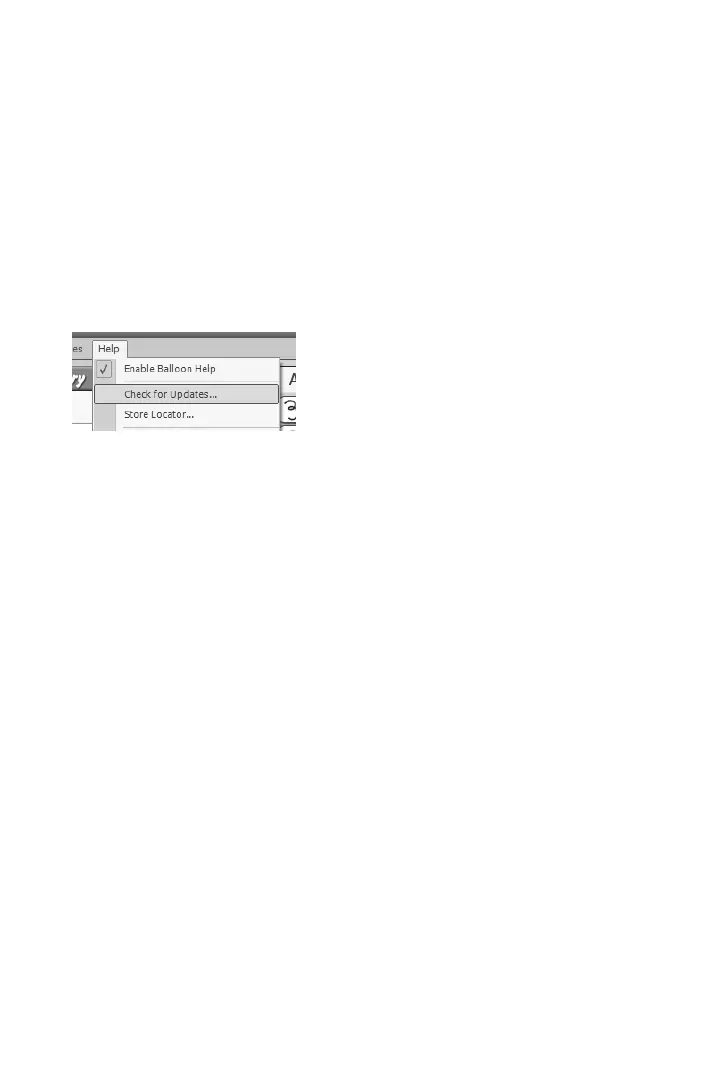
want to see the newest stuff, update often! To update, use the Check for Updates options
in the Help menu (see page 24), or check the Cricut Support webpage on Cricut.com. An
active Internet connection is required for this option.
Updating the Cricut Firmware
Before you cut for the rst time from the Cricut DesignStudio, you will be required to update
the Cricut rmware on the machine itself. Do this by selecting “Update Cricut Firmware” un-
der the Help menu. Be sure your Cricut machine is connected to your computer before per-
forming the update. After selecting the Update Cricut Firmware option, follow the instruc-
tions that come up. This updating process can take around 5 to 10 minutes to complete.
Customer Support, Troubleshooting, and FAQ
For assistance in troubleshooting any problems or issues that involve program installation,
program functionality, or use of the Cricut DesignStudio program, or to see a list of the
most frequently asked questions, please check out our Cricut Support webpage at Cricut.
com. You can also email us at support@cricut.com or call our great Customer Support line
at 877-7CRICUT (or 877-727-4288) Monday–Friday 7:00 a.m.–6:00 p.m. (MST).
Uninstalling
If you ever have the need to uninstall the Cricut DesignStudio software, follow these steps:
1. Go to “Start,” select “Control Panels” and then “Add or Remove Programs.”
2. Select Cricut DesignStudio from the list, then click “Remove.”
3. Choose “Uninstall” and follow the instructions. All done.
or
1. Go to "Start", then "All Programs", then "Cricut DesignStudio".
2. Choose “Uninstall” from the menu. This will start the Uninstall Wizard.
Getting Started
Enough chatter about the Cricut DesignStudio software, let’s take a good look at it! Feel
free to open up the program and follow along. Your success and enjoyment using this
program will be greatly enhanced if you are familiar with the all the nooks and crannies.
If this is your rst time operating the Cricut DesignStudio software, we recommend actively
following along with the descriptions and experimenting with the functions as you go.












 To Next Page