8 Cricut DesignStudio™ • www.cricut.com
User Interface
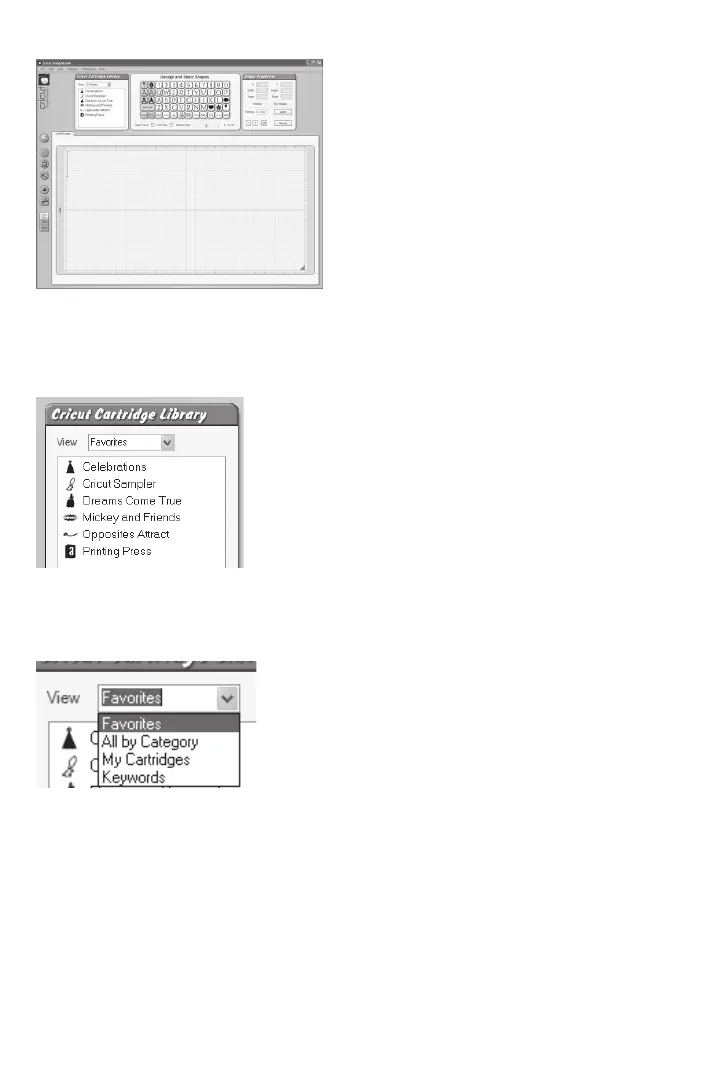
Let’s take a look at the features and functions of the Cricut DesignStudio software. The
following is a list of the functional elements you’ll nd in the program along with a brief
description of what each function does.
Cricut Cartridge Library
In this window, you’ll be able to browse through all available Cricut content, and access
any cartridge sets you own. This feature allows you to preview whatever you like, but
remember that you can cut only the content you have purchased.
View
Use the View drop-down menu to choose how you organize your content for browsing.
Your content can be organized in the following ways:
Favorites
Any cartridge you ag as a favorite appears in this category (see page 24 for
more information).
All by Category
Cricut content can be organized by general category type. These are Font sets, Image
(Shape) sets, Educational sets, and Seasonal sets.












 To Next Page