EasyManua.ls Logo

CrimeStopper Cool Start RS3-G5 - User Manual

CrimeStopper Cool Start RS3-G5
24 pages
Print Icon
To Next Page IconTo Next Page
Loading...
RS1-G5, RS3-G5, RS4-G5
RS4-G5 FM (1-Way System)
RS7-G5 FM (2-Way Paging System)
REMOTE START SYSTEM
OPERATING INSTRUCTIONS
CONGRATULATIONS on your choice of a Cool Start Remote Engine Starter and Keyless Entry with DP
Technology by Crimestopper Security Products Inc. This booklet contains the information necessary for operating
your system. If any questions arise, contact your installation dealer or Crimestopper Security Products Inc.
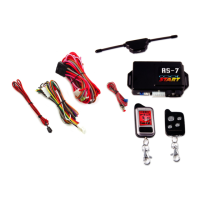
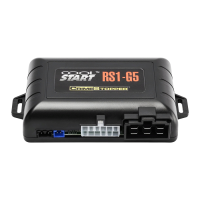
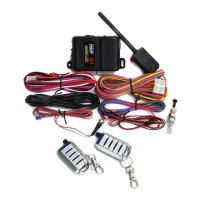
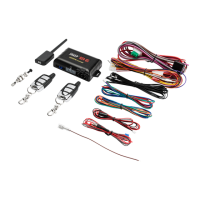
The RS1-G5, RS3-G5 & RS4-G5 system comes with (2) 1-way AM remotes
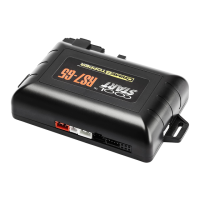
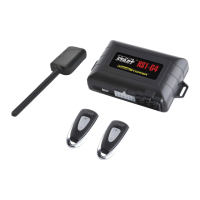
The RS4-G5 FM system comes with (2) 1-way FM remotes.
The RS7-G5 FM system comes with a 2-Way LCD Pager and a 1-Way FM remote.
OPTIONAL Features are to be connected only if desired or agreed upon by the customer and the installing dealer
i.e. Door Locks, Trunk Pop, Dome Light Illumination, Horn-Honk, Anti-Grind, etc. These features may also require
additional parts and/or labor fees. Consult with your installer beforehand to be sure of what is going to be installed
with your particular system.
CRIMESTOPPER SECURITY PRODUCTS, INC.
1770 S. TAPO STREET, SIMI VALLEY, CA. 93063
REV 07-2014
This device complies with FCC Rules part 15. Operation is
subject to the following two conditions: 1) This device may not
cause interference, and (2) this device must accept any
interference that may be received, including interference that
may cause undesired operation. The manufacturer is not
responsible for any radio or TV interference caused by
unauthorized modification to this equipment. Such modification
could void the user's authority to operate the equipment.

Other manuals for CrimeStopper Cool Start RS3-G5

Question and Answer IconNeed help?

Do you have a question about the CrimeStopper Cool Start RS3-G5 and is the answer not in the manual?

Summary

Operating Instructions

Operation Cautions & Warnings

Using the Remote Control

RS1-G5 Remote

Details the operation of the single-button remote control.

RS3-G5 Remote

Details the operation of the 4-button remote control.

Remote Start Button Press Options

Explains different ways to activate remote start for safety.

Using the 5 Button Remote Control

Remote LED Indicators

Explains LED status for different remote types.

AUX Outputs Functionality

Lists functions controlled via data outputs.

Remote Valet Mode

Describes how to activate and use Remote Valet.

Using the 2-Way Pager Transmitter

LCD Screen Icons Explained

Details the meaning of icons on the pager display.

Side Buttons and Functions

Identifies and describes the functions of side buttons.

Powering the Remote On;Off

Explains the procedure to turn the remote on and off.

Battery Charging

Remote Beep & Vibrate Selection

Remote Engine Control

Remote Start Button Press Selection

Explains options for activating the remote starter.

Successful Remote Start

Details the steps and indicators for a successful engine start.

Unsuccessful Remote Start

Explains steps when the engine fails to start.

Turning Off a Remote Started Engine

Procedure to shut down the remotely started engine.

Entering Your Remote Started Vehicle

Steps for safely entering the vehicle after remote start.

Remote Start Run Time Reset

How to reset the engine run timer.

Idle Down Mode

Allows vehicle to run after ignition removal for convenience.

Exiting Vehicle in Idle Down Mode

Procedure for exiting the vehicle while in Idle Down mode.

Selectable Hourly Cold-Start Mode

Programmable self-start intervals for cold conditions.

Timed Self-Start Mode

Procedure for setting and exiting timed self-start.

Turbo Timer Mode

Manual Transmission Mode

Manual Transmission Exit Procedure

Safety check for exiting with manual transmission.

Turbo Timer in Manual Transmission Mode

How Turbo Timer works with manual transmission.

Remote Panic Feature

How to activate the panic feature using the horn.

Convenience and Safety Features

Keyless Entry

Remotely lock/unlock doors, may require data module.

Auto Lock; Unlock

Controls automatic door locking/unlocking based on ignition.

Horn Chirps

Audible confirmation for lock/unlock and remote start.

OEM Alarm Interface

Integrates with factory security systems.

Remote Trunk Release or Domelight

Remotely open trunk or illuminate dome light.

Valet Mode

Disables remote start, can be activated manually or via remote.

Hood Open Safety

Prevents remote start when the hood is open.

Brake Pedal Reset

Prevents unauthorized driving by stopping engine when brake is pressed.

Transmitter Programming

Programming the 1-Button Remote

Procedure for learning transmitter codes for the 1-button remote.

Programming the 4 & 5 Button Remotes

Procedure for learning transmitter codes for 4 & 5 button remotes.

2 Vehicle Operation

No Factory Keyless Entry After Remote Start

Remote Start Diagnostics

Diagnostic Error Codes

Explains LED/light flashes indicating error codes.

Cold Conditions Performance

Notes on starting issues during extreme cold.

Data Ports

2-Way Data Port

Connects to Databus module for bypass and keyless entry.

Smart Phone Data Port

Connects to MS3 module for APP-based remote control.

Battery Replacement

1-Button Remote Battery

Procedure to replace batteries in the 1-button remote.

4-Button Remote Battery

Procedure to replace batteries in the 4-button remote.

5-Button Remote Battery

Procedure to replace batteries in the 5-button remote.

Overview

This document describes the Crimestopper Cool Start™ Remote Engine Starter and Keyless Entry with DP Technology, covering models RS1-G5, RS3-G5, RS4-G5 (1-Way System), and RS7-G5 FM (2-Way Paging System). It functions as a remote engine start and keyless entry system for vehicles, with optional alarm and convenience features.

Function Description:

The core function of this device is to remotely start a vehicle's engine and provide keyless entry. It incorporates "DP Technology" by Crimestopper Security Products Inc. The system allows users to start their vehicle from a distance, pre-condition the cabin (heating or cooling), and lock/unlock doors. Depending on the model, it offers 1-way or 2-way communication with the vehicle. The 2-way paging system (RS7-G5 FM) provides feedback to the remote, displaying vehicle status information on an LCD screen.

Important Technical Specifications:

  • Remote Control Types:
    • RS1-G5: Single button remote control.
    • RS3-G5: 4 vertical buttons (Lock, Unlock, Vehicle Select, Start).
    • RS4-G5 FM: 1-way FM remotes.
    • RS7-G5 FM: 2-Way LCD Pager and a 1-Way FM remote.
  • Transmitter Codes: The system can learn up to 4 different transmitter codes.
  • Battery Type:
    • 1-Button Remote: Two CR-1620 Lithium batteries.
    • 4 & 5-Button Remotes: Two CR-2025 Lithium 3 Volt Batteries.
  • 2-Way Pager Communication: Utilizes High Frequency FM signals for long-distance communication, with range varying based on location, terrain, and RF interference.
  • Data Port: Includes a 2-Way DATA PORT for Databus Modules to bypass factory immobilizers and operate keyless entry, reducing installation error. It also features a SMART PHONE DATA PORT (white 4-pin plug) for direct data connection to the MS3 Smart Phone interface module (purchased separately), enabling APP-based control.
  • Programmable Options: Numerous features are programmable, including remote start activation method (single press, double press, press and hold), remote start run time (5 to 30 minutes, or Infinity Run), horn chirps, auto lock/unlock, and valet mode activation.

Usage Features:

  • Remote Engine Start:
    • Activation methods are programmable: single 1/2 second press (default), double press, or press and hold for 2 seconds.
    • Successful start sequence: Parking lights flash once, turn solid, Ignition/Acc circuits turn on, starter motor engages, engine starts, parking lights and Acc turn back on, doors lock.
    • Unsuccessful start: System attempts to restart the engine up to 3 times. If all attempts fail, the system shuts down and doors remain locked.
    • Turning off: Press and release the remote start button (or double press if programmed).
    • Entering a remote-started vehicle: Unlock with remote or key, turn ignition to ON/RUN, press brake pedal to reset the remote starter.
    • Run Time Reset: After a successful remote start, pressing Lock & Unlock buttons together for 2 seconds resets the engine run timer.
  • Idle Down Mode: Allows the engine to remain running after the key is removed, for a programmed duration (10, 20, 30 minutes, or Infinity Run). Useful for quick stops or commercial applications.
  • Selectable Hourly Cold-Start Mode (1-4 Hours): Programs the vehicle to self-start every 1, 2, 3, or 4 hours for the programmed run time, beneficial in cold conditions.
  • Turbo Timer Mode (Optional): Keeps the engine running for 1, 3, or 5 minutes after the key is removed, allowing for turbo cool-down. Activated by pressing the Remote Start button with the brake pedal depressed.
  • Manual Transmission Mode: Requires a safety check-out procedure when exiting the vehicle to ensure the transmission is in neutral before remote start can be used. Multiple options for exit procedures are available.
  • Keyless Entry: Remotely locks and unlocks vehicle doors. Parking lights flash once for lock, twice for unlock, and stay on for 30 seconds with unlock for illumination.
  • Auto Lock / Unlock: Programmable feature to automatically lock/unlock doors based on ignition status or engine RPMs (in Tach mode).
  • Horn Chirps: Provides audible confirmation for lock, unlock, and remote start (if connected). Chirp duration is programmable.
  • OEM Alarm Interface: Designed to disarm and re-arm factory security systems in conjunction with remote start and keyless entry.
  • Remote Trunk Release / Domelight Illumination: Programmable output for remotely opening the trunk or illuminating the interior light for 30 seconds upon unlock. Trunk release activation method is programmable.
  • Remote Panic: Pressing the Lock button for more than 2 seconds sounds the vehicle horn and flashes parking lamps for 1 minute.
  • 2-Vehicle Operation: Remotes can control a second vehicle with a Crimestopper system installed. The 2-way pager receives pages from both vehicles regardless of the selected vehicle.

Maintenance Features:

  • Valet Mode: Disables the remote start function for vehicle servicing or when handing keys to a valet. Can be activated manually via the ignition and valet button, or remotely via the Lock and Unlock buttons (for 3-4 seconds).
  • Hood Open Safety: Prevents remote starting when the hood is open (requires hood pin switch). If attempted, parking lights flash twice.
  • Brake Pedal Reset: Prevents remote starting or immediately shuts down a remote-started vehicle if the brake pedal is pressed, enhancing safety.
  • Remote Start Diagnostics: The system flashes the LED and parking lights one to seven times to indicate specific error codes if remote start fails (e.g., brake switch, hood switch, valet mode, ignition/tach problem, manual transmission error).
  • Battery Replacement: Detailed instructions are provided for replacing batteries in 1-button, 4-button, and 5-button remotes, including screw removal and battery orientation.
  • 2-Way Pager Battery Charging: The 2-Way LCD remote has a battery charge indicator and charges via a standard Mini USB cable, accessible by sliding a side cover.
  • Setting the Clock (2-Way LCD Remote): Instructions for setting AM/PM, hour, and minutes, and for enabling/disabling beep and vibrate functions.
  • Remote Beep & Vibrate Selection (2-Way LCD Remote): Allows selection of various beep and vibrate modes for notifications and run time reminders.

The document also includes an FCC compliance statement regarding interference and unauthorized modifications. It emphasizes the owner's responsibility to understand system operation, check its functionality, and maintain vehicle condition for safe operation, and warns against remote starting in closed garages due to carbon monoxide risk.

CrimeStopper Cool Start RS3-G5 Specifications

General IconGeneral
Channels5
Start ConfirmationYes
Keyless EntryYes
Temperature SensorNo
Number of Buttons on Remote5
Trunk ReleaseYes
Security System CompatibilityYes
Remote Qty2
CompatibilityMost Vehicles
Engine StartYes
Engine KillYes
AlarmYes
Starter DisableYes
Battery BackupNo
Range1, 500 feet
Remote TypeLCD

Related product manuals