
 Need help?
Do you have a question about the CrimeStopper RS1-G4 Cool Start and is the answer not in the manual?
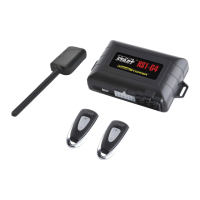
Details primary (required) and optional features of the system for proper operation and installation.
Important safety and operational warnings, including precautions for using the system and vehicle maintenance.
Explains the three selectable options for activating the remote starter using the single button transmitter.
Step-by-step guide on how to successfully start the vehicle using the remote engine start feature.
Details the system's behavior and limitations when the engine fails to start on initial remote attempts.
Instructions on how to safely turn off the engine while it is running via the remote start system.
Procedure for safely entering the vehicle after it has been remotely started, including brake pedal interaction.
How to reset the engine run timer for extended operation using specific remote button combinations.
Allows the vehicle to remain running after the ignition key is removed and exiting the vehicle.
Enables indefinite engine running without the ignition key, useful for specific professional applications.
System can be programmed to self-start every 1, 2, 3, or 4 hours for cold weather conditions.
Procedure to program the system for timed self-starts at hourly intervals using the valet button.
How to reset the timed self-start mode by using the ignition key or remote control.
Details the three operational choices for exiting the vehicle safely with manual transmission mode.
Interaction between Turbo Timer and Manual Transmission Mode, requiring specific remote button operations.
Details automatic door locking with remote start and optional unlocking with start button press.
Controls automatic door locking/unlocking based on driving status or ignition state.
Audible confirmation chirps for remote start operations, with programmable sound duration.
Procedure to enter and exit Valet Mode, which disables remote start functions for service.
Prevents starter damage by disabling it if the ignition key is turned too far while the engine is running.
Prevents remote start if the hood is open, eliminating risk of injury from working under the vehicle.
Shuts down the system immediately when the brake pedal is pressed, preventing unauthorized driving.
Connects with factory security systems for disarming/re-arming during remote start operations.
Configures automatic door locking behavior during and after a remote start event or abort.
Interprets LED and parking light flashes as diagnostic codes to identify system errors.
Awareness of potential remote start failures or multiple attempts required during sub-freezing conditions.
 General
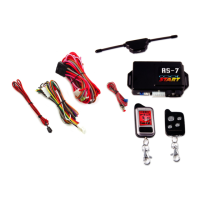
| Type | Remote Starter |
|---|---|
| Channels | 4 |
| Number of Buttons on Remotes | 5 |
| Engine Start | Yes |
| Installation | Professional installation recommended |
| Range | 1500 ft |
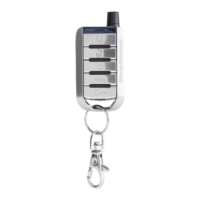
| Transmitter | 2-way LCD remote |
| Features | Keyless Entry |
| Security Features | Starter Kill |
| Warranty | Limited Lifetime |


 To Next Page