EasyManua.ls Logo

CrimeStopper RS900/RS901 - User Manual

CrimeStopper RS900/RS901
16 pages
Print Icon
To Next Page IconTo Next Page
Loading...
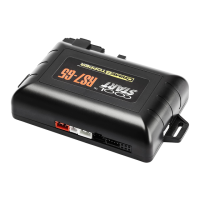
RS900/RS901 SERIES IV
RS999 FM FLASHBACK™
REMOTE ENGINE STARTING SYSTEM
INSTALLATION INSTRUCTIONS
PRE-INSTALLATION CONSIDERATIONS
To ease installation, we suggest that you READ THIS MANUAL and consider the following points before
beginning your installation:
BEFORE BEGINNING, check all vehicle manufacturer cautions and warnings regarding electrical service (AIR BAGS,
ABS BRAKES, ENGINE / BODY COMPUTER AND BATTERY).
PLAN OUT YOUR INSTALLATION and determine most suitable locations for all components to be placed. These
components include: the module itself, valet/program button, possible relays, and antenna/receiver (RS900/999FM only,
RS901 model does not include antenna or remotes.) Allow enough wire to create a service loop with strain relief, should
servicing be required. This will also allow easier access and mounting.
DAMAGE resulting from incorrect installation or failure to follow guidelines stated in this book will not be covered under
warranty and subject to repair or replacement charges.
USE A VOLT/OHM METER to test and locate all connections. Test Lights can damage a vehicle’s computer systems.
ADDITIONAL PARTS, which are not included with this unit, may be needed for your particular vehicle. . These items may
include extra relays (Part#CS-402A), General Motors Anti-Theft System Bypass modules for Vats / Passkey® / Passlock®
Systems, (Part# CS-GMATA II) or Transponder Anti-Theft Adapter modules (Part # CS-TATA).
TECHNICAL SUPPORT: (800) 998-6880
Monday - Friday 8:00am - 4:30pm Pacific Std. Time
Web Site: www.crimestopper.com
E-mail: tech-support@crimestopper.com
CRIMESTOPPER SECURITY PRODUCTS, INC.
1770 S. TAPO STREET, SIMI VALLEY, CA. 93063
REV A - 8.2001
This device complies with FCC Rules part 15. Operation is subject to
the following two conditions: (1) This device may not cause harmful
interference, and (2
) This device must accept any interference that
may be received, including interference that may cause undesired
operation. The manufacturer is not responsible for any radio or TV
interference caused by unauthorized modifications to this equipment.
Such
modification could void the user’s authority to use the
equipment.
Question and Answer IconNeed help?

Do you have a question about the CrimeStopper RS900/RS901 and is the answer not in the manual?

Summary

Pre-Installation Considerations

Installation Cautions & Warnings

Wiring Instructions

Program;Override Switch (2 Pin Plug)

Controls programming, valet mode, and starter disable functionality.

LED Indicator (2 Pin Plug)

Serves as a Valet/Programming indicator and security deterrent.

12 Pin Plug - Pin 1: White Parking Light Output

Connects to the vehicle's parking light circuit for output.

12 Pin Plug - Pin 2: Yellow;White Horn Output

Connects to the vehicle's horn trigger wire for chirp/honk function.

12 Pin Plug - Pin 3: Black Ground Wire

Connects to the vehicle chassis metal for a proper ground connection.

12 Pin Plug - Pin 4: Yellow;Black Ignition;Anti-Grind Output

Programmable output for Ignition or Anti-Grind/Starter Disable functions.

12 Pin Plug - Pin 5: Tan Aux Output (Trunk Pop)

Provides a ground pulse for factory electric trunk release or accessories.

12 Pin Plug - Pin 6: Green Start Activation Trigger

Triggers remote start from a host alarm or factory keyless entry system.

12 Pin Plug - Pin 7: Gray Hood Pin Switch

Connects to hood pin switch to inhibit remote start if hood is open.

12 Pin Plug - Pin 8: Pink Diesel Glow Plug Input

Input for diesel glow plug indicator for timed remote start.

12 Pin Plug - Pin 9: Purple Brake Reset Input

Disables remote start when the brake pedal is depressed.

12 Pin Plug - Pin 10: Orange;Black OEM Disarm Output

Provides ground pulse to disarm factory anti-theft systems before remote start.

12 Pin Plug - Pin 11: Orange OEM Rearm Output

Provides ground pulse to rearm factory anti-theft systems after remote start.

12 Pin Plug - Pin 12: Red;White Tachometer Input

Input for engine RPM sensing in Tach Reference mode.

Ignition Switch Wiring

Power Door Lock Wiring

3 Pin Door Lock Plug

Defines the Green, Red, and Blue wire functions for door lock control.

Determining Door Lock Type

Recommends identifying the vehicle's locking system before connecting wires.

Common Door Lock Types

Lists common vehicle makes and their typical door lock trigger polarity.

Crimestopper Doorlock Accessories

Lists optional accessories for door lock systems.

Jumper Pin Diagram

Jumper Pins Configuration

Explains jumper pins used to configure IGN2/ACC2 and Parking Light outputs.

Improved Smart Tachless Mode

Reducing Smart Tachless Cranking Time

Procedure to adjust voltage reference level to lower engine cranking time.

Tach (RPM) Reference Mode

Tach Finder & Tach Programming

Tach Finder Mode

Assists in locating a valid tach source by flashing parking lights.

Tach Programming

Procedure to program the unit to recognize the tach signal.

900 IV Transmitter; 999 FM Transceiver Code Learning

Transmitter;Transceiver Code Learning

Procedure for learning up to 4 different transmitter codes for the system.

2-Vehicle Operation

2 Vehicle Operation Setup

Steps to use one remote to control a second vehicle with an identical system.

Option Programming

Option Programming Steps

General procedure to access and change programmable features.

Option Programming Chart

Option 1: Tach Learning

Programs tach signal from Red/White wire when button 2 is pressed.

Option 2: Autolock with Ignition

Controls automatic door locking/unlocking with ignition status.

Option 3: Door Lock Pulse Time

Sets duration (0.75 or 3 sec.) for lock/unlock pulses.

Option 4: Double Unlock Pulse

Sends two unlock pulses for interfacing with other systems.

Option 5: OEM Interface

Controls Green wire input selection for aftermarket/factory keyless entry.

Option 6: Passive Starter Disable

Enables automatic Anti-Grind output 1 min after ignition off.

Option 7: Horn Chirps on Remote Start

Adds optional 3 short chirps when requesting a remote start.

Option 8: Lock During;After Remote Start

Controls automatic locking during/after remote start abort or time-out.

Option 9 & 10: Smart Tachless References

Adjust voltage reference for Smart Tachless mode to reduce crank time.

Option 12: Yellow;Black Output

Configures Yellow/Black wire as Negative IGN or Anti-Grind output.

Option 13: Run Time

Sets engine run time for remote start (12, 24, 36, or 48 min).

Option 14: Option Reset

Resets all programmable options to their default positions.

Programmable Options Detailed

Option 12: Yellow;Black (-) Negative IGN or ANTI-GRIND Output

Controls the unit's multi-function output, defaulting to Negative IGN.

Option 13: Run Time

Determines the engine run duration for remote start.

Option 14: Option Reset

Resets all options to default settings.

Troubleshooting: Before You Call Section

Unit Flashes Lights Once, No Start

Indicates unit is in Valet mode; requires specific button sequence to exit.

Unit Flashes Lights Twice, No Start

Indicates a fault at the Brake or Hood sensor; check installation and sensors.

Vehicle Cranks But Never Starts

May be due to factory anti-theft systems or multiple ignition circuits.

Vehicle Starts, Check Engine Light On

Often caused by missing secondary ignition circuits for onboard systems.

No Response From Transmitter

Check power/ground connections and antenna module connection.

System Wiring Diagram

CrimeStopper RS900/RS901 Specifications

General IconGeneral
Number of Buttons on Remotes5
Number of Remotes2
LED Status IndicatorYes
Valet ModeYes
Turbo TimerNo
Remote Trunk ReleaseYes
TypeRemote Starter
FeaturesRemote start, keyless entry
Remote Start ConfirmationYes
Engine StartYes

Related product manuals