- 11 -
Programming your weight
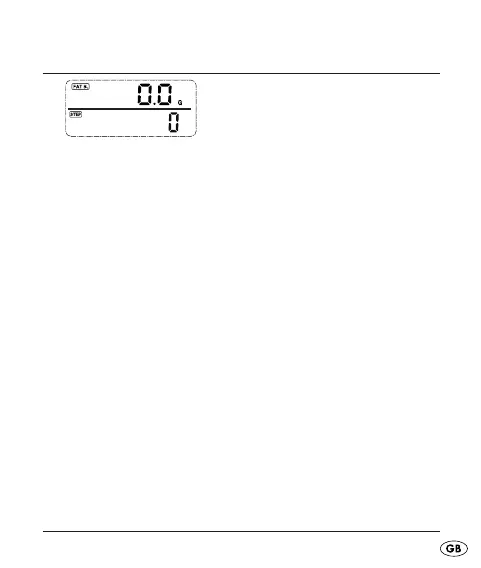
Fig.: Fat burning/Number of paces
This programming is only necessary on fi rst taking the
device into use and after a battery exchange.
Repeatedly press the button MODE until you are in the •
display mode Fat burning/Number of paces.
Press the button UP twice to switch to the display mode •
Fat burning/Number of paces.
Press the button SET for three seconds, the standard •
weight value (60 kg) blinks.
Press the button UP to adjust the body weight •
(Adjustment range 10 – 150 kg).
Press the button SET to accept the adjustment and to •
depart the adjustment mode.
KH260_43209_LB4C.indb Abs1:11KH260_43209_LB4C.indb Abs1:11 26.11.2009 15:16:13 Uhr26.11.2009 15:16:13 Uhr



 To Next Page