10
Silencing Nuisance Alarms
Testing the Heat Alarm
Every Heat alarm should be tested at least weekly to
ensure proper operation.
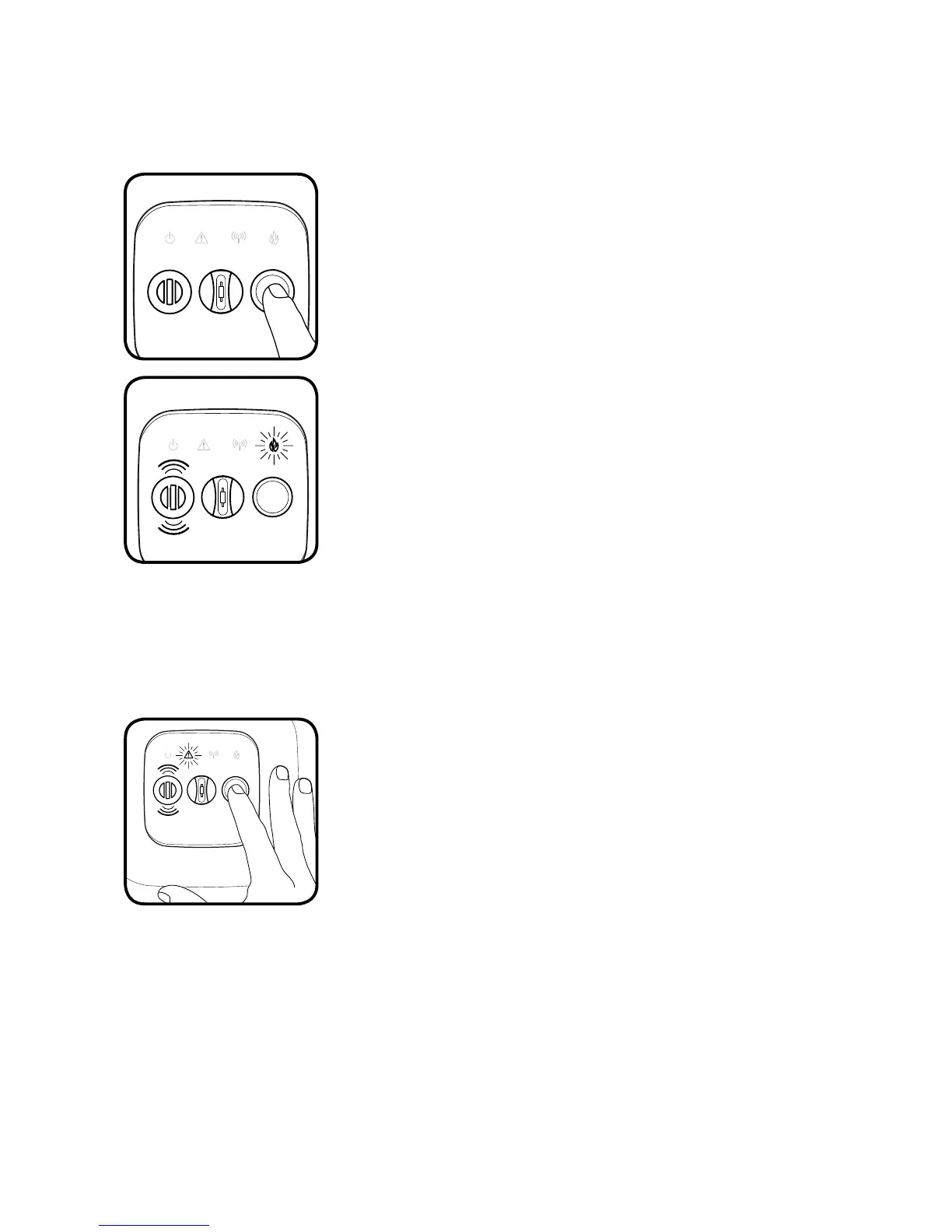
To test the alarm, press and release the button on the
front face.
The alarm will sound with 3 beeps and the FIRE icon will
flash red rapidly.
All four icons will strobe to indicate a successful test.
The alarm will then send out a network test
command and all other alarms on the wireless network
will perform the same internal test.
If the alarm fails the self-test, the horn will sound a
single long tone. If this occurs, replace the alarm.
The CFH10 alarm is equipped with a silence feature that can silence the alarm.
If during normal operation the alarm is triggered,
and
all appropriate safety precautions are being
taken,
the alarm can be silenced for ten minutes by
pressing the button on the front face of the unit.
The silence feature will also silence any alarms that
were triggered remotely. However, the initiating alarm
must be silenced directly.
Heat Alarm Features and Functions


 To Next Page