EasyManua.ls Logo

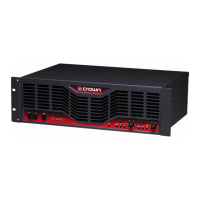
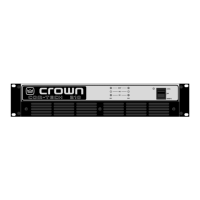
Crown ce 4000 - Service Manual

Crown ce 4000
140 pages
Print Icon
To Next Page IconTo Next Page
Loading...
POWER AMPLIFIER
SERVICE MANUAL
130485-1
11/02
Rev. B
© 2002 by Crown Audio, Inc., P.O. Box 1000, Elkhart, Indiana 46515-1000 U.S.A. Telephone:
574-294-8000. Trademark Notice: Amcron
®
and Crown
®
are registered trademarks of Crown
International. Other trademarks are the property of their respective owners.
CE Series
CE 4000
Some models may be exported under the name Amcron
®

Table of Contents

Other manuals for Crown ce 4000

Questions and Answers

  • B
    Bradley EricksonAug 19, 2025
    How to connect half wave rectified AC power flyback for Crown Amplifier?
    • L
      Lynn GarzaAug 19, 2025
      To connect a half wave rectified AC power flyback, use an isolation transformer. Warning: Not using an isolation transformer in Step 5 can result in test equipment damage.
  • A
    Alexander FowlerAug 21, 2025
    How to check DC supplies on the power supply side of a Crown Amplifier?
    • S
      Shelly MatthewsAug 21, 2025
      To check the DC supplies on the power supply side of your Crown Amplifier using a multimeter, confirm the following test points with respect to SMPS reference (TP2): TP6, TP7, and TP8 should read +15V; TP46 should be +7.5V; TP252 should be 19.0V; U2 pin 11 should be 5.1V; and TP256 and U14 pin 1 should be 5.0V.
  • C
    Charles BrownAug 23, 2025
    How to check DC supplies on the audio side of a Crown ce 4000?
    • T
      Tiffany McclainAug 25, 2025
      To check the DC supplies on the audio side of your Crown Amplifier using a multimeter, confirm that TP254 is +15V, TP255 is -15V, and TP257 is 5.0V. All measurements should be made with respect to AGND (TP-105).
  • S
    Sarah WatsonAug 26, 2025
    How to check audio side triangle waveforms at TP102 on a Crown ce 4000 Amplifier using an oscilloscope?
    • S
      snowjohnAug 26, 2025
      To check the audio side triangle waveforms at TP102 on your Crown Amplifier using an oscilloscope, measure with respect to TP105 (see Figure 4.9).
  • N
    nnorrisAug 27, 2025
    How to check audio side triangle waveforms at TP202 on a Crown ce 4000 Amplifier using an oscilloscope?
    • D
      Dr. Amber Hernandez DDSAug 27, 2025
      To check the audio side triangle waveforms at TP202 on your Crown Amplifier using an oscilloscope, measure with respect to TP205 (see Figure 4.9).
  • J
    Jessica BakerAug 29, 2025
    How to check BCA output stage gate switching on a Crown ce 4000 using an oscilloscope?
    • P
      Philip GarciaAug 29, 2025
      To check the BCA output stage gate switching on your Crown Amplifier using an oscilloscope, probe at each gate drive resistor.
  • M
    Morgan SkinnerAug 31, 2025
    How to check power supply clocks at TP-253 and TP-12 on a Crown Amplifier using an oscilloscope?
    • J
      Joshua JacksonSep 1, 2025
      To check the power supply clocks at TP-253 and TP-12 on your Crown Amplifier using an oscilloscope, refer to Figure 4.12. All measurements are with respect to SMPS reference.
  • A
    Arthur GonzalezSep 2, 2025
    How to check PFC gate switching at TP-5 on a Crown ce 4000 using an oscilloscope?
    • S
      Sarah BushSep 2, 2025
      To check PFC gate switching at TP-5 on your Crown Amplifier using an oscilloscope, measure with respect to TP-2, as shown in Figure.
  • M
    Mary HarrisSep 4, 2025
    How to check gate switching of the Full Bridge DC to DC Converter on a Crown Amplifier using an oscilloscope?
    • M
      Monica MooreSep 4, 2025
      To check the gate switching of the Full Bridge DC to DC Converter on your Crown Amplifier using an oscilloscope, refer to Figure 4.15. Verify the phase shift at startup. Probe at TP-27, TP-29, TP-30, and TP-31. All measurements are with respect to SMPS reference.
  • M
    Mary ThomasSep 6, 2025
    What to do to simulate front panel switch on Crown Amplifier?
    • E
      emilycarlsonSep 6, 2025
      To simulate the front panel switch on for your Crown Amplifier, place a jumper between J28 and J29.

Summary

Introduction

1.1 Introduction

Provides service information for the Crown CE 4000 amplifier.

1.2 The CE 4000 Amplifier

Describes the CE 4000 as a professional, compact audio amplifier.

1.3 Scope

Defines the manual's applicability to all CE 4000 amplifier versions.

1.4 Warranty

Covers basic warranty policies and customer service procedures.

Theory of Operation

3.1 Audio Signal Path

Explains the audio signal's journey through the amplifier's internal circuits.

3.2 Protection and Control Circuitry

Details protection circuits, control functions, and indicators like Fault and Clip LEDs.

3.3 Power Supply Operation

Describes the power entry, filtering, low-voltage supplies, PFC, and isolation stages.

Maintenance

4.1 Where to Begin

Outlines a three-step process for effective repair: symptom determination, cause identification, and repair.

4.2 Surface Mount Technology

Discusses the advantages and disadvantages of Surface Mount Technology (SMT) in amplifier design.

4.3 Disassembly for Inspection & Service

Provides instructions for safely disassembling the amplifier for inspection and service.

4.4 Troubleshooting

Guides on identifying and repairing common amplifier problems based on symptoms and causes.

4.5 Required Test Equipment

Lists essential test equipment required for accurate calibration and servicing of the amplifier.

4.6 Electrical Checkout Procedures

Details electrical tests to verify amplifier operation and performance parameters.

4.7 Calibrations

Describes procedures for calibrating specific amplifier functions like filters and sensors.

Parts

5.1 General Information

General guidance on ordering replacement parts from the Crown Parts Department.

5.2 Ordering and Receiving Parts

Details the process for ordering parts, including required information and payment terms.

5.3 Mechanical Parts

Lists mechanical components and assemblies with part numbers and exploded view references.

5.4 Circuit Board Parts

Lists circuit board part numbers and their corresponding schematic sheet references.

Crown ce 4000 Specifications

General IconGeneral
Channels2
Power Output (8 Ohms Bridged)2000W
Total Harmonic Distortion< 0.5%
Input Sensitivity1.4V
Input Impedance20 kOhms balanced, 10 kOhms unbalanced
Power Output (4 Ohms)1000W
Frequency Response20Hz - 20kHz
ProtectionShort circuit, thermal, overload

Related product manuals