3–3
Operation
3. Verify the following:
a. The bottom cooling fan runs continuously.
b. The Lock Fault indicator flashes for approximately 5 seconds, then
goes off.
4. Set the Input Gain switches for mid-scale wideband gain reduction on an
average program level (see section 3.4).
5. Set the Processing control (see section 3.5; normal setting is “50”).
6. Set the Stereo-Mono switch to Stereo (see section 3.6).
7. Turn on the Carrier switch.
8. Check the following parameters on the front panel multimeter:
a. RF Power should be 29–33 watts for the FM30, 95–110 watts for the
FM100, and 250–275 watts for the FM250.
b. SWR should be less than 1.1. (A reading greater than 1.25 indicates an
antenna mismatch.
c. ALC should be between 4.00 and 6.00 volts.
d. PA DC Volts should be 26–30 volts for the FM30, 25–35 volts for the
FM100, and 37–52 volts for the FM250. (Varies with antenna match,
power, and frequency.)
e. PA DC Amperes should be 1.5–2.5 amps for the FM30, 4.5–6.5 amps
for the FM100, and 6.0–8.0 amps for the FM250. (Varies with antenna
match, power, and frequency.)
f. PA Temperature should initially read 20–35 degrees C (room tempera-
ture). After one hour the reading should be 35–50 degrees C.
g. Supply DC Volts should display a typical reading of 45 V with the
carrier on and 50 V with the carrier off for both the FM30 and FM100
products. For the FM250, the readings should be 65 V with the carrier
on and 75 V with carrier off.
h. Voltmeter should be reading 0.0.
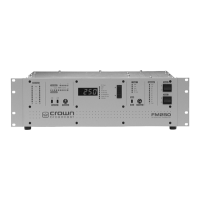
The remainder of this section describes the functions of the front panel indicators
and switches.


 To Next Page
 Loading...