4.
5.
4
Desktop Installation
1. Power off the computer.
2. Remove the case cover from the desktop computer. Refer to
your computer’s manual for how to safely remove the
computer case cover.
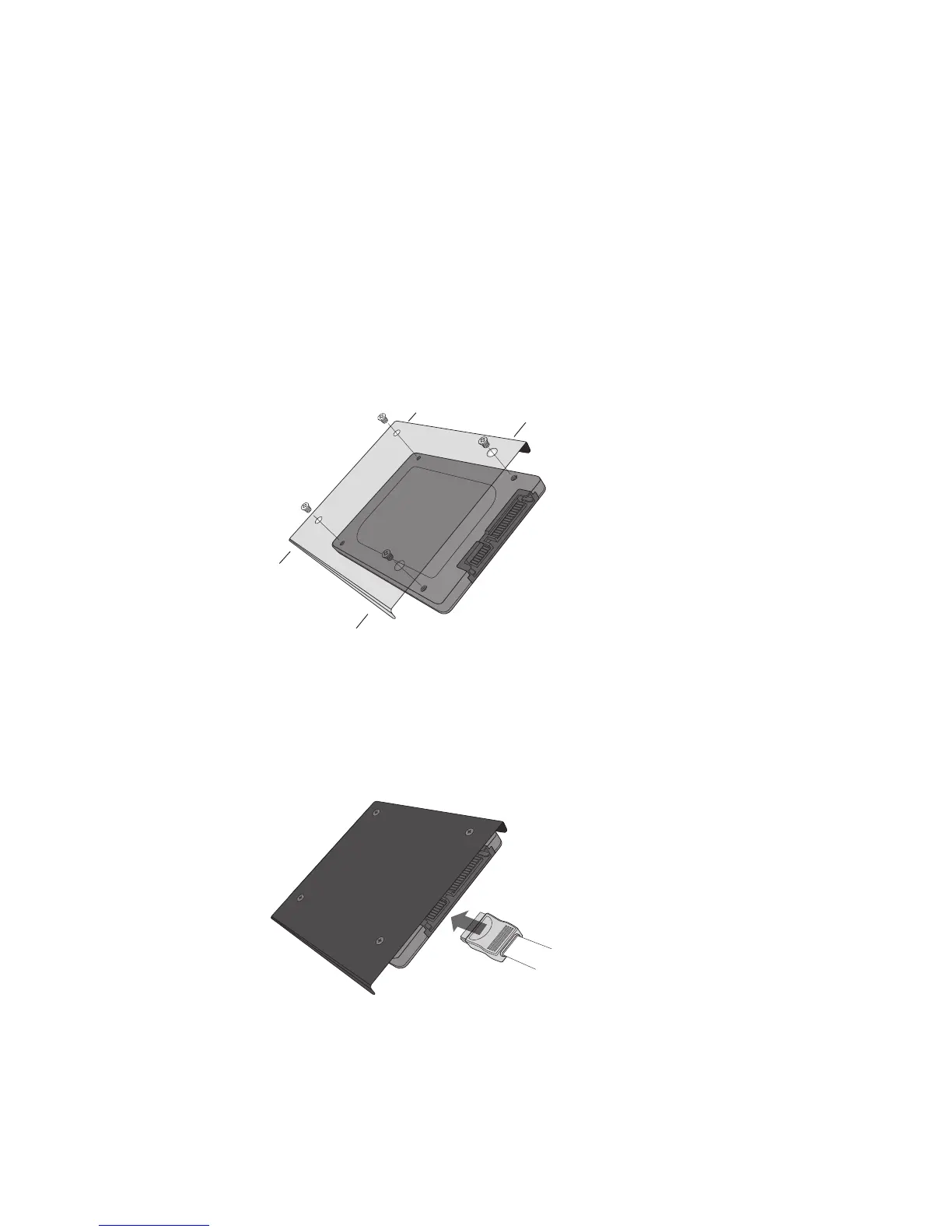
3. If your desktop computer has a 3.5-inch drive bay, attach
the Crucial SSD to an adapter bracket (available in the
Crucial Easy Desktop Install Kit). If your desktop computer
has a 2.5-inch drive bay, you will not need to use an adapter.
See Figure 4: Attach your Crucial SSD to adapter bracket
using four screws
4. Using a SATA cable, attach one end of the cable to the SATA
connector on your motherboard. Attach the other end of
the SATA cable to the SSD.
See Figure 5: Connect SATA cable



 To Next Page