
 Need help?
Do you have a question about the CruxCare C1 and is the answer not in the manual?
Discusses how environmental conditions can affect wireless device range and the system's limitations.
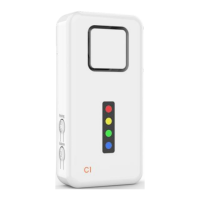
Explains the C1 Home Alert System's purpose, features, and compatibility with accessories.
Instructions for removing the pager from its packaging and initial activation.
Procedure to turn the pager on and off using the volume button.
Explanation of different sound types for zone notifications to distinguish sources.
How to modify the pager's volume levels and silent mode.
How notifications sound, repeat, and how to stop them.
Information on the pager's status light and how to control its indication.
How to activate a call to the carer using the red or blue call buttons.
Method to stop or reset an ongoing alarm notification by pressing pager buttons.
Guidance on wearing or mounting the call button device using a lanyard or adhesive pads.
Details on mounting and function of the sensor for doors and windows.
Information on mounting and detecting motion in guarded areas.
Procedure to put the pager into pairing mode for zone selection.
How to pair accessories by triggering them while pager is in programming mode.
Guidance on testing the connected accessory and pager response.
Instructions for replacing batteries in the C1 pager.
Procedure for opening and replacing batteries in CruxCare call buttons.
Steps to replace the battery in the Tiiwee window & door sensor.
Instructions for opening and replacing batteries in the PIR motion sensor.
 General
| Brand | CruxCare |
|---|---|
| Model | C1 |
| Category | Emergency Phone |
| Language | English |

 To Next Page