www.cryptoelectronics.com
17. TV/RADIO (Switch between TV and Radio)
18. Recall (playback the previous programe)
19. EXIT (Exit from menu)
20. STOP (Stop program playback or recording)
21. CH+/- (Channel Up and Down)
22. FAV (Open the Favorite list)
23. PLAY
24. Search backward /forward
25. PAUSE(Pause/Active timeshift function)
26. RED/GREEN/YELLOW/BLUE Buttons (For interactive function/Submenu
function buttons)
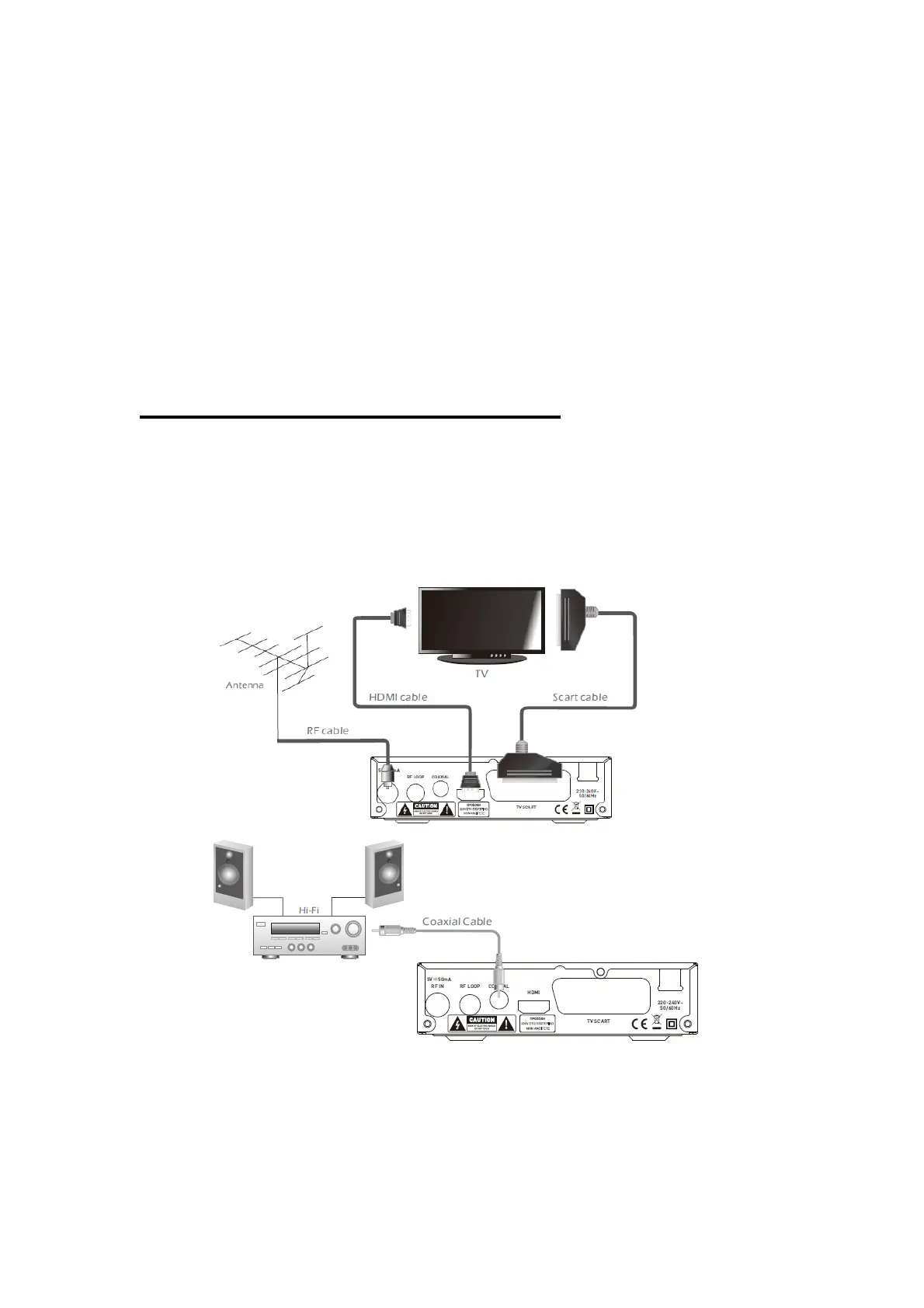
4. SYSTEM & TV CONNECTION
4.1 General
There are many different types of TV and other equipment that you can connect to
the device. In this manual you will see some of the most common ways to connect
your equipment.
4.2 Connection to the TV and Hi-FI


 To Next Page