5. Ensure the following when cooler is to be serviced:
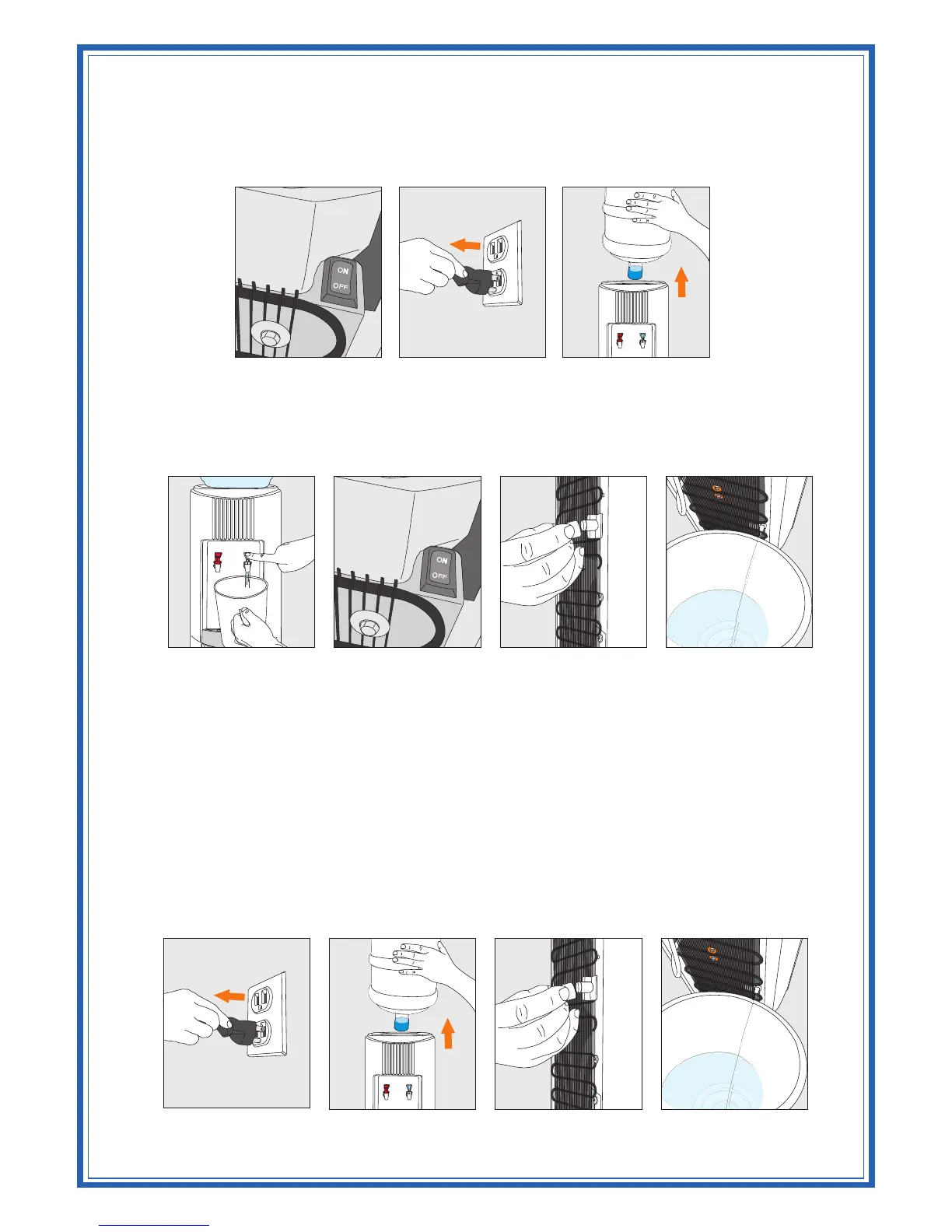
5.1 Turn off Hot Tank Switch (Hot & Cold models only) and disconnect power supply cord.
(Figure 7 and Figure 8)
5.2 Remove bottle from reservoir. (Figure 9)
5.3 Use a bucket to drain water from the cold water reservoir through faucets. On Hot & Cold
models (Figure 10), turn off hot tank switch as above (Figure 11). Allow 1 hour for the
hot water to cool down inside the hot water tank. Remove the drain plug at the rear of the
cooler to drain into a container. (Figure 12 and Figure 13)
REMOVABLE RESERVOIR
E&S Series
On Cook & Cold and Hot & Cold models the reservoir can be removed easily by following the steps
given below.
1. Unplug (Figure 14) and approach the cooler from the front.
2. Remove the water bottle (Figure 15) and drain water from the reservoir and hot tank, remembering to
cool and drain hot tank. Allow 1 hour for hot water to cool down inside the hot tank before removing
the drain plug at the rear of the cooler to drain into a bucket (Figure 16 and Figure 17).
CAUTION! ALWAYS DRAIN WATER COMPLETELY
BEFORE SHIPPING OR STORING THE COOLER!
Figure 7 Figure 8 Figure 9
Figure 10 Figure 11 Figure 12 Figure 13
Figure 14 Figure 15 Figure 16 Figure 17



 To Next Page