LD 500_SHORT BAL_V2.03 EN Page 19 of 20
Leakage overview
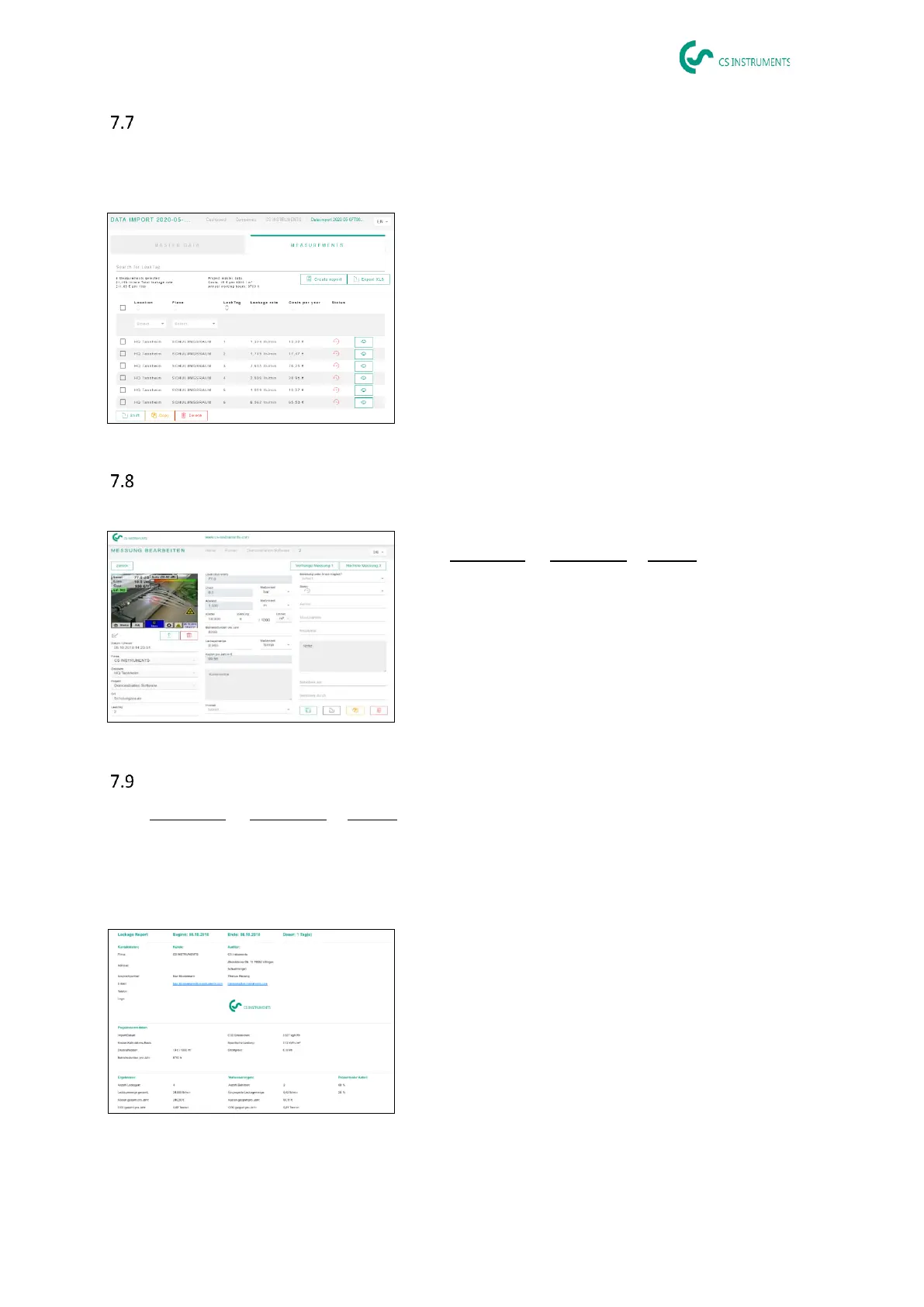
This list now contains all imported leakages from the data import. The relevant parameters of each
individual leakage are displayed and can be sorted by header (e.g. Leak tag).
It is also possible to «copy» or «move» leakages to other
projects or «delete» them.
Editing individual leakages
Using the eye, a detail view of each individual leakage can now be opened and then edited.
Path: Dashboard → Companies→ Project →(eye of the
corresponding leakage)
In this menu, you can:
• upload an additional image
• add/change a comment
• define the priority
• add/edit details on leakage elimination
• set the status
Creating reports
Path: Dashboard → Companies→ Project → «PDF» or «XLS»
After editing leakages, an automatic report can be created by pressing the «PDF» or «XLS» buttons in
the leakage overview. The report follows the selection of building or place and the sorting of the rele-
vant column. Sorting can be done by LeakTag, leakage rate, costs per year or status.
The first page of the «PDF report» shows a cover page in-
cluding contact information, project master data and the
results of the leakage scan.



 To Next Page
 Loading...