52 NVeDVR User Guide
500-1421E rev1.2
To make selections in the Utility screen,
1. Use the “◄”, “►”, “▲” and “▼” arrow buttons on the DVR controls or remote control or use a mouse pointer to
high light icons in the Utilities menu screen. Press “ENTER” to open a Utility icon’s contents.
2. Press “EDIT” to change a selection
3. Use the “◄”, “►”, “▲” and “▼” arrow buttons on the DVR controls or remote control or use a mouse pointer to
navigate the executable selections.
4. Follow the on screen instructions in the screens
5. Press “ENTER” or left click a mouse to execute a selection
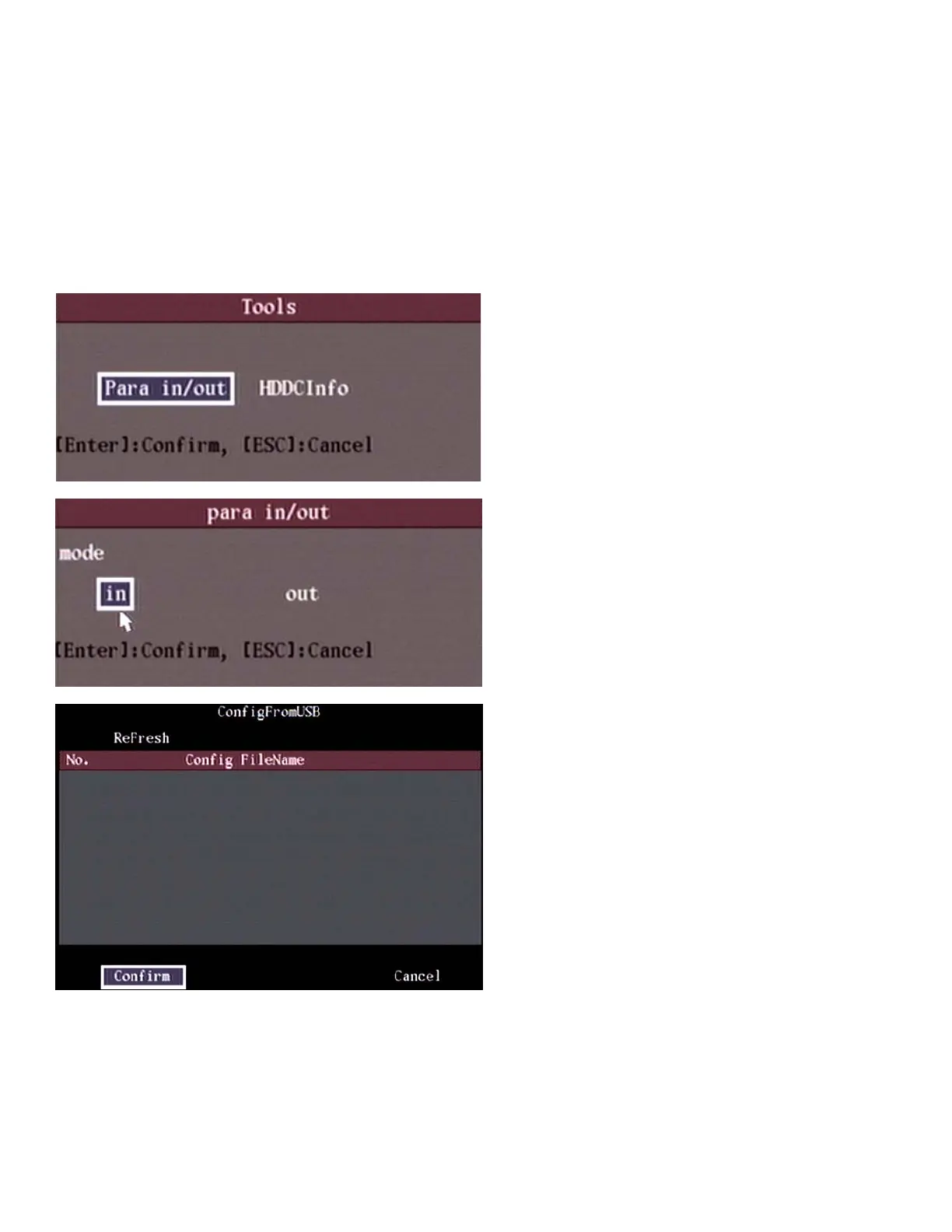
Tools
Selections: Import/export of configurations with USB. View the Hard Disk Drive Change Information.
Para(meters) In/Out (Import/Export)
• This operates only with USB flash drives and not other forms of USB storage
• Files for import must have a “.conf “ extension
• The config file import screen will display only the first 10 .conf files found on the USB flash drive. Exporting a file is
however still possible even if 10 or more .conf files are already on the flash drive.
• For import, .conf files with names longer than 40 characters are not supported and are not displayed in the list



 To Next Page