EasyManua.ls Logo

CSI Signature 2 Series - User Manual

CSI Signature 2 Series
32 pages
Print Icon
To Next Page IconTo Next Page
Loading...
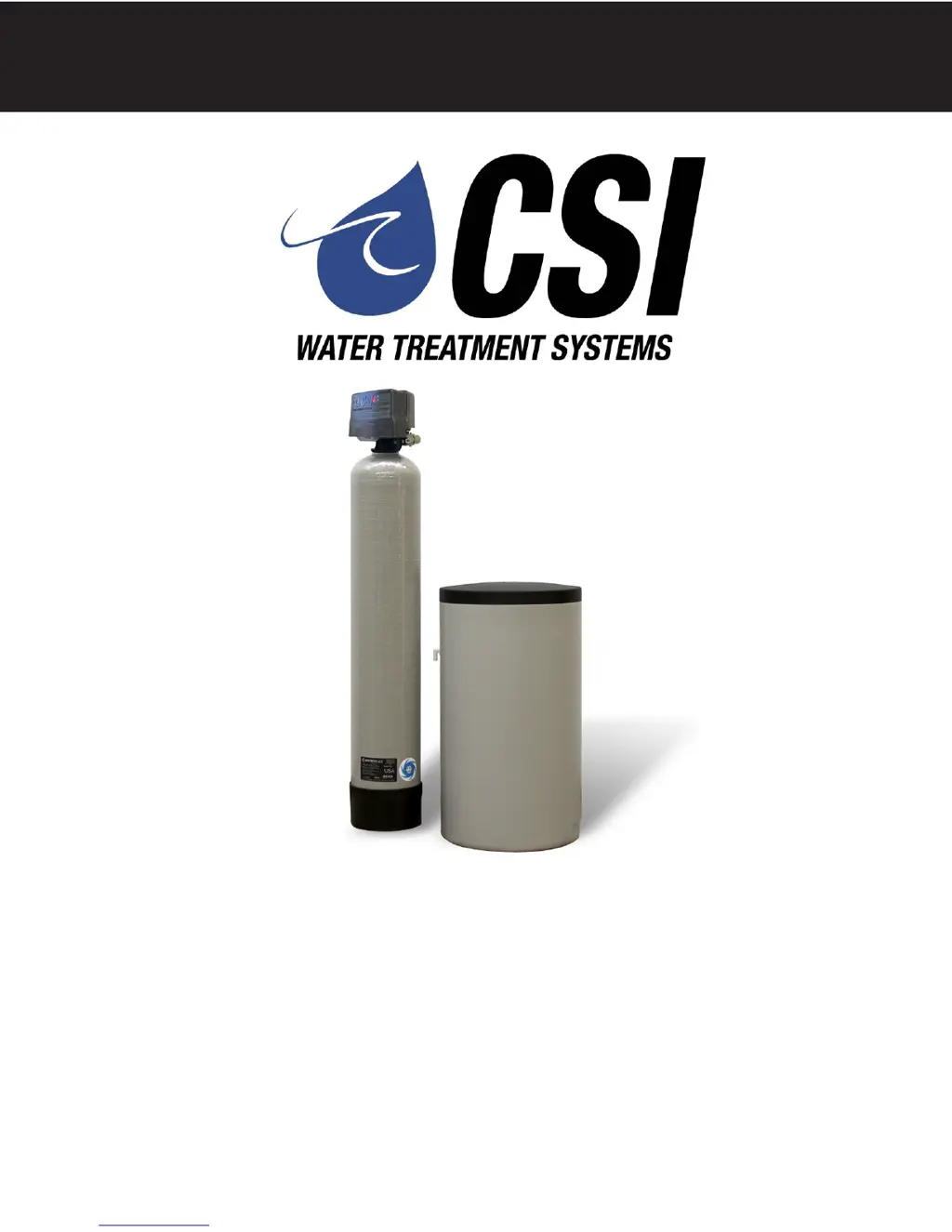
SIGNATURE 2 SERIES
Signature 2 Series
Softener Manual
Installation / Operation Manual
Fully Automatic & Demand
Water Softeners

Other manuals for CSI Signature 2 Series

Questions and Answers

  • M
    Madison HickmanSep 10, 2025
    Why does my CSI Water Filtration System have poor water quality?
    • M
      Melody RodriguezSep 10, 2025
      If you're experiencing poor water quality with your CSI Water Filtration System, it could be due to an open bypass valve; make sure to close it. Another potential cause is channeling, which may indicate service flow that is too slow or too high, or media fouling. Check these aspects to resolve the issue.
  • C
    Casey SuttonAug 23, 2025
    What to do if I have loss of water pressure with CSI Signature 2 Water Filtration Systems?
    • S
      Sarah BlackwellAug 23, 2025
      A loss of water pressure in your CSI Water Filtration System can be due to scaling or fouling of the inlet pipe. Try cleaning or replacing the pipeline, and consider pretreatment to prevent recurrence. Another cause could be fouled media, which requires cleaning the media, also consider pretreatment. Additionally, check the backwash setting and ensure it is set to backwash more frequently.
  • L
    Lindsay SullivanAug 25, 2025
    How to fix a CSI Water Filtration System that fails to regenerate automatically?
    • D
      David CollierAug 25, 2025
      If your CSI Water Filtration System fails to regenerate automatically, several factors could be responsible. First, ensure the power supply is connected to a constant power source. If the power source is not the issue, reset the program settings, as the control valve programming may be improper. If problems persist, the power supply or the drive motor could be defective, requiring replacement.
  • K
    kennethreidAug 26, 2025
    How to fix CSI Water Filtration System that fails to regenerate automatically?
    • J
      jeffrey89Aug 26, 2025
      If your CSI Water Filtration System isn't regenerating automatically, start by checking the power supply. Ensure it's plugged into a constant power source. It is possible that the power supply is defective and needs replacement. Also, verify that the control valve programming is correct by resetting the program settings. Finally, a defective drive motor could be the culprit, requiring a replacement.
  • V
    Vanessa RichardsonAug 28, 2025
    What to do if CSI Water Filtration System has continuous flow to drain?
    • R
      Robert Ramos DDSAug 28, 2025
      If your CSI Water Filtration System has a continuous flow to the drain, call your dealer to get help. This issue is usually caused by foreign material in the control, an internal control leak, or the valve being jammed in the backwash, brine, or rapid rinse position. Also, it may be due to motor stopped or jammed, in this case check for jammed piston. Replace piston and seals. Replace motor if motor is unresponsive.
  • B
    Benjamin CainAug 29, 2025
    Why is there a loss of water pressure in my CSI Water Filtration System?
    • S
      Sarah MorrisAug 29, 2025
      A loss of water pressure in your CSI Water Filtration System can occur due to scaling or fouling of the inlet pipe, which requires cleaning or replacement of the pipeline, and pretreatment to prevent recurrence. It may also be caused by fouled media, which requires cleaning the media and pretreating to prevent it in the future. An improper backwash setting can also lead to pressure loss; in this case, backwash more frequently.
  • J
    Joseph MedinaSep 18, 2025
    What to do if my CSI Water Dispenser has loss of water pressure?
    • K
      kevin75Sep 18, 2025
      If you're experiencing a loss of water pressure with your CSI Water Dispenser, it could be due to scaling or fouling of the inlet pipe. Clean or replace the pipeline and consider pretreatment to prevent future occurrences. Fouled resin can also cause this issue, so clean the resin and pretreat to prevent it from happening again. Additionally, an improper backwash setting can lead to pressure loss; backwash more frequently.
  • T
    thomasyatesSep 12, 2025
    Why is my CSI Water Dispenser losing capacity?
    • K
      Karen RodriguezSep 12, 2025
      If your CSI Water Dispenser is experiencing a loss of capacity, it could be due to several reasons. The raw water hardness might have increased, requiring you to increase the hardness setting or decrease the days between regeneration. Ensure the brine tank is always full of salt and clean it yearly to maintain proper brine concentration. Bridged salt can also be a culprit. If you're using a salt grid plate, make sure the refill water covers it. For issues like resin fouling, poor distribution, internal valve leaks, resin age, or resin loss, it's recommended to call a dealer for assistance with cleaning, repairs, or part replacements.
  • L
    Larry BennettSep 8, 2025
    What to do if my CSI Water Filtration System loses water pressure?
    • D
      Douglas LeeSep 8, 2025
      If you're experiencing a loss of water pressure with your CSI Water Filtration System, there are a few potential causes. Scaling or fouling of the inlet pipe could be the issue; try cleaning or replacing the pipeline and consider pretreatment to prevent future occurrences. Another cause might be fouled media, which would require cleaning the media and pretreating to prevent it from happening again. Lastly, check the backwash setting to ensure it's properly configured, and backwash more frequently if necessary.
  • S
    Stephanie BlackwellSep 5, 2025
    Why does my CSI Water Filtration System regenerate at the wrong time?
    • T
      Teresa MarquezSep 5, 2025
      Regeneration at the wrong time in your CSI Water Filtration System could be due to a few reasons. A power failure may have caused the time of day to be set improperly; reset the time of day programming and install a 9-volt battery. Another cause could be that the regeneration time is set improperly; in this case, reset the regeneration time programming.

Summary

Softener Specifications

Installation

Pre-Installation Check List

Critical checks before starting the installation process.

Installation Requirements

Specifies the necessary conditions and location for unit installation.

Installation Procedure

Step-by-step guide for connecting the softener to water supply.

Drain Line Connection

Instructions for properly connecting the drain line.

Brine Line and Overflow Connection

Guide for connecting the brine tank lines.

Control Valve Operation

Details the operation of the control valve during different cycles.

Capacity

Control Start-Up Procedures

Master Programming Mode

Utilizing Bluetooth Control

Service Instructions

General Preliminary Instructions

Essential steps to perform before any servicing operation.

Troubleshooting Guide

Softener Fails to Regenerate Automatically

Addresses issues with automatic regeneration.

Regeneration at Wrong Time

Troubleshoots regeneration occurring at incorrect times.

Loss of Capacity

Diagnoses and resolves issues related to reduced softener capacity.

Poor Water Quality

Addresses problems with the quality of treated water.

Excessive Water in Brine Tank and; or Salty Water to Service

Diagnoses issues with brine tank water and salty service water.

Softener Fails to Use Salt

Addresses problems where the softener does not use salt.

Continuous Flow to Drain

Troubleshoots continuous water flow to the drain.

Error Codes

Explains specific error codes displayed by the control valve.

CSI Signature 2 Series Specifications

General IconGeneral
BrandCSI
ModelSignature 2 Series
CategoryWater Filtration Systems
LanguageEnglish

Related product manuals