Emizon TCD
Step 1 - Commissioning
Fit the TCD in the alarm Control panel. The TCD can be connected using Pin inputs,
RS 232/485 or Dial Capture.
USING PIN INPUTS
Carefully observing the correct polarity, connect the TCD pin inputs to the panel. The
default is +Ve removed. Connect the Power supply to the TCD V+ and 0V power
supply input
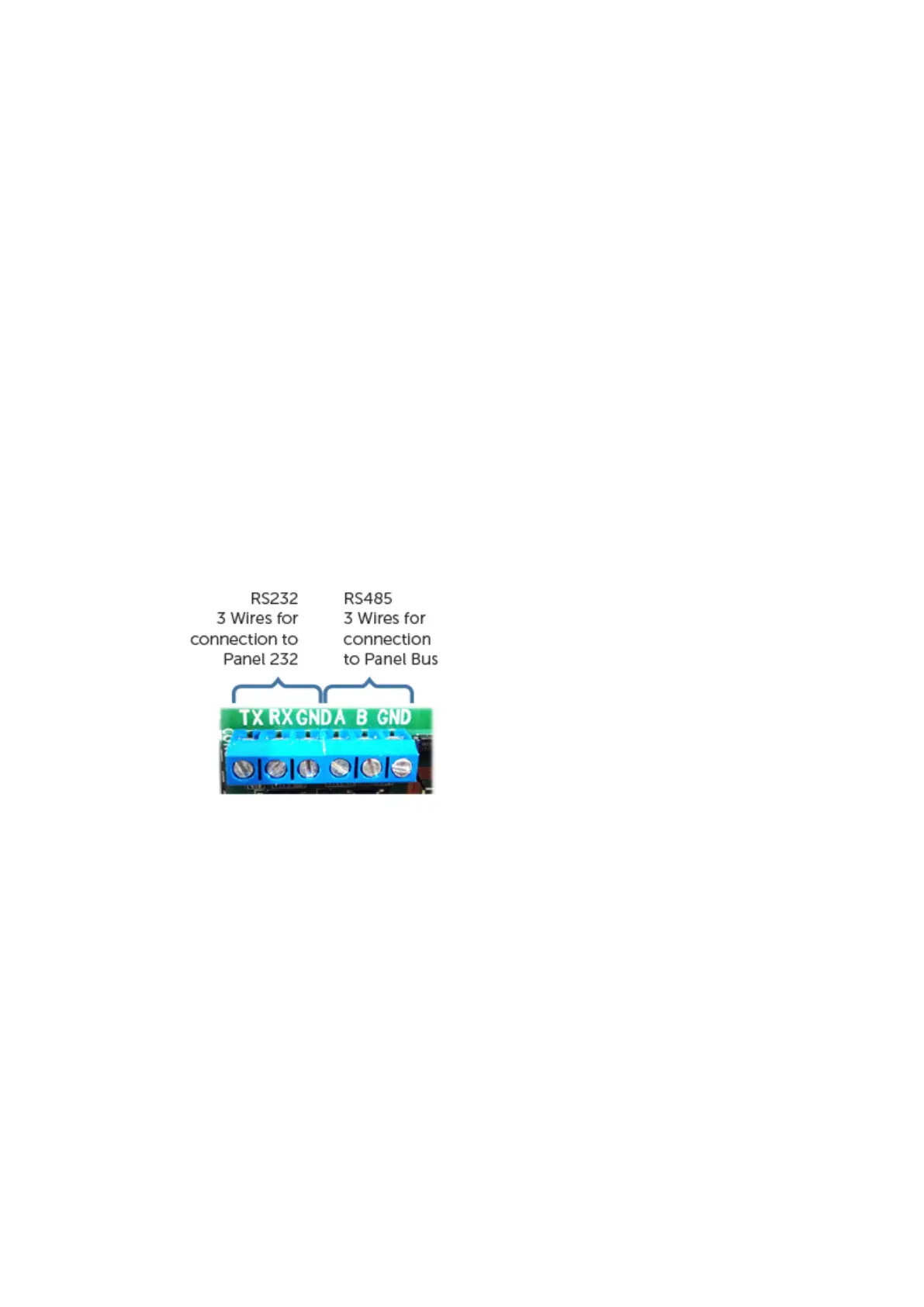
USING RS232/485
• For RS232 connect TX, RX & GND
• For RS485 connect A, B & GND
USING DIAL CAPTURE
• Unscrew and remove the Dial Capture Lid.
• Connect T and T1 on TCD to A on the Panel.
• Connect R and R1 on TCD to B on the Panel.
• Screw the Dial Capture lid back on.
• For Dial Capture the TCD is used as the input.



 To Next Page