COBRA HD | IFUCOBRAHDEN00
INSTRUCTIONS FOR USE
This document is the property of
CSO Costruzione Strumenti Oftalmici srl.
Any reproduction, even partial, it is prohibited.
33/48
USB 3.0 cable between device and PC
Connection cable for fixation point on the chin rest
Power cable for the connection between the power supply and the device
Power cable for the connection of the electric table with the power
supply
Power cable for the connection of the electric table with the power
supply
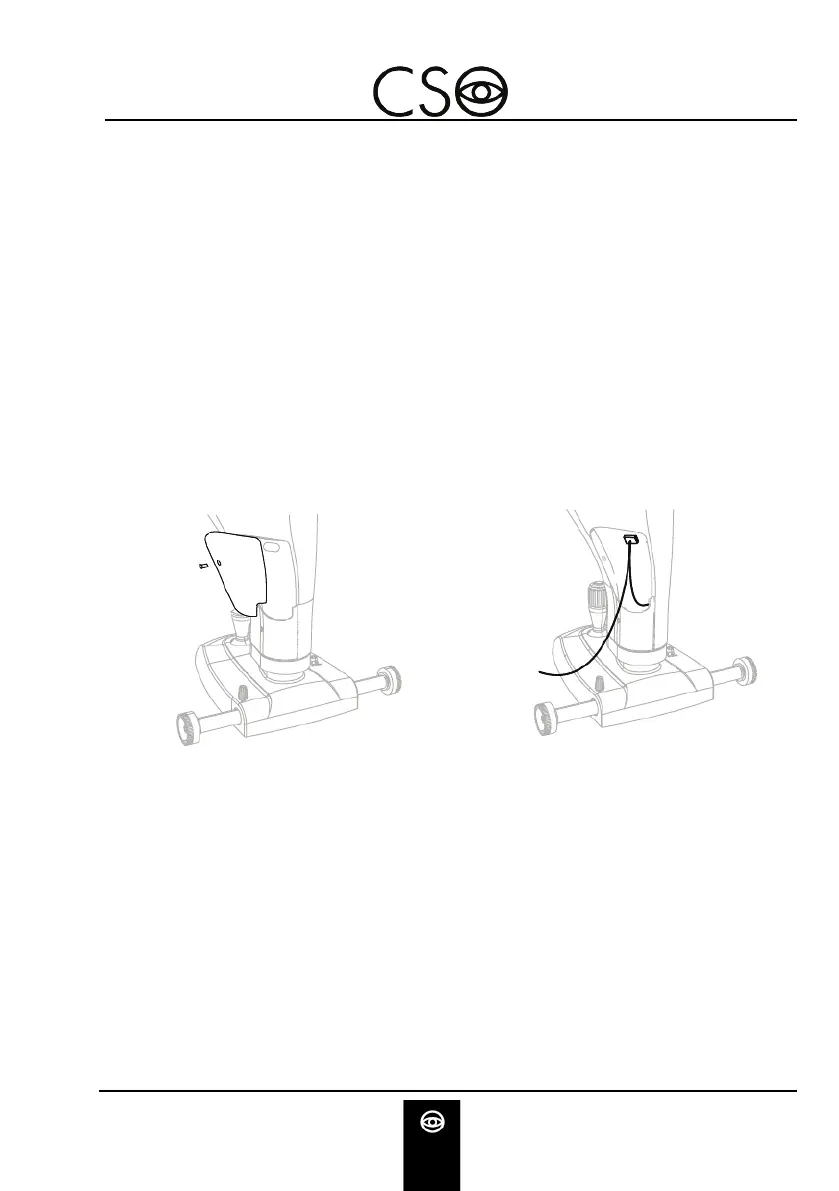
To connect the cable USB 3.0 and the device you need to open the
protection carter on the front part of the device.
Unscrew the screw and remove the protection carter.
Connect the USB connector with the device.
Fig 18 - Removing the carter
Fig 19 - Connection between device and
USB cable


 To Next Page