CANedge2 Docs, Release FW 01.04.02
0.7 Remote access
0.7.1 Network
The CANedge supports wireless connectivity over WiFi. The WiFi specifications are given here.
0.7.1.1 WiFi
The CANedge is able to connect to a WiFi access point (AP).
The CANedge expects to be assigned an IP by a DHCP service running on the access point. The network
application name (host name) of a connected CANedge is the unique device ID.
0.7.1.2 Network topology
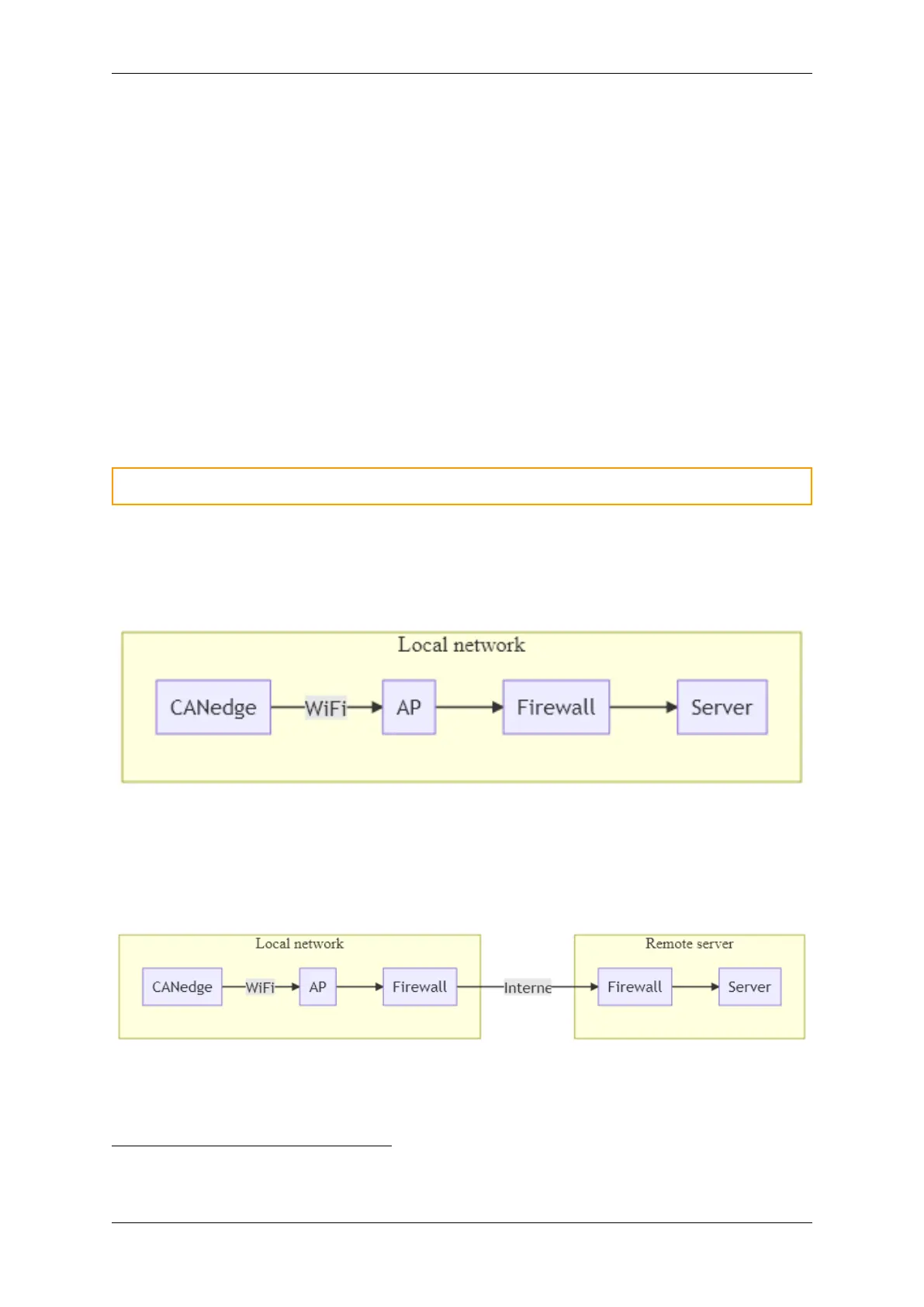
The following describes local and remote server network topologies.
Warning: Make sure that firewalls allow S3 (e.g. port 9000) and NTP (port 123) traffic.
Local network topology
A local network topology is illustrated below. With the local topology, the device does not require
internet access as the server is located in the same local network
1
.
Remote network topology
A remote network topology is illustrated below. With the remote topology, the device and server are
located at two separate networks. Internet connection is used to connect the two local networks and
allow the device to connect to the server.
0.7.2 Server
1
Make sure to use a local NTP server if RTC auto sync is enabled
0.7. Remote access 49



 To Next Page