EasyManua.ls Logo

CTM HS-2850 - User Manual

CTM HS-2850
22 pages
Print Icon
To Next Page IconTo Next Page
Loading...
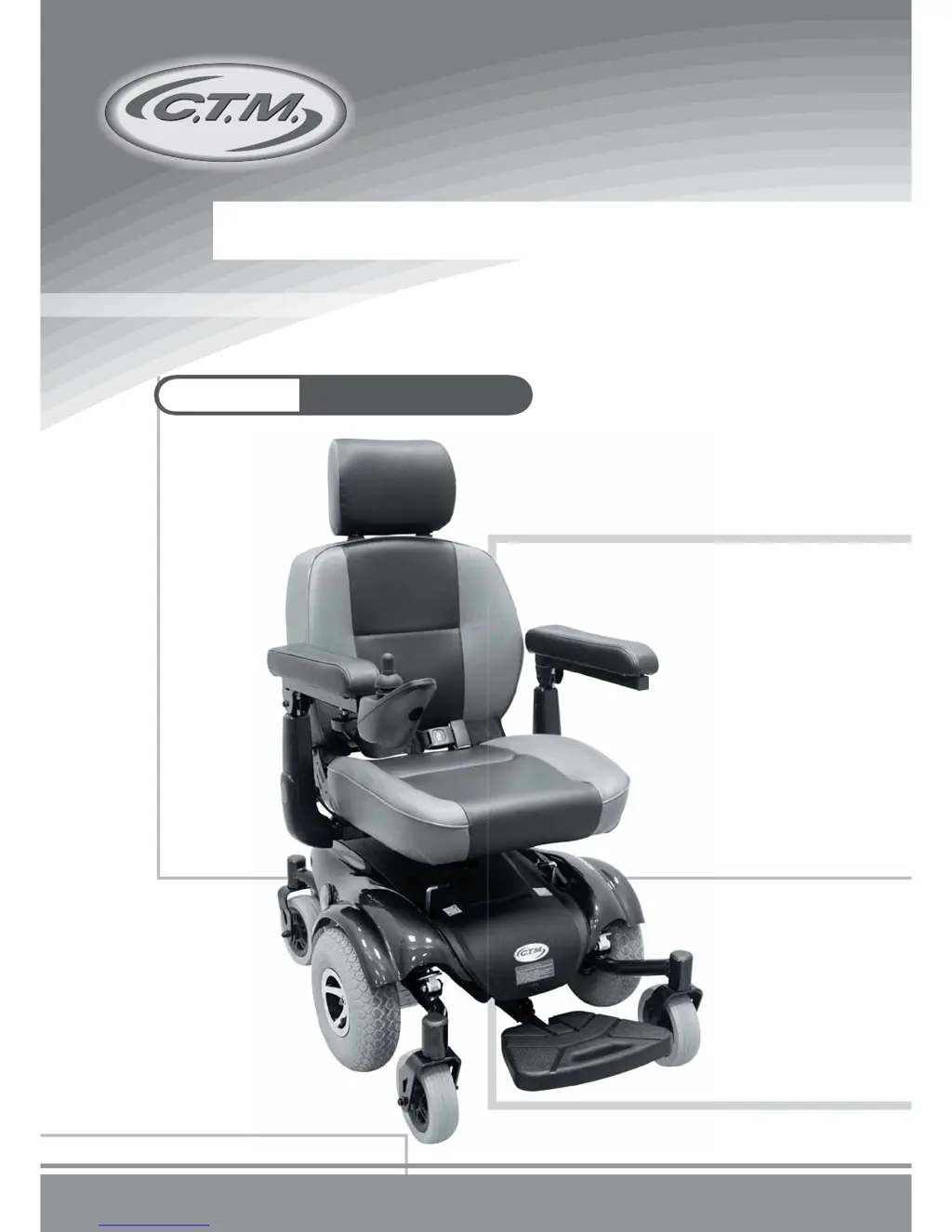
C.T.M. Mini Power Chair
HS-2850 User's Manual

Questions and Answers

  • Q
    qreidAug 17, 2025
    What to do if I have a user fault on my CTM Wheelchair?
    • T
      Tamara CarrollAug 17, 2025
      If you are experiencing a user fault with your CTM Wheelchair: * Release the joystick to neutral and try again. * Check the Battery Gauge on the joystick to ensure all LED lights are on. * Check the Self-Diagnostic Warning Light to make sure it is steady; if it's flashing, refer to the chart on page 17 for problem identification. * Check all electrical connections to ensure they are secure. * Verify the batteries are connected correctly. If the issue persists, contact your authorized dealer.
  • S
    Scott CaldwellAug 19, 2025
    Why does my CTM HS-2850 Wheelchair say 'SHARK Communications Fault'?
    • J
      Juan HernandezAug 19, 2025
      If your CTM Wheelchair is showing a 'SHARK Communications Fault', ensure the battery voltage is greater than 17V and check the SHARK Bus Cable. If problems continue, replace the SHARK Power Module or the SHARK Remote.
  • M
    Mia JohnsonAug 22, 2025
    What causes a battery fault on a CTM Wheelchair?
    • K
      Kristin MossAug 22, 2025
      If you are experiencing a battery fault with your CTM Wheelchair, try charging the batteries. The batteries may need to be replaced. Check the batteries and cabling.
  • P
    Paul ReynoldsAug 25, 2025
    What does 'SHARK Remote Fault' mean on my CTM Wheelchair and how do I fix it?
    • C
      Candace BondAug 26, 2025
      If your CTM Wheelchair indicates a 'SHARK Remote Fault', check the SHARK Communications Bus connections and wiring. If the problem persists, consider replacing the remote.
  • W
    William AllenAug 28, 2025
    What does 'SHARK Power Module Fault' mean for CTM HS-2850 Wheelchair?
    • D
      Dr. Judith HahnAug 28, 2025
      If your CTM Wheelchair displays a 'SHARK Power Module Fault', check the SHARK connections and wiring. If the issue continues, replace the Power Module.
  • J
    Jessica SnyderAug 30, 2025
    How to troubleshoot a left motor fault on a CTM HS-2850?
    • M
      Melissa RobertsAug 30, 2025
      To troubleshoot a left motor fault on your CTM Wheelchair, check the left motor, its connections, and cabling.
  • D
    Dana JohnsonSep 2, 2025
    How to troubleshoot a right motor fault on a CTM HS-2850?
    • S
      Seth WrightSep 2, 2025
      To troubleshoot a right motor fault on your CTM Wheelchair, check the right motor, its connections, and cabling.
  • Y
    yguerreroSep 5, 2025
    What to do if my CTM HS-2850 Wheelchair shows an 'Unknown Fault'?
    • R
      Robert HughesSep 5, 2025
      If your CTM Wheelchair is displaying an 'Unknown Fault', begin by checking all connections and wiring.
  • K
    Kyle HerringSep 7, 2025
    How to troubleshoot a left park brake fault on a CTM HS-2850 Wheelchair?
    • M
      Mary StevensSep 7, 2025
      To troubleshoot a left park brake fault on your CTM Wheelchair, check the left park brake, its connections, and cabling.
  • A
    ashleylopezSep 12, 2025
    How to troubleshoot a right park brake fault on a CTM Wheelchair?
    • M
      Marissa ClarkSep 12, 2025
      To troubleshoot a right park brake fault on your CTM Wheelchair, check the right park brake, its connections, and cabling.

Summary

Introduction

Important Precautions

Electromagnetic Interference and Warnings

Identification of Parts

Joystick

Details on joystick controls, battery gauge, and extendable bracket features for operation.

Armrest

Instructions for adjusting the width and height of the armrests for user comfort.

Footplate

Guidance on adjusting the footplate's position for optimal user ergonomics.

Power Base

Explanation of the free-wheeling lever for manual or powered movement of the chair.

Operating Your Power Chair

Headrest Adjustment

Procedure for adjusting the headrest's position up and down for comfort.

Seat Adjustment

Instructions on how to rotate the seat and avoid wire twisting.

Armrests Width Adjustment

Steps to adjust armrest width using side knobs for a comfortable fit.

Seats Depth Adjustment

How to adjust the depth of the seat by loosening fixation screws.

Backrest Angle Adjustment

Procedure for adjusting the backrest angle by releasing pins.

Seats Width Adjustment

Steps to adjust seat width by removing screws and backrest pad.

Disassembling; Re-assembling Your Power Chair

Joystick Cable Removal

Steps for safely disconnecting and removing the joystick cable from the armrest.

Seat Removal

Instructions for folding the seat back and lifting the seat assembly for removal.

Body Shroud Removal

Guidance on removing the front and rear shrouds using push rivets.

Battery Removal

Procedures for disconnecting batteries, unfastening straps, and removing them safely.

Charging the Batteries

Care and Maintenance

Body Shroud

Instructions for cleaning the power chair's body shroud with a damp cloth.

Seat and Armrests

Guidelines for maintaining the seat upholstery and armrests, including warranty notes.

Seat Belt

Proper cleaning methods for seat belts using mild soap and water.

Flat Spot (for solid tires only)

Method to eliminate flat spots on solid tires after periods of storage.

Tire Pressure (for air-filled tires only)

Recommended tire pressure for air-filled tires and its importance for safety.

Tire Tread

How to inspect tire tread depth and check for damage.

Electrical Connections

Ensuring secure battery terminals and plug connectors for reliable operation.

Hardware

Checking that all hardware is securely fastened and replacing missing components.

Storing

Advice on storing the power chair in a dry, room-temperature environment.

Troubleshooting

Technical Specifications

CTM HS-2850 Specifications

General IconGeneral
BrandCTM
ModelHS-2850
CategoryWheelchair
LanguageEnglish

Related product manuals