8
Remote Control
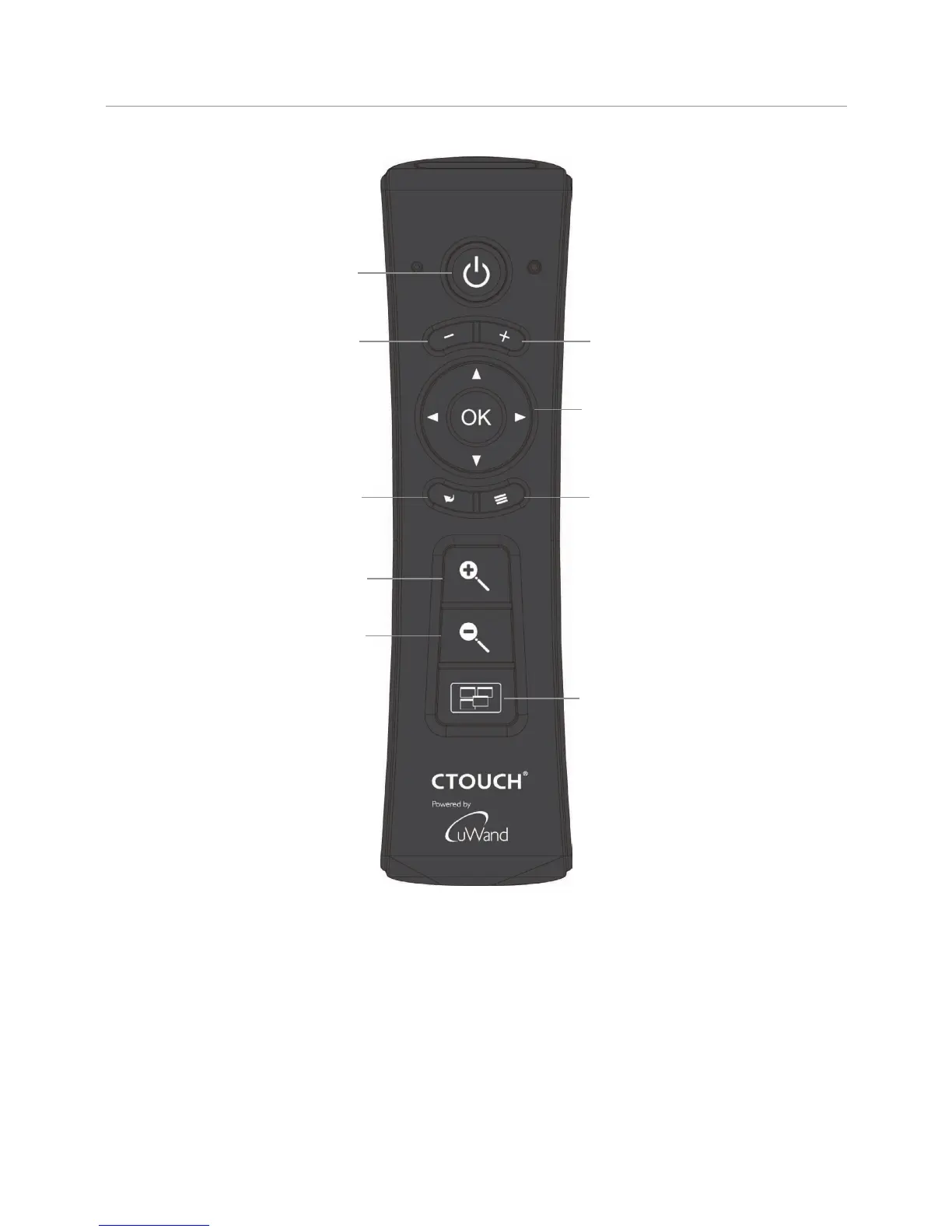
Switch the CTOUCH interactive display
power on or off
To confirm or enter a sub-menu or
toggle between options during MENU
operation.
Use Arrow buttons to navigate in on-
screen menu.
Display or exit the setting menu screen
Return to previous menu
or exit the on-screen menu
VOLUME DOWN
VOLUME UP
Zoom in on Windows OS
Zoom out on Windows OS
Show the most-recently used Apps.


 To Next Page