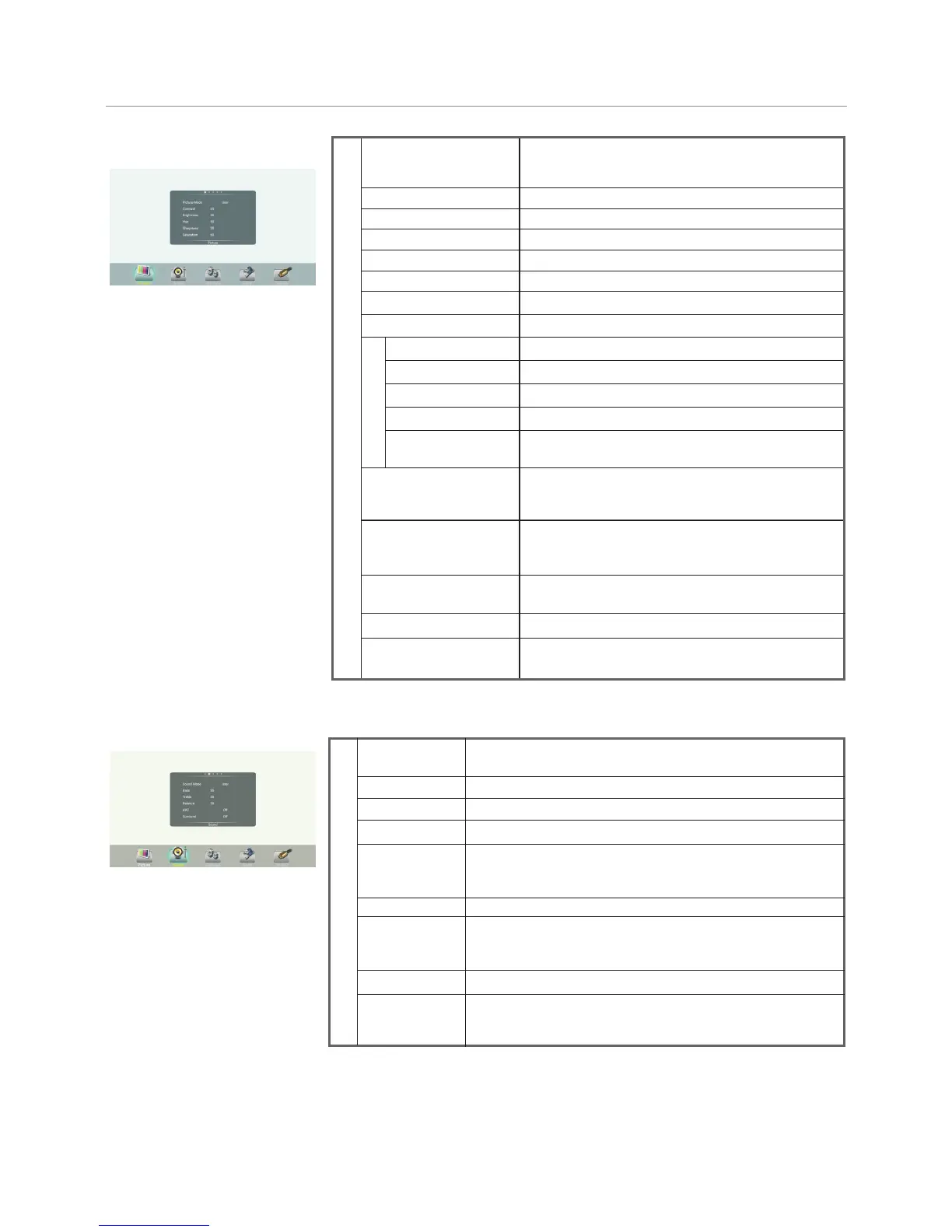
Menu List
15
Adjusting Picture mode
Adjusting Sound mode
Turn the Surround sound effect on or off. Surround
Treble
Adjust Treble (high sounds).
Bass
Adjust Bass (low sounds) .
Sound
Balance
Adjust volume level of right and left speakers.
AVC
Select [On] to equalize overall volume levels across all
channels.
Select [Off] to turn off the auto volume control.
SPDIF Output
Select the digital audio output mode for S/PDIF.
Select [RAW] to output audio signal as its original format.
Select [PCM] to output audio signal by PCM format.
(digital signal only)
Sound Mode
Set up the overall brilliance of the screen.
Backlight
Color temperature
Select the color temperature.
If you select User, you can set the level of the
Red/Green/Blue as your desired.
Brightness
Adjust the brightness.
Contrast
Adjust the contrast.
Saturation
Adjust the color saturation.
Hue
Adjust the image hue. (Only for NTSC system)
Sharpness
Adjust the sharpness.
Picture
Screen
The backlight brightness is decreased.
Energy Save
Zoom Mode
Select the aspect ratio (display proportions)
according to your video signal type or personal
preference.
Clock
Adjust the screen size.
Phase
Adjust the focus of stable images.
H-Position
Move the image right or left.
V-Position
Move the image up or down.
Automatically adjust the image settings such as
position and phase.
Picture Mode
OverScan
Image NR
SPDIF Volume
Adjust the reproduction ratio, you may activate this
function to obtain a cleaner picture.
Adjust SPDIF volume.
MFC
Frame rate up conversion. (Only for 4K model)
Alone
Auto Adjust
Turn off the picture on your monitor and listen to the program
audio only.
Wake up by any key or touch with two or more fingers.
Select your favourite picture mode for each input
[Standard] / [Soft] / [User] / [Game] / [Writing] /
Dynamic].
Turn on/off the noise reduction mode to reduce
picture noise.
Select your favourite sound mode for each input [Standard] /
[Music] / [Movie] / [Sports] / [User].


 To Next Page