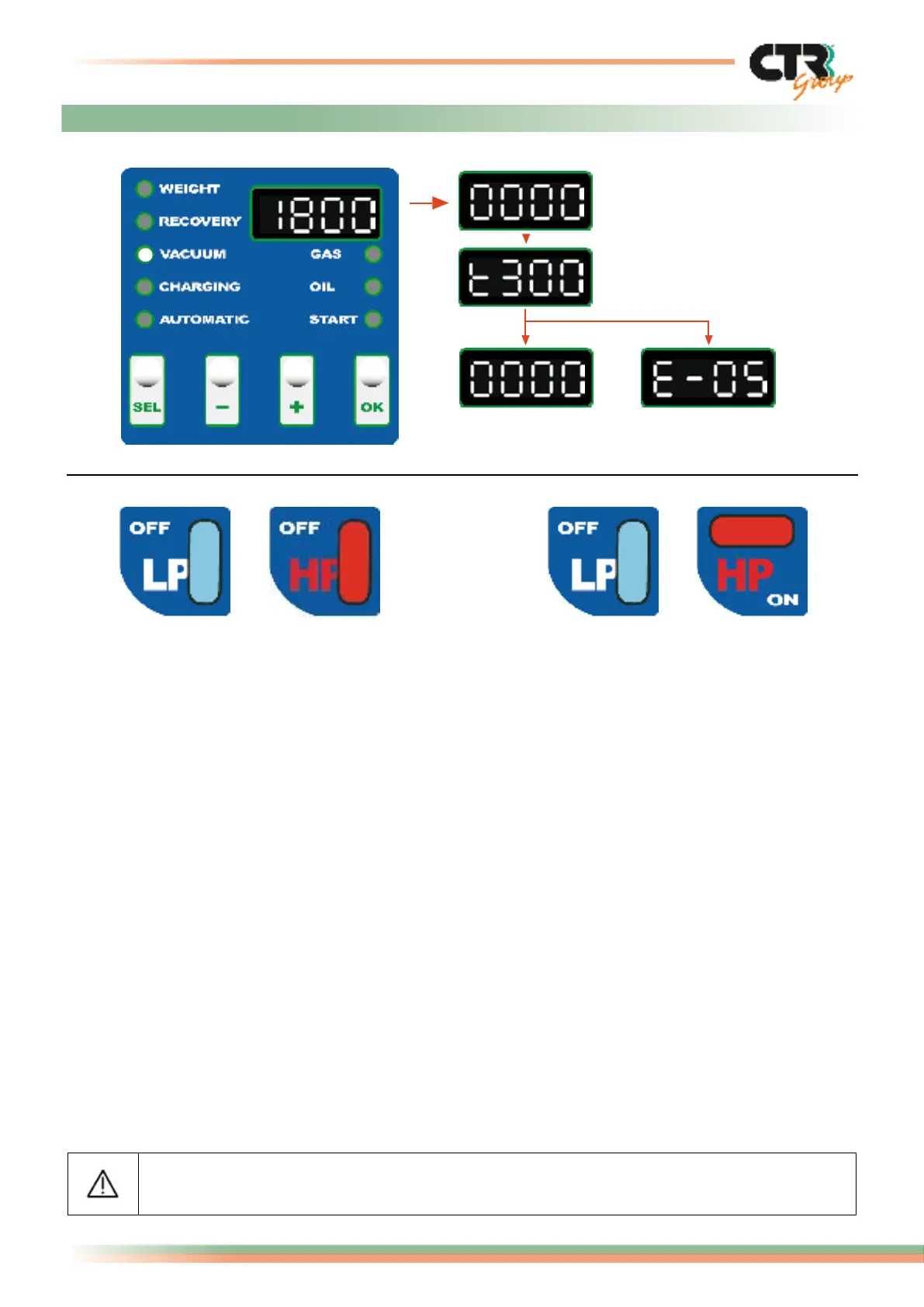
1) LP and HP valves open 2) LP valve open and HP valve closed
3a- Leak
presence
3- End of
vacuum phase
The VACUUM operation must be carried out with the engine switched off.
10/16
Logika - use and maintenance guide page
- Connect up the high and low-pressure hoses with the A/C plant.
- Open the two high and low pressure valves HP-LP (ex. 1) or, in case of only one service
point, open the corresponding valve (ex. 2).
- Use the SEL key to select VACUUM, indicated by the lateral led light.
- The display visualizes the pre-set time of 1800 seconds (30 minutes) that can be
changed by using the “+” and “-” keys.
- Press the OK key to proceed with the vacuum function. If the pre-set time doesn’t
decrease, after 10 minutes the function will stop and the error code E4 will appear
(time to achieve vacuum expired).
- Check leaks: using the countdown function for a maximum of 300 seconds (5 minutes).
In case of leaks the operation will stop and the display will visualize the error code E5
indicating a leak in the plant.
- If this phase ends without problems, then the display will visualize “four zeros” (0000)
indicating that the vacuum phase has been completed.
Possible error codes:
E3 = Pressure present in the system at the start or during the vacuum cycle.
E4 = Time to achieve vacuum expired.
E5 = Leaks found in vacuum control cycle.
9. Manual operation “VACUUM”
1- Time for vacuum expired
2- Leakage control



 To Next Page