CONTROLS AND ADJUSTMENTS
"Status" Menu
A. Mode:
Л
B. Off time:
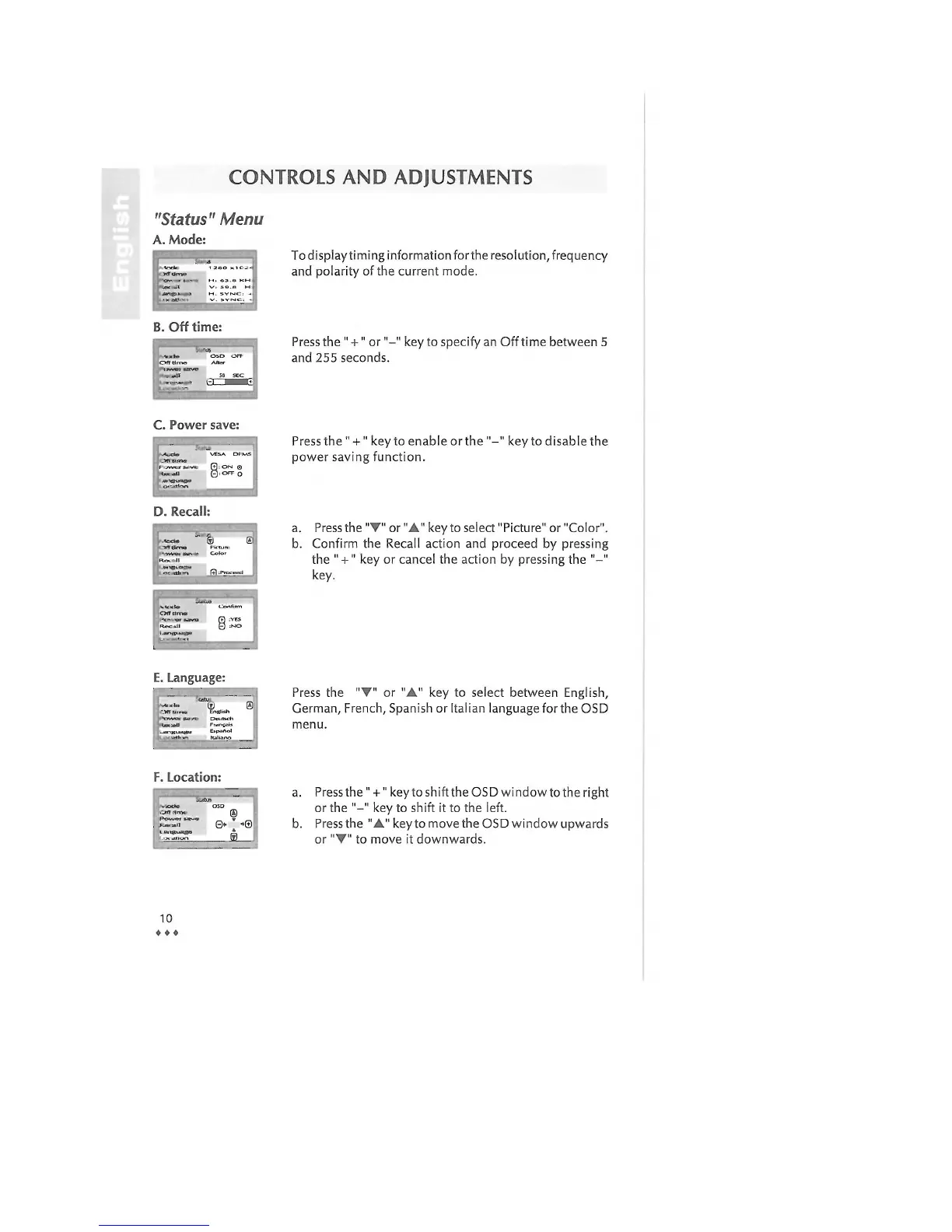
To display timing information forthe resolution, frequency
and polarity of the current mode.
Press the " +" or"-" key to specify an Off time between 5
and 255 seconds.
C. Power save:
<*a «U
.«Pies»»»©»
VEbA Of
V\S
®:ON ©
Q:OFF О
D. Recall:
Press the " +" key to enable or the "-" key to disable the
power saving function.
a. Press the "V" or "A" key to select "Picture" or "Color".
b. Confirm the Recall action and proceed by pressing
the " + " key or cancel the action by pressing the "-"
key.
E. Language:
'L, ®i
Press the "V" or "A" key to select between English,
German, French, Spanish or Italian language for the OSD
menu.
F. Location:
-мЯШ
OSD
.'jrtf
in*
®
.'jrtf
in*
В» ' ->0
l
ffl
b.
Press the" + " key to shift the OSD window to the right
or the "-" key to shift it to the left.
Press the "A" key to move the OSD window upwards
or "•" to move it downwards.
10
о 0
«



 To Next Page