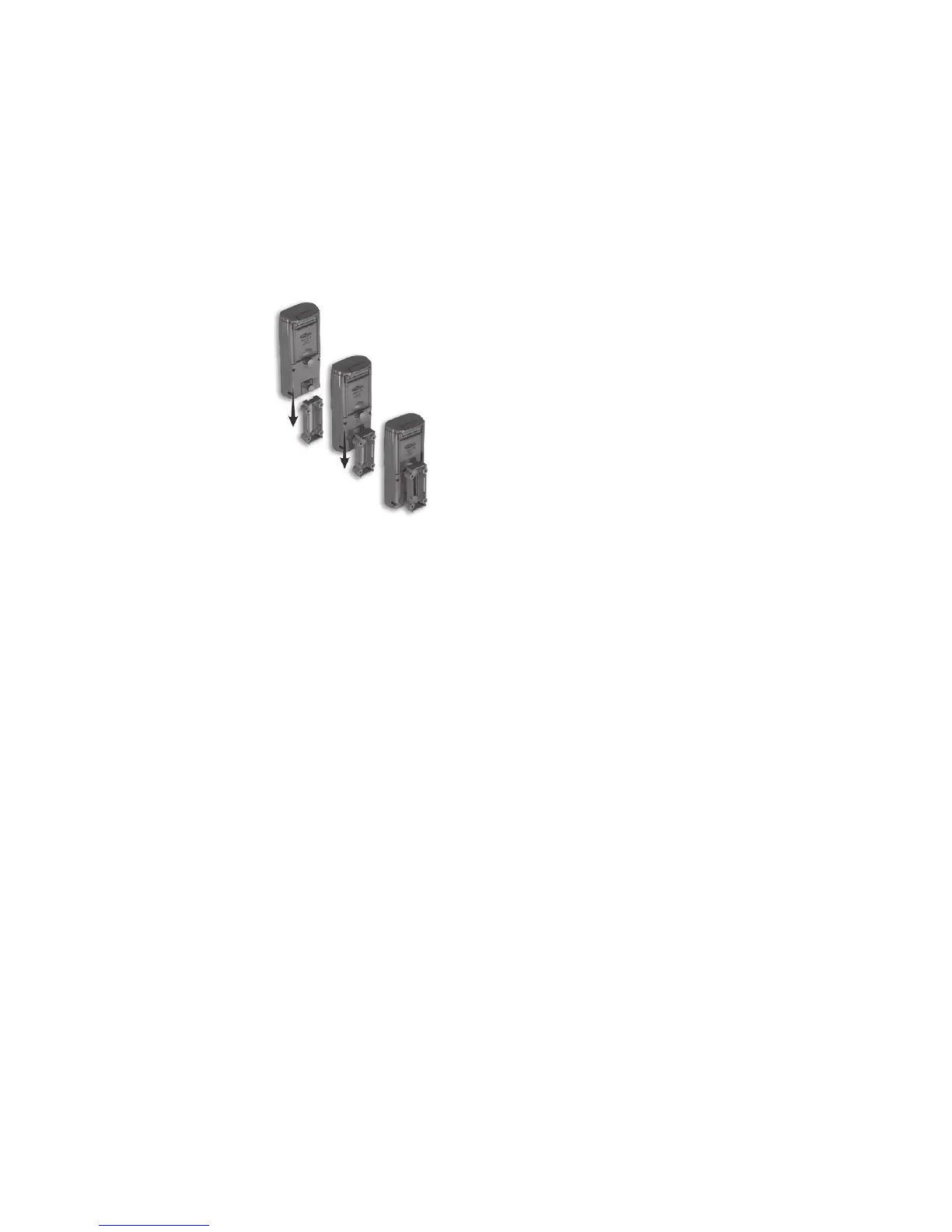
4)
Ambush
®
features our
Genius Mounting System.
This system allows you to
attach the bracket to a tree
and then slide
Ambush
®
on
and off the bracket as
needed.
5) Oncethetreebracketis
attached to the tree, make
sure both thumb screws on
the back of
Ambush
®
are tightened
completely. Then slide
Ambush
®
onto the bracket.
6) Itisbesttoremoveanyvegetationandobstructions
from
Ambush’s
eld-of-viewthatmay
interfere with
the Ambush
®
sensor or camera.
7) Aim/align
Ambush
®
to make sure it is pointed where
you expect the animals to be. Aim
Ambush
®
level
with the ground to maximize detection range and
performance. You can use the
Ambush
®
test feature
(explainednext)tohelpyoudeterminethedetectionarea.
8)
Cuddeback
®
has optional mounting methods available,
suchastilt-brackets,bear-resistantboxes,and
mounting posts. See your retailer or visit
www.cuddeback.com for details.
9
Step 5 – Checking the Ambush
®
Detection Zone
1) TurntherotaryknobtotheTest position. Close the
cover and tighten the thumb screw. Put
Ambush
®
backontothetreebracket.(Note:thereisamore
convenient method to enable test mode, see
Step 7 - Checking your
Ambush
®
for details).
2)
Walk back and forth in front of Ambush
®
.
The red
LEDwillilluminatewhenAmbush’s sensor has
detectedyou.Usingthismethodyoucanaccurately
position your Ambush
®
series as desired.
Step 6 – Arming the
Ambush
®
You can program the Ambush
®
to record still images,
or
still images AND videos. Turn the rotary knob to either
the Video Off setting or the Video On setting as desired.
The settings represent the amount of time
Ambush
®
will
wait before it is armed and ready to take another image.
This delay time prevents multiple images of the same
animal. Here is our recommendation for the various
Armedsettings:
a. Under30seconds–gametrails
b. 1and3minutes–scrapes,foodplotsorfeeders
When first armed, Ambush
®
will display the indicated
delay for 5 seconds and then begin counting down from
30to0.Whenthecounterreaches0,Ambush
®
will arm
and be ready to record images. When Ambush
®
detects a
subject, and takes a picture, a “worm” will be displayed
andtheLEDwillashredandgreen–donotremove
8



 To Next Page