EasyManua.ls Logo

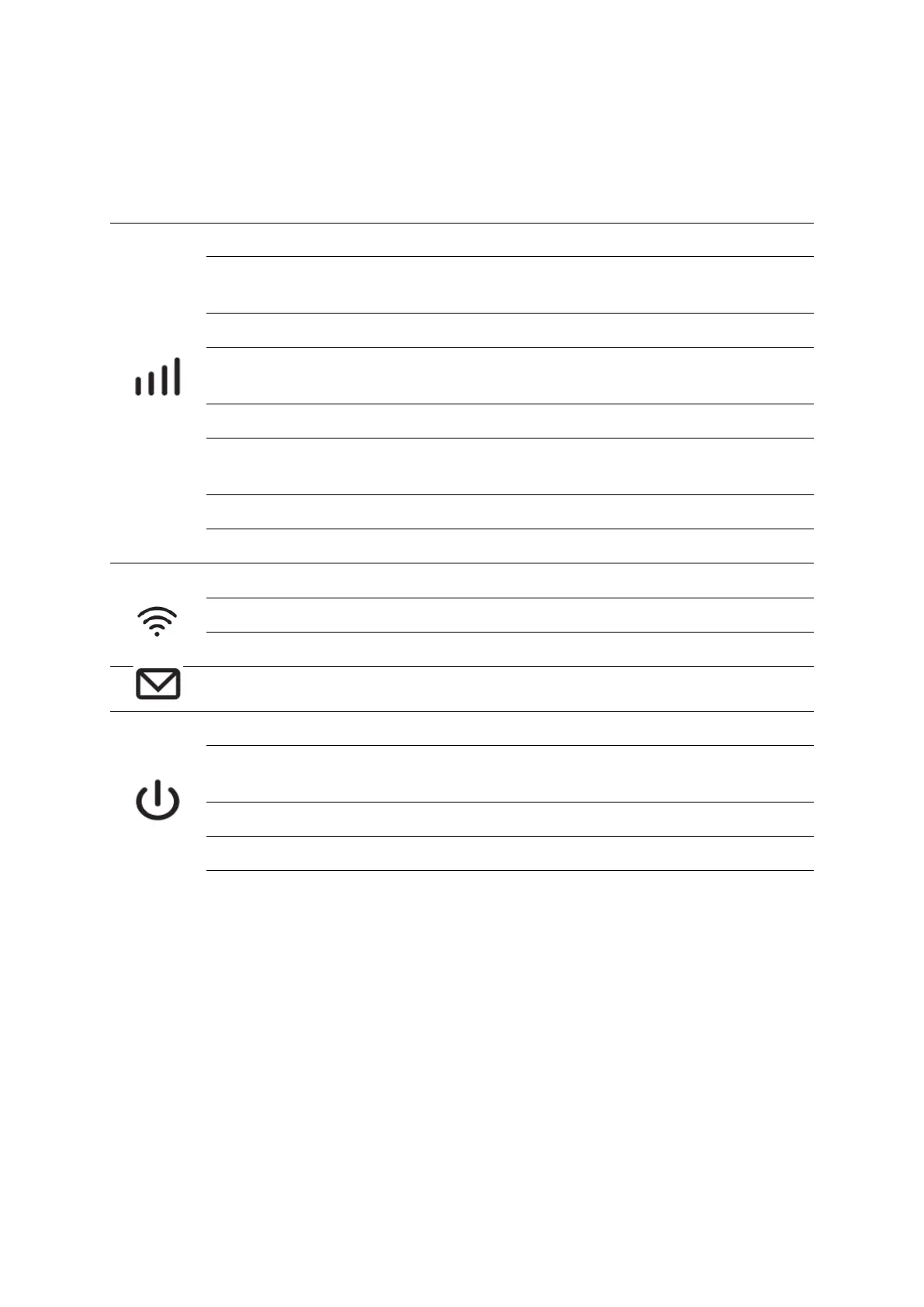
Cudy MF4 - LED Status Explanations; Solid Blue LTE Connection; Blinking Blue LTE Registration; Solid Green 3 G Connection

Cudy MF4
52 pages
To Next Page IconTo Next Page
To Previous Page IconTo Previous Page
Loading...
8
LED and Interface
LED
Status
Explanation
Solid Blue
Internet connection over LTE.
Blinking Blue
Registered on an LTE network but not yet
connected.
Solid Green
Internet connection over 3G.
Blinking Green
Registered on a 3G network but not yet
connected.
Solid Purple
Internet connection over 2G.
Flashing Purple
Registered on a 2G network but not yet
connected.
Red
No Server/Device Error.
Off
Power is off.
Solid Blue
Wi-Fi Active.
Blinking Blue
Active Link.
Fast Blinking Blue
WPS pairing in progress.
Blinking Blue
New SMS message.
Green
Power-on in progress.
Blue
Fully charged or normal operation with battery
about 60%.
Blinking Amber
Charging.
Solid Amber
Battery between 60% and 15%
Blinking Red
Battery less than 15%
Note:
1. The LEDs will turn off automatically after idling for 30 seconds. To check the LED
status, press the Power button to turn them on again.
2. If the Battery LED blinks red when the battery level is enough or when charging,
make sure the device is being used within 0-35 °C and the battery is inserted.

Other manuals for Cudy MF4

Related product manuals