EasyManua.ls Logo

Cuisinart FCC-2 Series - User Manual

Cuisinart FCC-2 Series
24 pages
Print Icon
To Next Page IconTo Next Page
Loading...
For your safety and continued enjoyment of this product, always read the instruction book carefully before using.
INSTRUCTION
BOOKLET
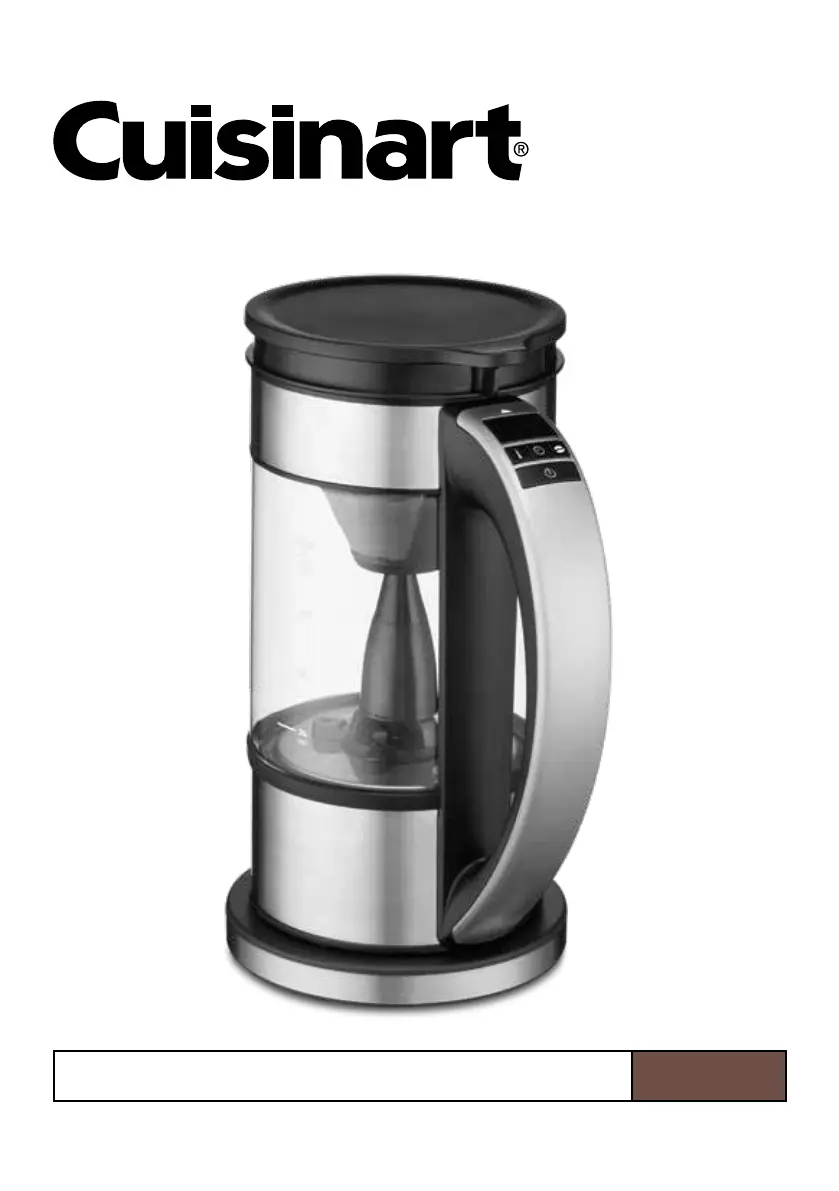
Programmable 5-Cup Percolator & Electric Kettle
FCC-2 Series

Questions and Answers

  • N
    Nichole HernandezJul 28, 2025
    Why is my Cuisinart FCC-2 water not heating up?
    • J
      Justin MartinezJul 28, 2025
      If your Cuisinart Kettle is not heating up, ensure you press the Power Button after selecting your desired temperature. If the kettle still doesn't heat up after pressing the button, contact Cuisinart Customer Service.
  • M
    mwilliamsAug 1, 2025
    What to do if 'Err' is displayed on my Cuisinart FCC-2?
    • C
      cynthia78Aug 1, 2025
      If the LED displays “Err” and all lights flash, it means the water level is too low for heating. Remove the Cuisinart Kettle from the base, add water, return it to the base, and press the button again to avoid damaging the heating element.
  • C
    Crystal McgeeAug 6, 2025
    What to do if no lights are on Cuisinart FCC-2 Kettle?
    • A
      Ashley CummingsAug 6, 2025
      If no lights are on, make sure the Cuisinart Kettle is plugged in and securely placed on the power base. Then, use the control panel to select your desired temperature and press the button.
  • H
    Heather McdowellAug 10, 2025
    How to fix Cuisinart Kettle Coffee Mode not working?
    • J
      John CrossAug 10, 2025
      If the Coffee Mode isn't working on your Cuisinart Kettle, the filter basket may not be installed correctly. Ensure the coffee basket locks in place and the basket knob aligns with the arrow on the handle.
  • C
    Christopher NelsonAug 13, 2025
    Why is my Cuisinart FCC-2 taking longer than usual to heat?
    • J
      Jay RiveraAug 14, 2025
      Several factors can affect the heat-up time of your Cuisinart Kettle, including room temperature, the amount of water in the kettle, and the water's initial temperature. If you've recently heated water to a higher temperature, the kettle might appear to be heating but is actually waiting for the water to cool down. To speed up the process, add cold water.
  • S
    Samantha Jimenez MDAug 18, 2025
    Why Cuisinart Kettle goes into standby mode?
    • C
      Caroline BruceAug 18, 2025
      If your Cuisinart Kettle goes into standby mode instead of remembering settings when placed back on the base, it's because the internal memory turns off if the kettle is off the base for more than 2 minutes. Simply put it back on the base, reselect your settings, and press the button.
  • S
    Steven KirkAug 22, 2025
    What if I pressed the wrong button on my Cuisinart FCC-2 Kettle?
    • C
      Cassandra CarpenterAug 22, 2025
      You can change your temperature selection on the Cuisinart Kettle at any time by simply pressing the desired temperature selection button. The selected temperature has been reached when the LED stops flashing.

Summary

Important Safeguards

Special Cord Set Instructions

Cord Set Electrical Rating

Ensure the marked electrical rating of the cord set matches the appliance's rating.

Cord Arrangement

Arrange cords to prevent tripping hazards or pulling from countertops.

Extension Cord Type

Use only grounding type 3-wire extension cords.

Unpacking Instructions

The Quest for the Perfect Cup of Coffee

Element 1: Water Quality

Water quality significantly impacts coffee taste; use good-tasting water.

Element 2: Coffee Bean Quality

Use quality, freshly ground beans for optimal flavor, buying only a two-week supply.

Element 3: Coffee Proportion

Adjust coffee grounds quantity for desired strength; follow recommended portions.

Features and Benefits

Easy-Open Lid with Safety Lock

Lid designed for safe operation during heating, brewing, and pouring.

Brewing Assembly Components

Includes coffee filter lid, stainless steel filter basket, and magnetic drive system.

Control Panel with LED Display

Facilitates easy selection and monitoring of temperature and timing.

Dripless Pour Spout

Designed for mess-free pouring of beverages.

Glass Kettle

Features easy-to-read water level markings for accurate filling.

Power Base with 360° Swivel

Provides convenient cordless operation and easy kettle placement.

Getting to Know Your Control Panel

LED Display Indicators

Shows Keep Warm status, power status, and temperature/brew time.

Temperature Selector

Allows scrolling through preset temperature options for kettle and coffee modes.

Brew Time Selector

Adjusts desired brew time from 3 to 8 minutes for coffee brewing.

Brew Strength Selector

Choose from Mild, Medium, or Bold coffee strength settings.

Power Button

Starts and stops the heating process for the appliance.

Install Coffee Basket

Operation: Heating Water

Operation: Brewing Coffee

Memory Feature

Boil-Dry Protection

Cleaning and Maintenance

Troubleshooting

Warranty Information

Cuisinart FCC-2 Series Specifications

General IconGeneral
BrandCuisinart
ModelFCC-2 Series
CategoryKettle
LanguageEnglish

Related product manuals