4746
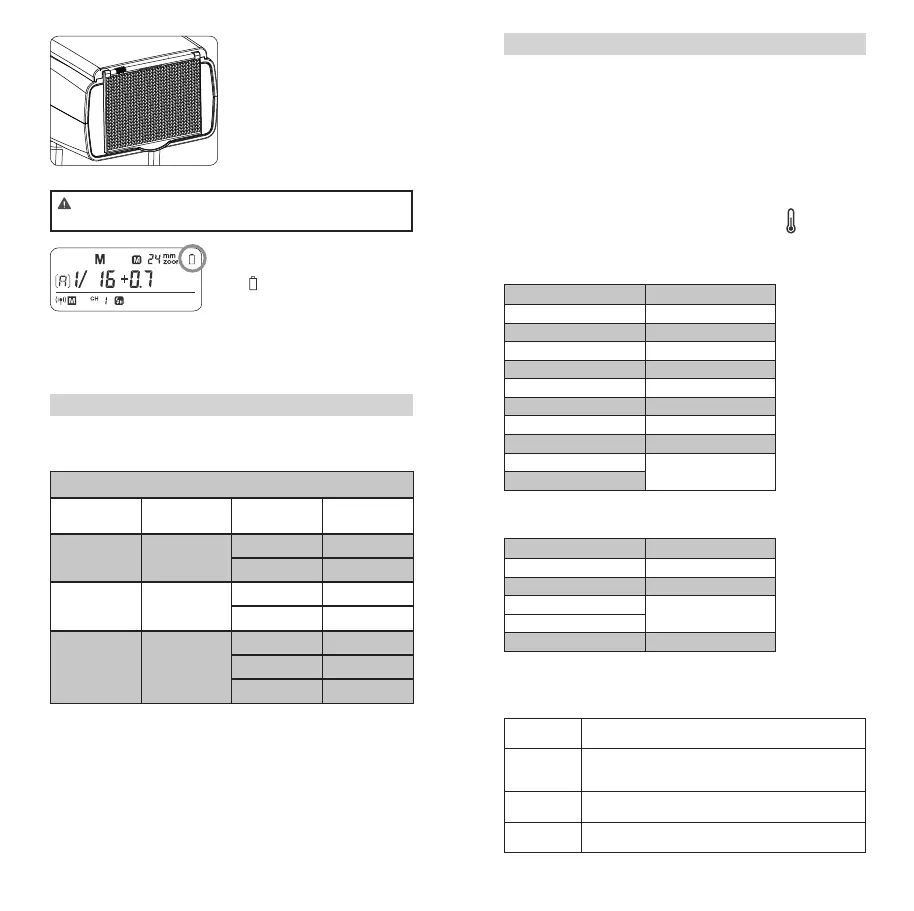
Using the Wide Panel
Pull out the wide panel and
place it over the ash head as
shown. The ash coverage will
then be extended to 14 mm.
• The catchlight panel will
come out at the same time.
Push the catchlight panel
back in.
• When pull out the wide panel, the ZOOM will constantly
be 14mm. The <ZOOM> button will not work.
Low Battery Warning
If the battery power is low,
<
> will appear and blink on
the LCD panel. Please replace
the battery immediately. When
the low battery indicator is dis-
played, the ZOOM can not be
adjusted, it will constantly be
24mm.
C.Fn: Setting Custom Functions
The following table lists the available and unavailable custom
functions of this ash.
C.Fn Custom Functions
Custom Func-
tion Signs
Function Setting No. Settings & De-
scription
ST Auto sleep
(standby)
ON ON
OFF OFF
AF AF-assist beam ON ON
OFF OFF
BL Backlighting
control
10 sec. Off in 10 sec.
OFF Always off
ON Always lighting
1. Press the < ZOOM > Button for 2 seconds until C.Fn menu is
displayed.
2. Turn the Select Dial to select the Custom Functions.
3. Press the < SET > Button and the Setting No. blinks.
4. Turn the Select Dial to set the desired number. Pressing the
< SET > Button will conrm the settings.
5. Press the < ZOOM > Button to exit.
Protection Function
1. Over-Temperature Protection
• To avoid overheating and deteriorating the ash head, do not re
more than 30 continuous ashes in fast succession at 1/1 full
power. After 30 continuous ashes, allow a rest time of at least
10 minutes.
• If you re more than 30 continuous ashes and then re more
ashes in short intervals, the inner over-temperature protection
function may be activated and make the recycling time over 10
seconds. If this occurs, allow a rest time of about 10 minutes,
and the ash unit will then return to normal.
• When the over-temperature protection is started,
is shown on
the LCD panel.
Number of ashes that will activate over-temperature pro-
tection:
Power Output Level Number of Flashes
1/1 30
1/2 +0.7 40
1/2 +0.3 50
1/2 60
1/4(+0.3,+0.7) 100
1/8(+0.3,+0.7) 200
1/16(+0.3,+0.7) 300
1/32(+0.3,+0.7) 500
1/64(+0.3,+0.7) 1000
1/128(+0.3,+0.7)
Number of ashes that will activate over-temperature pro-
tection in high-speed sync triggering mode:
Power Output Level Number of Flashes
1/1 15
1/2(+0.3,+0.7) 20
1/4(+0.3,+0.7) 30
1/8(+0.3,+0.7)
1/16(+0.3,+0.7) 40
2. Other Protections
The system provides real-time protection to secure the device
and your safety. The following lists prompts for your reference:
Prompts on
LCD Panel
Meaning
E1 A failure occurs on the recycling system so that the ash
cannot re. Please restart the ash unit. If the problem still
exists, please send this product to a maintenance center.
E2 The voltage on two outlets of the ash tube is too high.
Please send this product to a maintenance center.
E3 There are some errors occurred during the upgrading pro-
cess. Please using the correct rmware upgrade method.
FR36_BDA_Canon 171005.indd 46-47 06.10.2017 15:08:03



 To Next Page