7.
Use a Simple Green
Safety Towel to remove dirt buildup
from the upper and lower aluminum rollers. To reach all
exposed surfaces, rotate the large, black feed rollers
forward (direction of note flow).
Rotating the large, black feed rollers will rotate all other shafts and
rollers in the machine. These rollers can be rotated in either
direction by using fingers. Generally, the top of these rollers should
be rotated forward (direction of note flow), so any dirt or stray
material is moved out of the unit.
If there is heavy buildup
on the aluminum rollers,
remove it with a clean,
soft eraser as shown.
8.
Use a Simple Green
Safety Towel to clean all rubber sections
of the large, black feed rollers. Rotate the rollers.
Also clean the flat, center rubber-drive tire.
9.
Paper path
Reflector (left) and
sensor (right).
Starting from the top and moving to the bottom, use a
microfiber towel or vacuum to clean both sides of the paper
path.
Be sure to clean the two sensors and two reflectors in the
paper path.
10.
Push the front enclosure back until it clicks into its normal operating position.
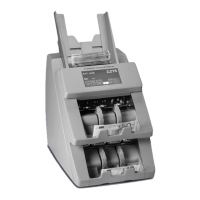
Two-Pocket Universal JetScan
®
Note Scanner
All Models


 To Next Page