JetScan
™
20
STOPPING CONDITIONS & RECOVERY
Press Cont to continue operation. If the machine is not equipped with
ultraviolet (UV), be sure to turn the feature off in SETUP (see JetScan
operating instructions). If the message continues to appear, contact a
local Cummins service representative.
DISPLAY
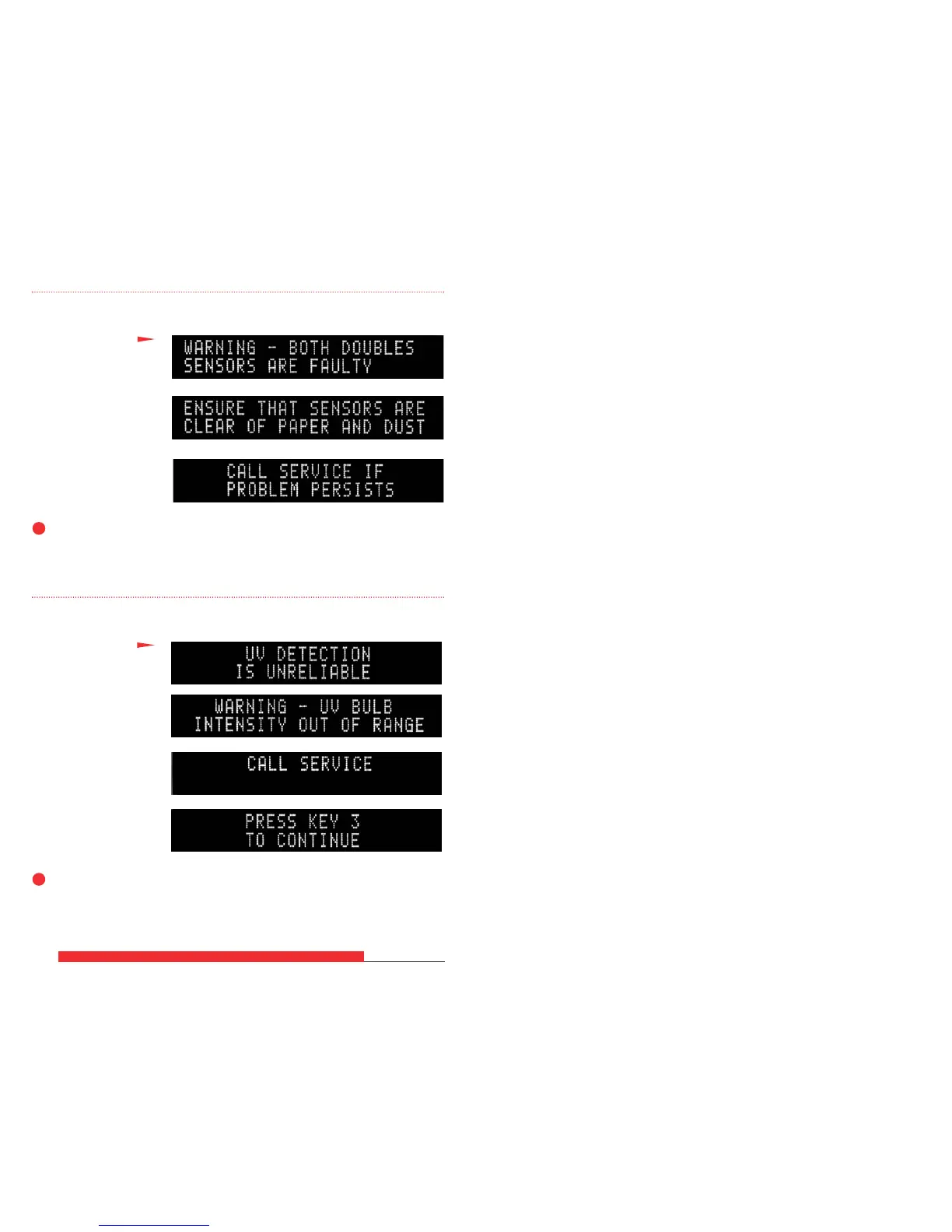
JetScan is indicating there
possibly is a problem with
the ultraviolet (UV) bulb
(“BECOMING WEAK,”
“INTENSITY OUT OF
RANGE” or “UNRELIABLE”).
➧
These four screens will sequentially flash:
Press Cont to attempt continued operation. If the alarm occurs again,
clean the machine by following the daily cleaning procedures at the front
of this booklet. If the message continues to appear, call a local Cummins
service representative.
DISPLAY
JetScan is indicating there
possibly is a problem
with the right, left or both
doubles sensors.
➧
These three screens will sequentially flash:



 To Previous Page