JetScan
™
STOPPING CONDITIONS & RECOVERY
17
JetScan
™
16
STOPPING CONDITIONS & RECOVERY
DISPLAY
Inspect the top note in the bottom stacker. Next there are two options:
• If it is identified as a counterfeit, place it aside and press Cont.
It will not be par
t of the count.
• If the note is determined to be good, return it to the bottom stacker
and press the appropriate denomination value key. JetScan will
re-start, and this note will be added to the count.
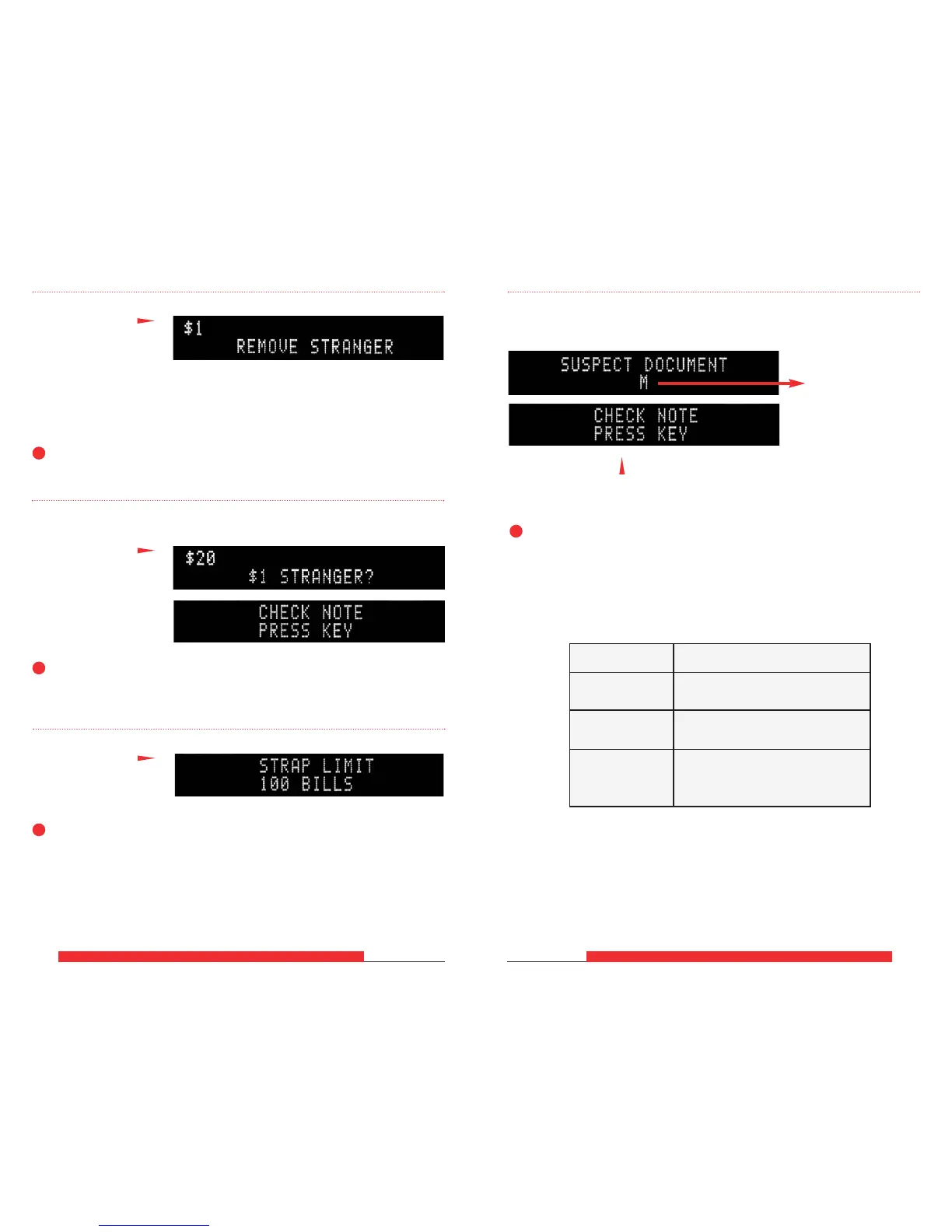
JetScan sensors have detected a possible counterfeit note. JetScan has stopped with this note
as the top note in the bottom stacker. This note has not been included in the count.
➧
ONLY ON MODELS 4062, 4063, 4064, 4065, 4068:
These two screens will sequentially flash:
This line could show
different suspect
document (SD) codes.
For details, refer to
the SD code chart
below.
SD Code Possible Causes
M
• Incorrect-ink err
or
• Worn note
UV
• Incorrect-currency paper
•
Soiled note
• Incorrect-currency paper
FL • Machine-washed note
•
Taped note
DISPLAY
Remove the top note in the bottom stacker and press Cont.
JetScan has detected a note
of a different denomination
from those being counted
and has stopped. This
“stranger” note is the top
note in the bottom stacker.
This note has not been
included in the count.
➧
These two screens will sequentially flash:
Review the top note in the bottom stacker and press the correct
denomination value key.
DISPLAY
DISPLAY
Remove the notes from the bottom stacker.
JetScan automatically will continue if there are additional notes remaining
in the top hopper.
The wrong denomination
value key was pressed.
The number of notes in the
bottom stacker has reached
the preset strap limit.
➧
➧



 To Next Page