EasyManua.ls Logo

Cutech 40180H-CT - User Manual

Cutech 40180H-CT
35 pages
Print Icon
To Next Page IconTo Next Page
Loading...
User Manual
Read this manual before using machine to avoid serious injury and damage
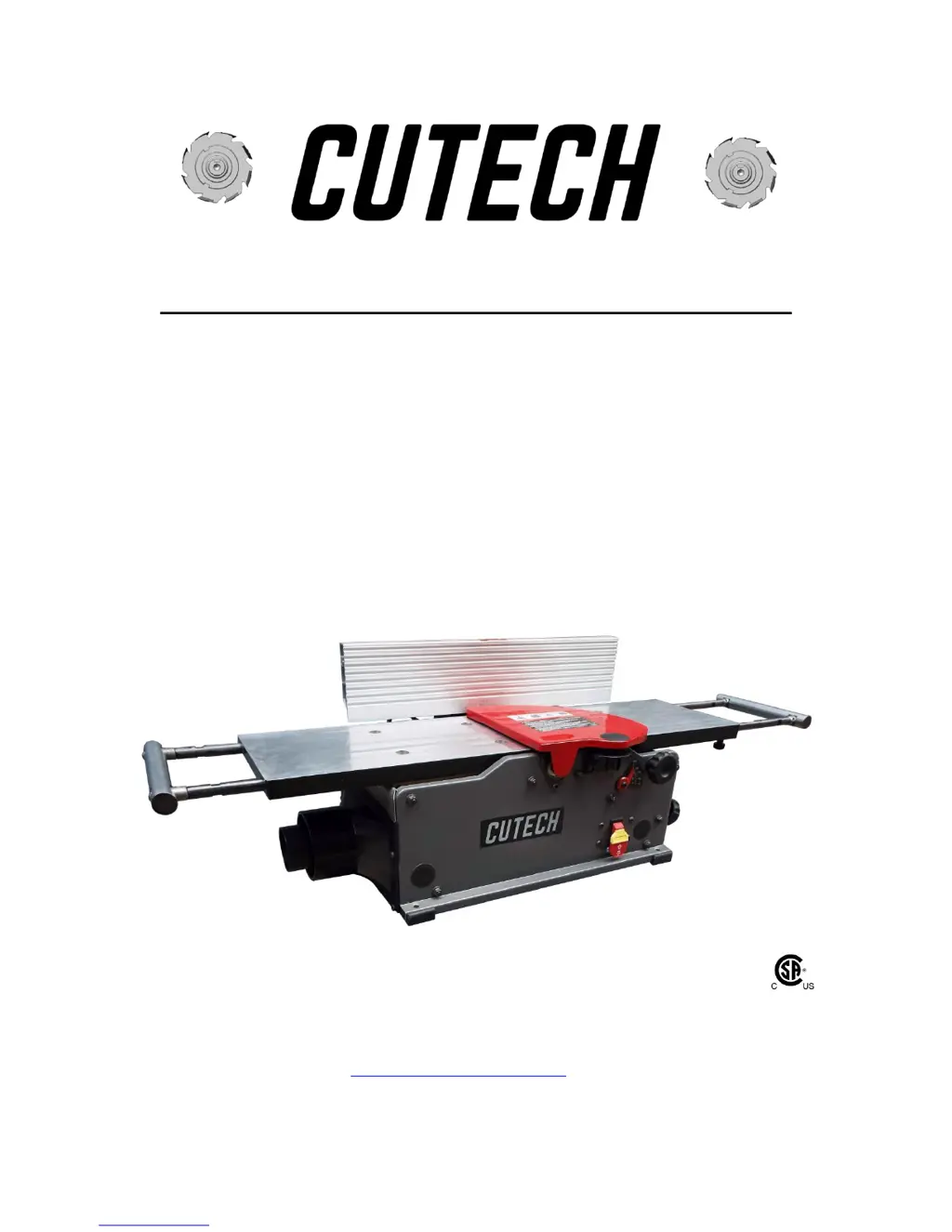
40180H-CT/40180HC-CT
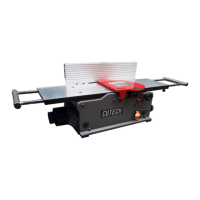
8” Bench Top Jointer
with Spiral Style Cutterhead
For technical support, email techservices@cutechtool.com or call at 877-568-8879
VER. 17.03.20

Questions and Answers

  • A
    Amber CarrilloAug 2, 2025
    What to do if my Cutech Power Tool motor will not start?
    • P
      Paul WardAug 2, 2025
      If your Cutech Power Tool motor isn't starting, the issue could stem from several causes. First, ensure the power tool is properly plugged into a functioning power source. Check for blown fuses or tripped circuit breakers, and replace them or reset the breaker. If the voltage is improper, make sure that the power tool is connected to the correct voltage supply. Finally, verify that the lockout key is properly inserted.
  • S
    Shannon WebbAug 6, 2025
    Why does my Cutech Power Tool motor stall or shut off during a cut?
    • C
      Christopher TylerAug 7, 2025
      If your Cutech Power Tool motor stalls or shuts off while cutting, consider these potential causes: * The motor may be overloaded. Try reducing the load and taking lighter cuts. * There might be a short circuit in the motor or loose connections. In this case, it's best to call an electrician to inspect and repair or replace any faulty connections or worn insulation. * The circuit breaker may have tripped, indicating a circuit overload. Install the correct circuit breaker and reduce the number of machines running on that circuit.
  • A
    Anthony RogersAug 12, 2025
    What to do if my Cutech 40180H-CT Power Tool keeps blowing fuses or tripping the circuit breaker?
    • M
      Michael AllenAug 12, 2025
      If your Cutech Power Tool is causing fuses to blow or the circuit breaker to trip, it could be due to a short circuit in the line cord or plug. It is recommended to call an electrician to repair or replace the cord or plug, checking for damaged insulation and shorted wires. Another possibility is that the unit is overloaded. Try reducing the load. Also, try operating the power tool on a circuit separate from other appliances or motors, or connect it to a circuit with an adequate amp rating.
  • M
    Mark ReedAug 17, 2025
    Why is my Cutech 40180H-CT motor overheating?
    • C
      cynthia82Aug 17, 2025
      If your Cutech Power Tool motor is overheating, it could be due to a couple of reasons. First, the motor might be overloaded during operation, so try reducing the load by taking lighter cuts. Second, air circulation through the motor might be restricted. Clean out the motor to ensure normal air circulation.
  • N
    Nathan DavidsonAug 21, 2025
    Why is my Cutech 40180H-CT Power Tool motor failing to develop full power?
    • M
      Mark ThomasAug 21, 2025
      If your Cutech Power Tool motor isn't developing full power, it could be due to an overloaded power supply circuit, caused by lights, appliances, and other motors. Another potential cause is undersized wires or circuits that are too long. To resolve this, reduce the load on the circuit and consider increasing wire sizes or reducing the length of the circuit.
  • J
    Joshua LeeAug 27, 2025
    What to do if the blade slows when cutting or makes a squealing noise on start-up with my Cutech Power Tool?
    • A
      Allison MccallAug 27, 2025
      If the blade slows down during cutting or makes a squealing noise when starting your Cutech Power Tool, this could indicate a worn-out V-belt or dull cutter tips. To fix this, replace the V-belt and either replace or rotate the cutter tips.

Summary

INTRODUCTION

WARRANTY

PRODUCT SPECIFICATIONS

FEATURE IDENTIFICATION

GENERAL SAFETY

Key Safety Warnings

Highlights warnings for dust exposure, eye protection, hearing, and dust masks.

Workshop Environment & Operation Safety

Covers work area conditions, accidental starting, electrical safety, and operational conduct.

Operational Conduct and Accessories

Details on maintaining balance, cleanliness, tool sharpness, and using correct accessories.

PRODUCT SAFETY

General Product Safety Guidelines

Covers general safety rules, electrical shock prevention, and decal maintenance.

Safe Operation Practices

Focuses on machine stability, material handling, and specific operational restrictions.

GROUNDING INSTRUCTIONS

Electrical Grounding Requirements

Explains mandatory grounding for shock prevention and proper electrical connections.

UNPACKING & INVENTORY

ASSEMBLY

Fence Assembly Procedure

Step-by-step instructions for assembling the jointer's fence components.

Cutterhead Guard Assembly

Instructions for installing and checking the cutterhead guard's tension spring.

Dust Port and Adaptor Installation

Guidance on connecting vacuum hoses using the dust port and adaptor.

Lock Knob and Switch Assembly

Details on installing the lock knob and understanding the switch operation.

ADJUSTMENTS

Fence Adjustments

Procedures for moving and tilting the fence to specific angles.

Infeed;Outfeed Table Adjustment

Steps for leveling the infeed and outfeed tables for parallelism.

Infeed;Outfeed Extension Support Adjustment

Instructions for adjusting extension supports for coplanarity and parallelism.

OPERATIONS

Starting and Stopping the Jointer

How to turn the jointer on and off using the safety key and switch.

Hand Placement During Feeding

Safe hand positioning for feeding work pieces through the jointer.

Direction of Grain and Depth Setting

Guidance on feeding with the grain and setting the cutting depth.

Extension Support Adjustment for Feeding

How to adjust extension supports for longer board feeding.

Using Push Blocks

Instructions on the safe use of push blocks to protect hands.

Jointing an Edge

Technique for squaring a work-piece edge using the fence.

Surfacing; Planing Operations

Process for creating a flat surface on a work piece.

MAINTENANCE

Cleaning Procedures

Steps for cleaning sawdust and debris to ensure proper operation.

Hardware Tightness Checks

Importance of periodically checking and tightening all hardware.

Blade (Cutter Insert) Replacement

Detailed steps and warnings for rotating or replacing cutter inserts.

Replacing the Drive Belt

Step-by-step guide for removing and installing the machine's drive belt.

TROUBLESHOOTING GUIDE

Motor and Machine Operation Issues

Common problems with motor starting, power, overheating, and stalling.

Jointer Performance and Surface Finish Issues

Troubleshooting vibration, table adjustment, chipping, fuzzy grain, and uneven cuts.

PARTS

Cutech 40180H-CT Specifications

General IconGeneral
BrandCutech
Model40180H-CT
CategoryPower Tool
LanguageEnglish

Related product manuals