EasyManua.ls Logo

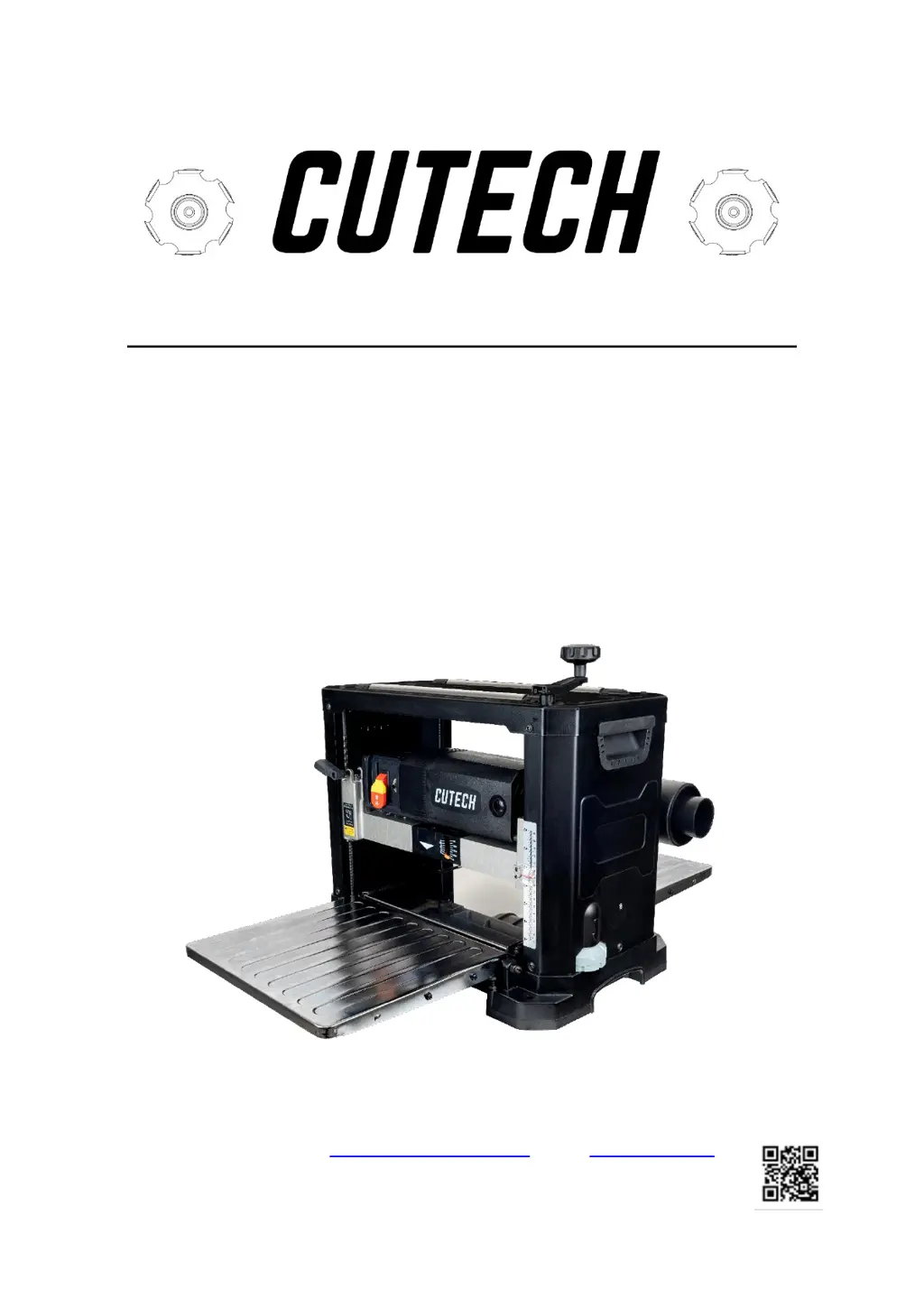
Cutech 40800H - User Manual

Cutech 40800H
30 pages
Print Icon
To Next Page IconTo Next Page
Loading...
User Manual
Read this manual before using machine to avoid serious injury and damage
40800H
13” 2 SPEED SPIRAL CUTTERHEAD
PLANER
For technical support, email support@cutechtools.us or call 858-886-7333
VER. 08.29.23.

Questions and Answers

  • D
    Debbie CampbellJul 28, 2025
    What to do if my Cutech 40800H will not start?
    • K
      Kerry WilliamsJul 29, 2025
      If your Cutech Power Tool won't start, the possible causes are that it is not plugged in, there is a blown circuit, or the lockout key is removed. Check the power source, replace the fuse, reset the breaker, or call an electrician. Also, ensure the lockout key is replaced.
  • M
    Meghan RamosAug 1, 2025
    Why does my Cutech Power Tool stop during operation?
    • A
      Angela BaileyAug 2, 2025
      If the Cutech Power Tool operation is interrupted, it might be due to the unit or circuit being overloaded. Try reducing the load or operating the tool on a separate circuit from other appliances or motors. Alternatively, connect it to a circuit with an adequate amp rating.
  • S
    scamposAug 6, 2025
    How to fix a Cutech 40800H planer that is not feeding properly?
    • T
      thomas92Aug 6, 2025
      If your Cutech Power Tool planer is not feeding properly, it could be caused by removing too much material, dull knives or tips, buildup on the tables, or buildup on the rollers. Try reducing the cut depth and replace the knives or tips. Clean the tables and apply paste wax. Also, clean the rollers with a cleaner safe for rubber surfaces.
  • C
    Christopher BondAug 10, 2025
    What to do if my Cutech Power Tool is causing torn grain?
    • M
      Marcus CarlsonAug 10, 2025
      Torn grain when using your Cutech Power Tool may be due to a blade setting that's too deep or shallow, feeding the work piece against the grain, or dull cutter blades. You can reduce or increase the depth of cut, feed the other end of the board first, replace or turn the blades, try skewing the board when feeding, or very slightly dampen the work piece.
  • E
    Erin PowellAug 14, 2025
    How to prevent snipe with Cutech 40800H?
    • D
      Diana GarciaAug 14, 2025
      If you're experiencing snipe (depressions at the end of the work piece) with your Cutech Power Tool, it could be due to dull blades, infeed or outfeed tables being out of adjustment, or residue on the rollers. Replace or rotate the tips, readjust the tables, feed a scrap of the same thickness before and after the work piece, and clean the rollers.
  • J
    Jack HaynesAug 19, 2025
    Why is my Cutech Power Tool leaving a fuzzy/rough grain?
    • J
      John RobertsonAug 19, 2025
      Fuzzy or rough grain when using the Cutech Power Tool may be caused by high wood moisture content, dull blades, or too deep a blade setting. Dry the wood before planing, replace or turn the blades, and reduce the depth of cut.
  • V
    vanessa72Aug 22, 2025
    What to do if Cutech Power Tool board thickness does not match depth scale indicator?
    • B
      Brittney GarciaAug 23, 2025
      If the board thickness does not match the depth scale indicator on your Cutech Power Tool, the depth scale may be incorrectly set. Adjust the depth scale.

Summary

Warranty Information

Product Specifications

Feature Identification

General Safety Precautions

Product Safety Guidelines

Grounding Instructions

Unpacking and Inventory Check

Assembly Procedures

Attaching Depth Adjustment Handle

Attach the raise/lower adjustment handle to the planer shaft using a hex screw.

Attaching the Dust Port

Connect the dust port to the cutterhead assembly using dust port knobs.

Securing Planer to Table or Workbench

Adjustments

Leveling Extension Tables

Ensure infeed and outfeed tables are level with the planer table for accurate cuts.

Raising and Lowering Head Assembly

Adjusting or Replacing Knives

Thickness Scale Adjustment

Operations Overview

Power Switch Usage

Learn to turn the planer on/off and use the lockout key for unauthorized use prevention.

Depth-of-Cut Indicator

Use the indicator to determine material removed per pass by adjusting the handle.

Repeat Cut Preset

Feed Rate Selection

Getting Prepared for Operation

Basic Planer Operation

Thickness Planing Technique

General Tips and Guidelines

Avoiding Snipe

Maintenance Procedures

Cleaning the Planer

Regularly clean moving parts, rollers, and tables to ensure accurate planing and prevent buildup.

Hardware Tightness Check

Periodically check and tighten all clamps, nuts, bolts, and screws for safety and function.

Brush Replacement

Troubleshooting Guide

Parts Identification

Parts List

Cutech 40800H Specifications

General IconGeneral
Model40800H
CategoryPower Tool
Cutterhead Speed/No Load Speed10, 000 RPM
Blade TypeHSS
Maximum Width of Cut8 inches
Cutting Width8 inches
Maximum Depth of Cut1/8 inch

Related product manuals