EasyManua.ls Logo

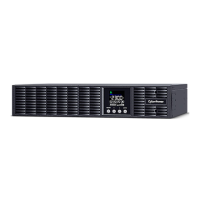
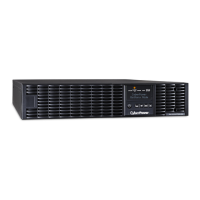
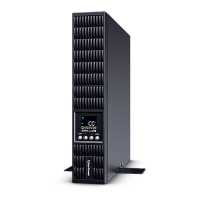
Cyber Power OLS1000ERT2Ua - User Manual

Cyber Power OLS1000ERT2Ua
36 pages
Print Icon
To Next Page IconTo Next Page
Loading...
Users Manual
OLS1000ERT2Ua
OLS2000ERT2Ua
OLS3000ERT2Ua
Cyber Power Systems, Inc.
www.cyberpower.com
K01-C000603-00

Questions and Answers

Summary

IMPORTANT SAFETY INSTRUCTIONS

HARDWARE INSTALLATION

RACKMOUNT INSTALLATION

Details on installing rackmount ears and rails for rack mounting the UPS.

VERTICAL;TOWER INSTALLATION

Instructions for rotating the LCD and attaching base stands for tower orientation.

SAFETY PRECAUTIONS

INSTALLING YOUR UPS SYSTEM

UPS SYSTEM STARTUP

USING THE UPS SYSTEM

LCD SCREEN - ICON DESCRIPTION

Detailed explanation of icons used on the UPS LCD screen for status and modes.

SET UP

EVENT CODE LIST

TROUBLESHOOTING

MAINTENANCE

BATTERY INSTALLATION AND REPLACEMENT

Step-by-step instructions for installing and replacing UPS batteries.

Cyber Power OLS1000ERT2Ua Specifications

General IconGeneral
CategoryUPS
TypeLine Interactive
Output WaveformSine Wave
Number of Outlets8
Rack Size2U
Operating Temperature32°F to 104°F (0°C to 40°C)
Capacity1000VA
Output Voltage120V
Output Frequency50 / 60 Hz
Transfer Time4 ms
Battery TypeSealed Lead Acid
Battery Recharge Time8 hours
CommunicationUSB, Serial
Output Voltage Regulation±5%
Form FactorRackmount/Tower

Related product manuals